Pitch Deck
AI Presentation Best Practices: 10 Rules That Separate Polished Decks From Time-Wasters in 2026
AI presentation best practices: 10 rules that cut creation time, keep your brand consistent, and apply to pitch decks, sales, and team presentations.


İlayda Tunaboylu
Most “presentation best practices” lists are stuck in 2018.
They tell you to use the 10-20-30 rule, keep bullet points short, and use high-contrast colors. Those tips aren’t wrong. They’re just incomplete.
The real best practices have changed. Because the tools have changed.
In 2026, the difference between a polished, on-brand deck and a time-wasting mess isn’t whether your fonts are 30 points or 24. It’s whether your workflow is set up to remove manual work entirely. The teams that produce great presentations aren’t designing slides better. They’re designing systems better.
This guide breaks down the 10 AI presentation best practices that actually move the needle in 2026, the named mistakes that quietly drain your time, and how to set up your team so every deck you create stays consistent and fast.
You’ll get:
The 4 layers of modern presentation best practices
10 specific rules that separate fast teams from slow ones
Best practices broken down by use case (pitch deck, sales, internal, client)
5 named mistakes that derail even strong teams
A team setup that makes every future deck faster
Why AI Presentation Best Practices Have Changed
Old best practices assumed you’d manually build every slide.
That’s why they focused on font sizes, slide counts, and design rules. Those rules made sense when you opened PowerPoint, picked a layout, and dragged elements around for two hours.
AI presentation tools changed the math entirely. When you describe a topic and get a structured deck in minutes, the bottleneck is no longer your design skill. It’s your workflow setup, your brand consistency, and your iteration speed.
In 2026, the teams that produce great presentations fast share three traits:
They start from a topic description, not a blank slide
Their brand is applied automatically across every deck
Their team uses the same system, not five different tools
That’s the foundation modern best practices are built on. Everything else flows from there.
For a broader look at how AI changes presentation workflows, see our breakdown of what makes for a good presentation and our guide to the best AI presentation tools.
The 4 Layers of Modern Presentation Best Practices
Most articles list 30 random tips. Useful, but exhausting.
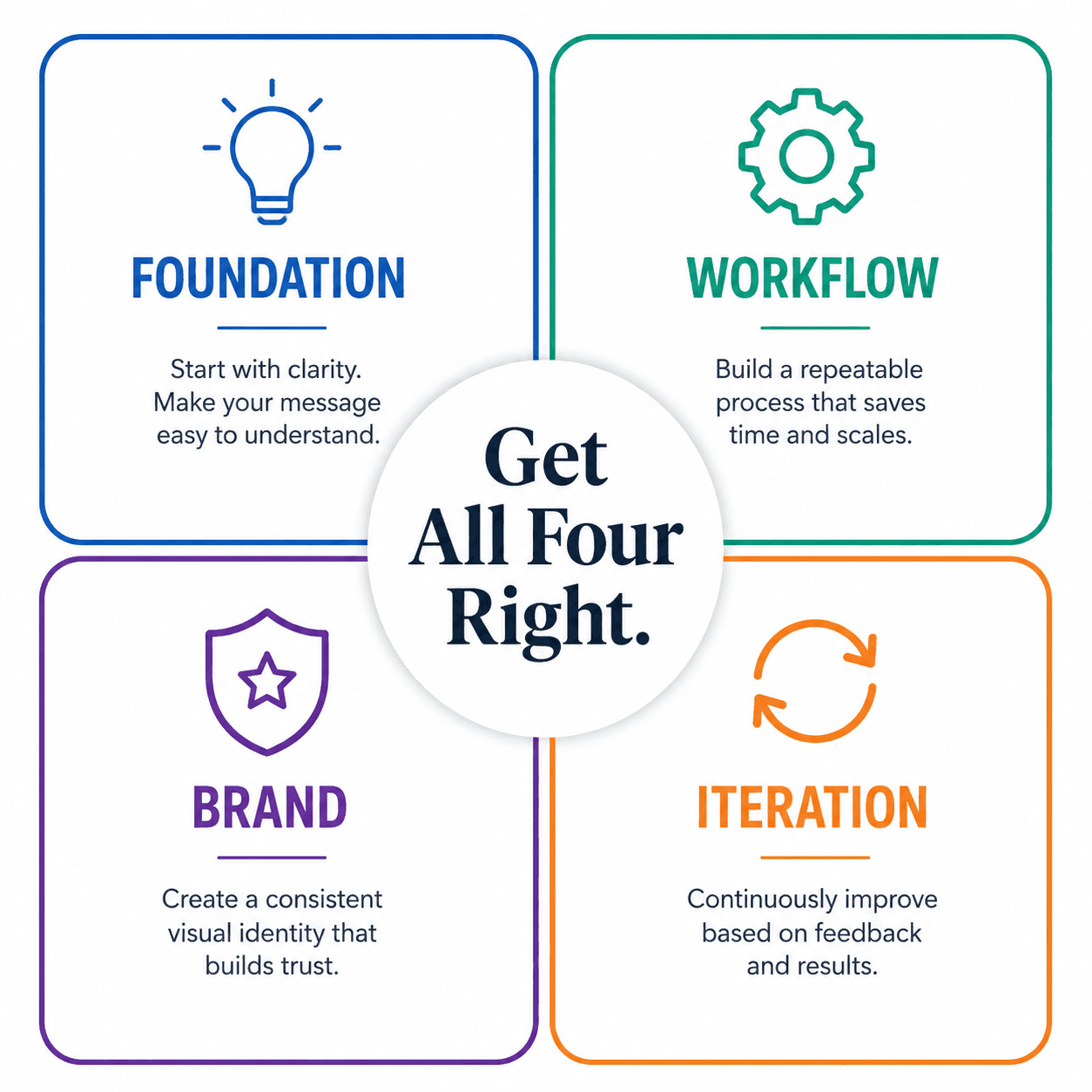
The reality is simpler. Modern presentation best practices fall into four layers. Get all four right and the rest takes care of itself.
[[EMBED:PGRpdiBzdHlsZT0ib3ZlcmZsb3cteDphdXRvO21hcmdpbjoyMHB4IDAiPjx0YWJsZSBzdHlsZT0id2lkdGg6MTAwJTtib3JkZXItY29sbGFwc2U6Y29sbGFwc2U7Zm9udC1zaXplOjE1cHg7bWFyZ2luOjhweCAwIj48dGggc3R5bGU9ImJvcmRlcjoxcHggc29saWQgI2UzZTZlYTtwYWRkaW5nOjEwcHggMTRweDt0ZXh0LWFsaWduOmxlZnQ7YmFja2dyb3VuZDojZjRmNmY4O2ZvbnQtd2VpZ2h0OjYwMCI+PHRyPjx0aCBzdHlsZT0iYm9yZGVyOjFweCBzb2xpZCAjZTNlNmVhO3BhZGRpbmc6MTBweCAxNHB4O3RleHQtYWxpZ246bGVmdDtiYWNrZ3JvdW5kOiNmNGY2Zjg7Zm9udC13ZWlnaHQ6NjAwIj5MYXllcjwvdGg+PHRoIHN0eWxlPSJib3JkZXI6MXB4IHNvbGlkICNlM2U2ZWE7cGFkZGluZzoxMHB4IDE0cHg7dGV4dC1hbGlnbjpsZWZ0O2JhY2tncm91bmQ6I2Y0ZjZmODtmb250LXdlaWdodDo2MDAiPldoYXQgSXQgTWVhbnM8L3RoPjx0aCBzdHlsZT0iYm9yZGVyOjFweCBzb2xpZCAjZTNlNmVhO3BhZGRpbmc6MTBweCAxNHB4O3RleHQtYWxpZ246bGVmdDtiYWNrZ3JvdW5kOiNmNGY2Zjg7Zm9udC13ZWlnaHQ6NjAwIj5FeGFtcGxlPC90aD48L3RyPjwvdGhlYWQ+PHRib2R5Pjx0cj48dGQgc3R5bGU9ImJvcmRlcjoxcHggc29saWQgI2UzZTZlYTtwYWRkaW5nOjEwcHggMTRweDt0ZXh0LWFsaWduOmxlZnQ7dmVydGljYWwtYWxpZ246dG9wIj5GZWF0dXJlIENvbXBldGl0aW9uPC90ZD48dGQgc3R5bGU9ImJvcmRlcjoxcHggc29saWQgI2UzZTZlYTtwYWRkaW5nOjEwcHggMTRweDt0ZXh0LWFsaWduOmxlZnQ7dmVydGljYWwtYWxpZ246dG9wIj5Qcm9kdWN0IGNhcGFiaWxpdGllczwvdGQ+PHRkIHN0eWxlPSJib3JkZXI6MXB4IHNvbGlkICNlM2U2ZWE7cGFkZGluZzoxMHB4IDE0cHg7dGV4dC1hbGlnbjpsZWZ0O3ZlcnRpY2FsLWFsaWduOnRvcCI+Wm9vbSB2cyBHb29nbGUgTWVldDwvdGQ+PC90cj48dHI+PHRkIHN0eWxlPSJib3JkZXI6MXB4IHNvbGlkICNlM2U2ZWE7cGFkZGluZzoxMHB4IDE0cHg7dGV4dC1hbGlnbjpsZWZ0O3ZlcnRpY2FsLWFsaWduOnRvcCI+RGlzdHJpYnV0aW9uIENvbXBldGl0aW9uPC90ZD48dGQgc3R5bGU9ImJvcmRlcjoxcHggc29saWQgI2UzZTZlYTtwYWRkaW5nOjEwcHggMTRweDt0ZXh0LWFsaWduOmxlZnQ7dmVydGljYWwtYWxpZ246dG9wIj5BYmlsaXR5IHRvIGFjcXVpcmUgY3VzdG9tZXJzPC90ZD48dGQgc3R5bGU9ImJvcmRlcjoxcHggc29saWQgI2UzZTZlYTtwYWRkaW5nOjEwcHggMTRweDt0ZXh0LWFsaWduOmxlZnQ7dmVydGljYWwtYWxpZ246dG9wIj5IdWJTcG90IHZzIHNtYWxsZXIgQ1JNczwvdGQ+PC90cj48dHI+PHRkIHN0eWxlPSJib3JkZXI6MXB4IHNvbGlkICNlM2U2ZWE7cGFkZGluZzoxMHB4IDE0cHg7dGV4dC1hbGlnbjpsZWZ0O3ZlcnRpY2FsLWFsaWduOnRvcCI+QXR0ZW50aW9uIENvbXBldGl0aW9uPC90ZD48dGQgc3R5bGU9ImJvcmRlcjoxcHggc29saWQgI2UzZTZlYTtwYWRkaW5nOjEwcHggMTRweDt0ZXh0LWFsaWduOmxlZnQ7dmVydGljYWwtYWxpZ246dG9wIj5CcmFuZCBtaW5kc2hhcmUgYW5kIHBlcmNlcHRpb248L3RkPjx0ZCBzdHlsZT0iYm9yZGVyOjFweCBzb2xpZCAjZTNlNmVhO3BhZGRpbmc6MTBweCAxNHB4O3RleHQtYWxpZ246bGVmdDt2ZXJ0aWNhbC1hbGlnbjp0b3AiPkFwcGxlIHZzIEFuZHJvaWQgYnJhbmRzPC90ZD48L3RyPjwvdGJvZHk+PC90YWJsZT48L2Rpdj4=]]
The teams that win at AI presentations don’t just nail one of these layers. They nail all four, and they automate as much of each as possible.
10 AI Presentation Best Practices That Actually Move the Needle
1. Start From a Topic, Not a Blank Slide
The principle: Open the slide editor only after you have a clear topic and audience.
The old workflow was “open PowerPoint, then think about what to say.” That’s backwards. The new workflow is “decide what to say, then describe it to an AI tool that builds the structure.”
How to do it: Before you open any tool, write one sentence answering: “By the end of this presentation, the audience will [decide / believe / do] X.” That sentence is your input.
How Decktopus implements it: Decktopus generates a full deck from a topic description. You describe what your presentation is about, upload supporting files if you have them, and the structure comes back in seconds. You’re never staring at a blank slide.
2. Apply Your Brand Once, Not Every Time
The principle: Set up your brand assets once and let your tool apply them automatically to every future deck.
Most teams reapply brand colors, fonts, and logos on every new presentation. That’s an hour of manual work per deck, repeated forever. It also produces inconsistency, because no two people apply brand exactly the same way.
How to do it: Centralize your brand assets in one system that every deck pulls from. Don’t rely on individual team members to manually format slides.
How Decktopus implements it: Paste your website URL once and Decktopus pulls your logo, colors, and fonts automatically. Or upload a Brand Kit. Every future deck your team creates inherits the brand without anyone having to think about it.
For more on the brand consistency problem, see our guide on how to stop AI from messing up your branding in presentations and our breakdown on how AI actually builds slide layouts and why branding breaks.
3. Refine With Prompts, Not Buttons
The principle: Don’t waste time clicking through formatting menus. Tell the tool what you want changed in plain language.
In 2018, refining a slide meant clicking through 12 menus to adjust text size, alignment, and color. In 2026, the fastest workflow is to type “make this section more concise” or “switch this chart to a bar graph.”
How to do it: Pick a tool that supports prompt-based editing. Use specific instructions like “rewrite for a technical audience” or “make this slide more visual” instead of clicking around.
How Decktopus implements it: Every slide has a prompt bar. Type what you want changed and the slide updates. No menu hunting, no manual reformatting.
4. Build for One Clear Takeaway Per Slide
The principle: Every slide should answer one question or make one point. Not three.
Slides that try to communicate three ideas at once communicate none. This rule predates AI and still holds. The audience can absorb one thing per slide. Respect that limit.
How to do it: Before finalizing each slide, ask: “What’s the one thing I want the audience to remember from this slide?” If you can’t answer in one sentence, split the slide.
How Decktopus implements it: The AI-generated outline naturally separates ideas into individual slides. Use the prompt bar to split any slide that’s trying to do too much.
For more on slide structure, see our breakdown of how to make presentations easier to understand.
5. Generate Visuals, Don’t Hunt for Them
The principle: Stop searching stock photo sites. Generate the exact image you need with AI.
The old workflow involved 30 minutes of Google Images and Unsplash, settling for the closest match. The new workflow generates a custom image in seconds that fits your specific slide context.
How to do it: Use a presentation tool with built-in AI image generation, or use a separate image generator and paste the result in.
How Decktopus implements it: AI Image Generator creates visuals tailored to your slide content. Type a description or let it read the slide context. The image appears in seconds, on-brand and ready to use.
For more on AI image generation specifically, see our guide on AI image generators from text.
6. Open and Close With Intent
The principle: The first and last slides do disproportionate work. Design them with care.
The opening sets attention. The closing drives action. Everything in between is supporting evidence. Most presenters spend 90% of their effort on the middle and 10% on the bookends. Flip that ratio.
How to do it: Write the closing slide first. Then write the opening slide. Then build the middle to connect them.
How Decktopus implements it: Use the prompt bar to refine opening and closing slides specifically. Try “rewrite the opening to lead with a contrarian insight” or “redesign the closing as a clear call to action.”
For deeper guidance, see our breakdowns on how to start a presentation with hooks that grab attention and how to end a presentation with impact.
7. Use Charts to Make Data Land Faster
The principle: If your data is more than three numbers, visualize it. Text data forces the audience to do mental math.
Most decks bury data in paragraph form when a bar chart or pie chart would communicate it in one second.
How to do it: Any time your slide has more than 3 numbers, pause. Could a chart show the pattern faster? Usually yes.
How Decktopus implements it: AI-generated charts appear automatically when your content includes data worth visualizing. Refine with prompts like “switch this to a stacked bar chart” or “compare these two metrics side by side.”
8. Maintain Version Control, Always
The principle: Every meaningful edit should be reversible. Never lose a good version chasing a better one.
Manual version control (saving “Final_v2_FINAL_USE_THIS.pptx”) is how teams lose work. Modern tools handle this automatically.
How to do it: Use a tool with built-in version history. Test changes freely, knowing you can always restore an earlier version.
How Decktopus implements it: Unlimited version history per slide. Restore any past version in one click. No “Final_v2_FINAL” file naming required.
9. Reuse What Works, Don’t Rebuild
The principle: Your best-performing slides should appear in future decks. Build a system to reuse them.
Most teams rebuild the same “About Us” slide, “Pricing” slide, and “Team” slide from scratch every time. That’s hundreds of hours per year per team.
How to do it: Save your best slides somewhere you can pull from. Mark which ones are core, which are situational, which are deprecated.
How Decktopus implements it: Slide Library lets you save, star, and reuse high-performing slides across presentations. Build once. Use forever.
10. Collaborate Inside the Deck, Not Around It
The principle: Edit, comment, and refine in the same place. Don’t email PowerPoint files back and forth.
Email-based collaboration creates version chaos. Cloud-based collaboration eliminates it.
How to do it: Use a tool that supports real-time team editing and comments. Stop sending file attachments for review.
How Decktopus implements it: Multiple team members can work on the same presentation simultaneously. Comments and changes live inside the deck. No more “did you see my edits in the V3 file?”
For more on building team workflows, see our guide on how to build a team presentation system with AI.
Beautify Existing Decks Instead of Rebuilding Them
One of the most overlooked AI presentation practices is not building from scratch when you don't need to. Most teams have working slide files sitting on desktops or in shared drives. The content is fine. The design is dated.
Rebuilding these decks manually takes hours. Rebuilding them with an AI-generated new deck loses the strategic thinking already baked in. Neither option is the right use of your time.
Decktopus Beautify handles this specific case. Upload any PowerPoint or Google Slides file, and Beautify rebuilds every slide with consistent typography, brand colors, and professional layouts. Your content stays. The design gets a full upgrade.
Two modes are available:
Redesign — Rebuilds layout and design while preserving all your content
Use as a Resource — Uses your existing deck as source material and generates a new, structured version
Both apply your brand automatically. Paste your homepage URL and Beautify pulls in your logo, colors, and fonts.
Best practice: Before building a new AI-generated deck, check if you already have something Beautify can upgrade. It saves hours and preserves the strategic work you already did.
Try Beautify with Decktopus AI →
Best Practices by Use Case
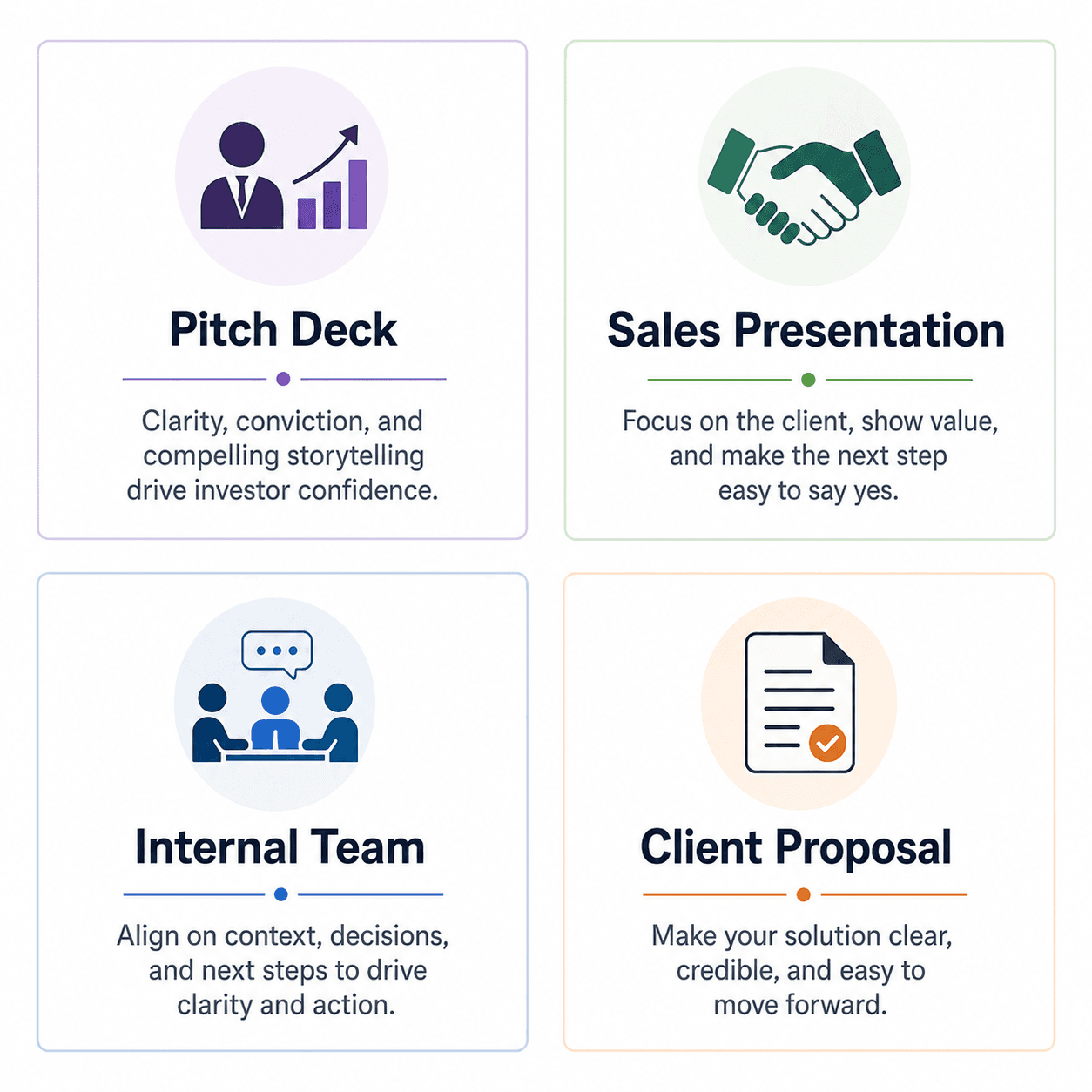
The 10 best practices above apply to every presentation. But each use case has nuances. Here’s how to adapt them.
For Pitch Decks (Investor Audience)
Lead with traction, not features
Keep it to 10 to 15 slides
One narrative thread: problem → solution → traction → ask
The closing slide is the ask. Make it specific.
Generate the deck in Decktopus, refine each slide with prompts to match investor expectations
For inspiration, see our breakdown of real pitch deck examples and avoid the common pitch deck mistakes. For deeper guidance, our guide on the best AI pitch deck generators for founders walks through what investors actually scan for.
For Sales Presentations (Prospect Audience)
Open with their problem, in their language
Position your solution around their specific pain
Show proof: case studies, testimonials, real numbers
Pricing should be visible and structured, not hidden
End with a specific next step (demo, signature, call)
For more on framing sales pitches that close, see our guide on how to sell an idea effectively and our sales pitch writing guide.
For Internal Team Presentations (Decision Audience)
Lead with the decision being asked
Show options (typically 2 to 3), not data dumps
Include a clear recommendation
End with owners and next steps
For Client Proposals (Buyer Audience)
Start with the client’s situation, not your capabilities
Tailor visible details to their context
Pricing transparency builds trust
Close with specific scope and timeline
For more on proposal structure, see our business proposal guide.
5 Named Mistakes That Drain Even Strong Teams
1. The Blank Canvas Trap
Opening the slide editor before you know what you’re presenting. The result: an hour of staring, two mediocre slides, and a vague structure. Always start with a topic description, not a blank slide.
2. The Brand Drift Problem
Five team members create decks. Each one applies brand colors slightly differently. Three months later, the company has 50 presentations that look like they came from 50 different companies. Fix this with a centralized Brand Kit that applies automatically.
3. The One-Shot Mistake
Building the deck in one sitting and sending it without iteration. The first version is always too long, too vague, or both. Build, walk away for an hour, come back and cut.
4. The Solo Genius Trap
One person builds the deck, no one else reviews. Critical errors stay in. Audiences spot them. Always have at least one other person read the deck before it goes out.
5. The Format Fatigue Spiral
Manually formatting every element on every slide. Wasted hours. The fix is to use a system (Brand Kit, Brand Compliance, prompt-based editing) that handles formatting automatically.
For more common failures, see our breakdown of the 7 mistakes we all made during a presentation.
How to Set Up Your Team for These Best Practices
The fastest way to make every future deck better is to set up the system once.
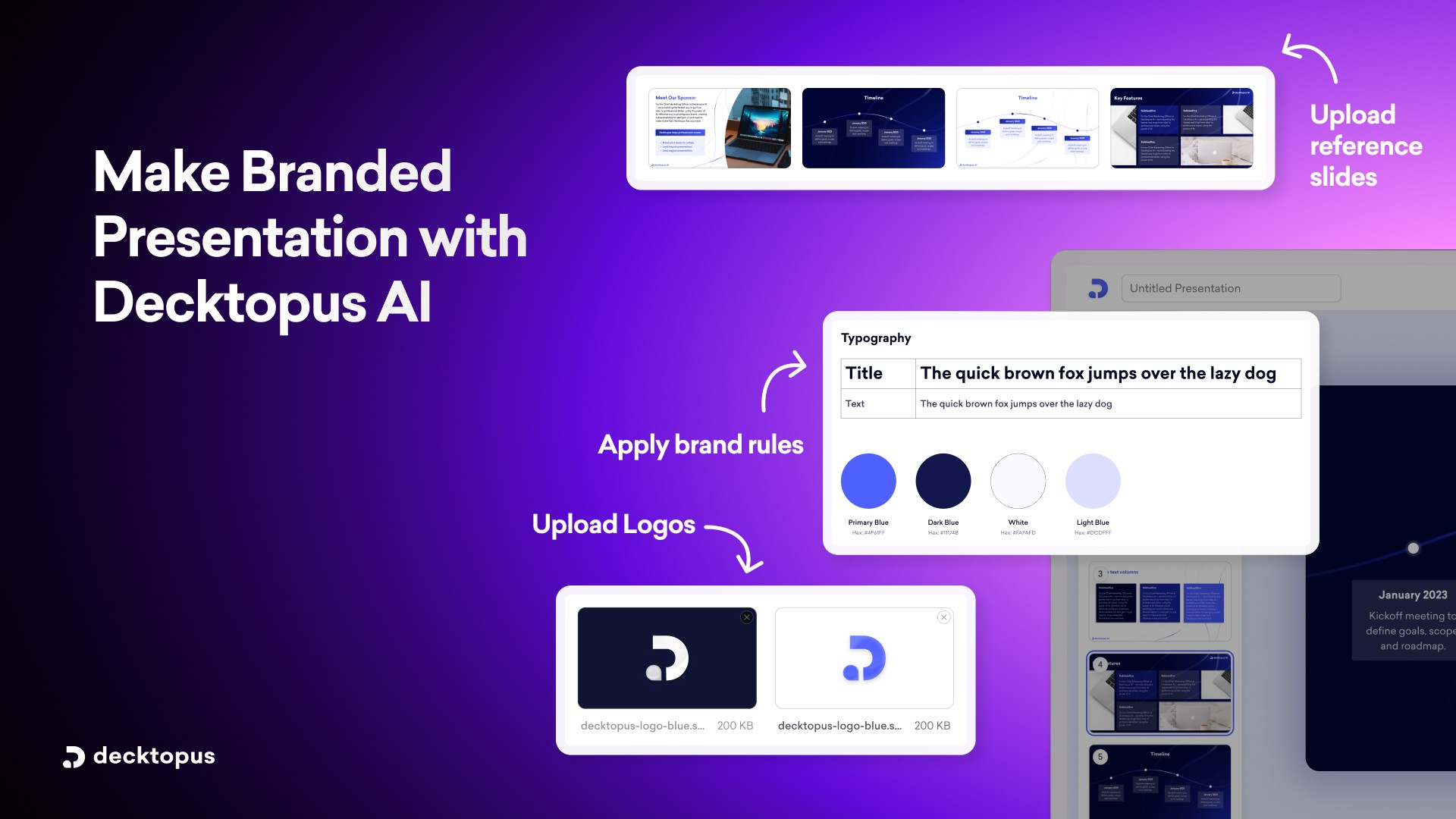
Here’s the setup workflow in Decktopus:
1. Upload your brand. Paste your website URL or upload your Brand Kit (logo, colors, fonts). This single step ensures every future deck stays on-brand without manual application.
2. Define your most common presentation types. Pitch deck, sales presentation, internal review, client proposal. Each one will have slightly different structures.
3. Build a starter version of each type. Generate one example deck for each common use case. These become reference points for future decks.
4. Save your best slides to the Slide Library. As your team produces decks, save the slides that consistently perform well. Reuse them across future presentations.
5. Train the team on prompt-based editing. Show them how to refine slides with prompts instead of manual formatting. The 30-minute training pays back hundreds of hours per year.
6. Set up version history defaults. Make sure every team member knows they can restore past versions. Encourages bolder editing.
7. Move comments and edits inside the tool. Stop using email for deck reviews. Use the in-tool collaboration features.
This setup takes about 90 minutes. It pays back in the first month of regular use.
For a deeper look at how AI applies brand consistency automatically, see our guide on can AI generate presentations using my company logo, colors, and tone.
Frequently Asked Questions
What are the most important AI presentation best practices in 2026?
The four foundational layers are: (1) start from a topic, not a blank slide; (2) apply your brand once, not every time; (3) refine with prompts, not manual formatting; (4) reuse what works using a slide library. Get those four right and the rest follows.
Are old presentation rules like the 10-20-30 rule still relevant?
Some still apply. The 10-20-30 rule (10 slides, 20 minutes, 30-point font) is still a useful guideline for pitch decks. But the bigger rule changes in 2026 are about workflow, not slide design.
How is AI changing presentation best practices?
AI tools make the slow parts of presentation creation (formatting, brand application, image hunting, layout design) nearly instant. That shifts the bottleneck to the parts AI doesn’t handle: strategy, narrative, and iteration. Modern best practices focus on those higher-leverage areas.
How do I keep brand consistency across multiple team members?
Use a tool with centralized Brand Kit and Brand Compliance features. Decktopus pulls your logo, colors, and fonts from your website URL and applies them automatically to every deck your team creates. No one needs to manually format brand on individual slides.
What’s the best AI presentation tool for following these best practices?
Tools that handle AI generation, brand import, prompt-based editing, version history, and team collaboration in one workflow. Decktopus is built around exactly these capabilities. For a broader comparison, see our roundup of the best AI presentation tools.
How many slides should an AI-generated presentation have?
Depends on the audience and goal. Pitch decks: 10 to 15. Sales presentations: 8 to 12. Internal meetings: 5 to 10. Conference talks: 15 to 25. The right length is determined by what the audience needs to decide, not by a fixed rule.
Can I follow these best practices without a paid tool?
Most of them, yes. Some require a tool with built-in features (Brand Import, prompt-based editing, AI image generation). Manual workarounds exist but cost significantly more time. For most teams, the paid tool pays back within the first month.
How do I train my team on AI presentation best practices?
Run a 60-minute walkthrough covering: the 4 layers, the 10 rules, your team’s specific use cases, and the in-tool features that automate each best practice. Then have each team member generate one practice deck during the session. Most teams reach fluency within 2 to 3 weeks of regular use.
Final Thoughts
The best AI presentation in 2026 isn’t the one with the prettiest slides.
It’s the one that took the least manual effort to produce, stayed perfectly on-brand, and communicated the message clearly enough that the audience took the action you wanted.
That’s what modern best practices are really about. Removing the friction between your thinking and your audience.
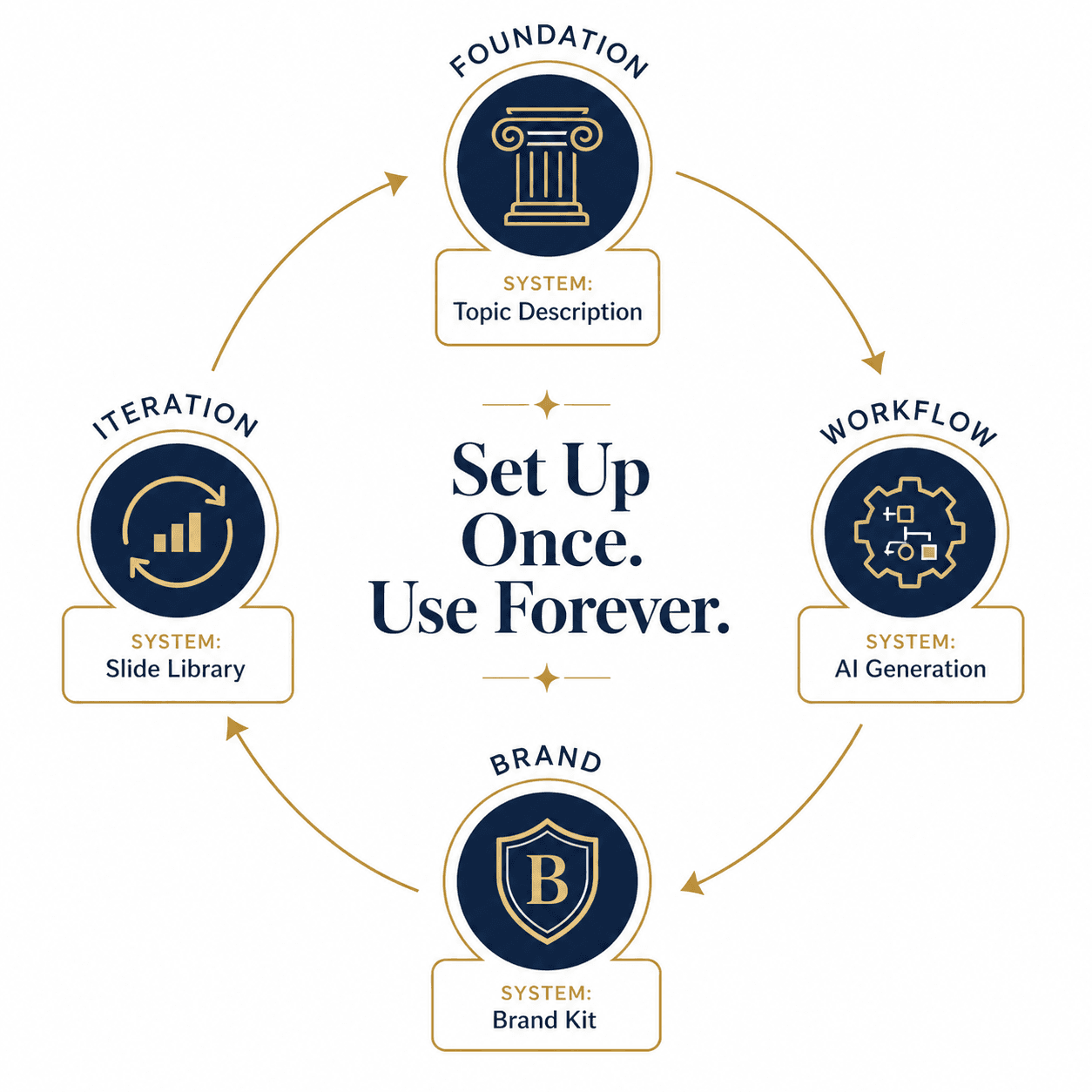
The teams that win build a system once and use it forever. The teams that lose treat every deck like a brand-new project. Both teams have access to the same tools. The difference is how they set up their workflow.
Set yours up once. Use it for the next 1,000 decks. And if you want a tool that handles all 10 of these best practices in one workflow, start with Decktopus AI.
Related posts
The Ultimate Guide to the Best AI Pitch Deck Generators: Free and Paid Options for Creating Stunning Pitch Decks
Discover the best AI pitch deck generators to streamline creating decks for investors. Ideal for entrepreneurs and startups, these AI tools help craft the perfect pitch deck effortlessly.
Pitch Deck
Top 10 Best AI-Powered Pitch Deck Generators For Founders
Discover the best AI pitch deck generators for founders. Compare top tools that generate investor-ready decks in minutes, apply your brand automatically, and let you focus on the pitch instead of the design.
Pitch Deck

Early Stage Entrepreneur Hack: Talking to Users
You have your idea and you have your pitch deck. You knock on some doors, pitch the idea, and even though your pitch deck looks stunning, the investor is not sure about the idea. They want to see the transactions first. What a bummer!
Pitch Deck