For Marketing Managers
Campaign presentations built for marketing managers.
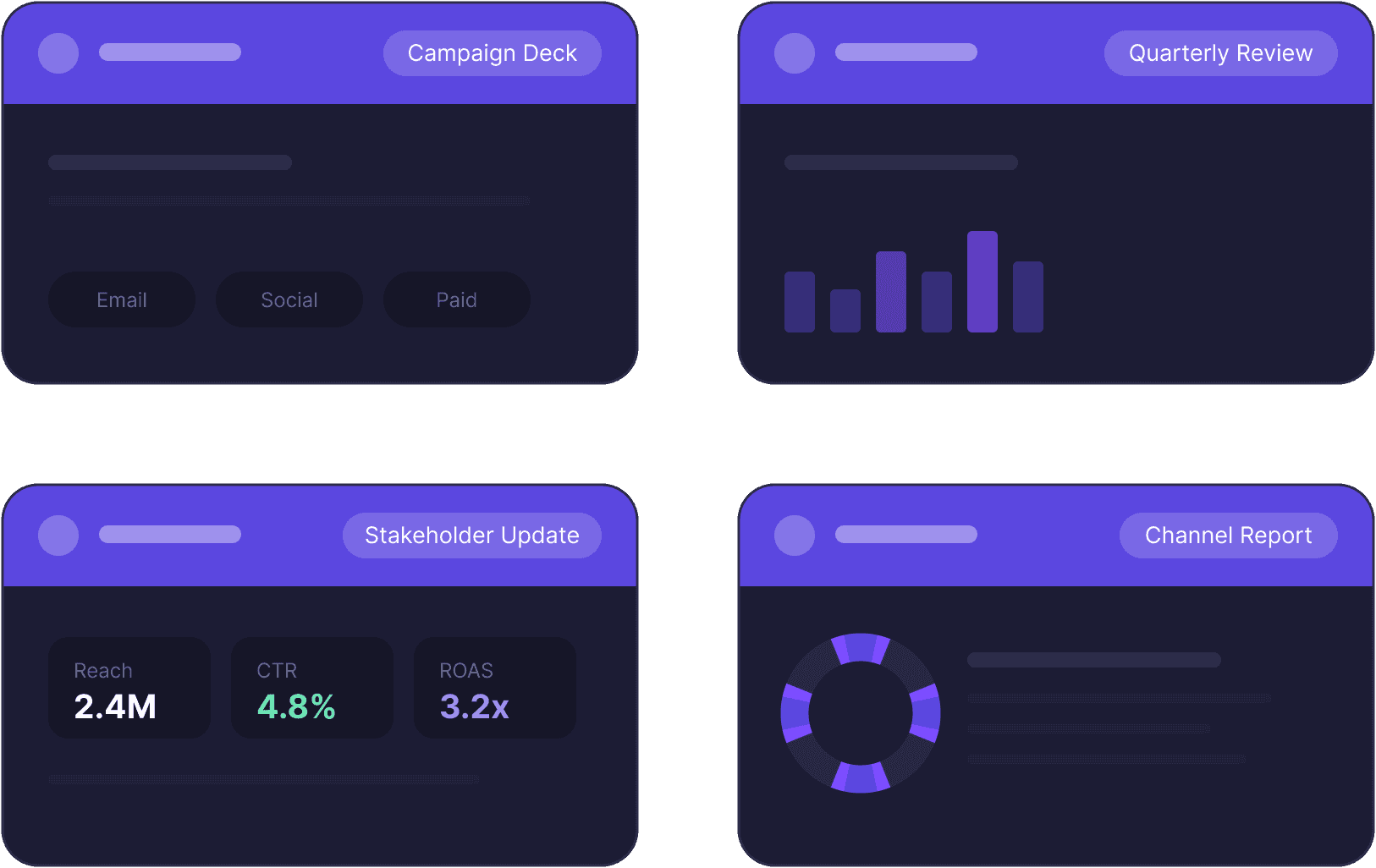
Marketing managers use Decktopus to keep every campaign presentation, quarterly review, and stakeholder presentation on-brand, no matter who on the team builds it.
For Marketing Managers
Campaign presentations built for marketing managers.
Marketing managers use Decktopus to keep every campaign presentation, quarterly review, and stakeholder presentation on-brand, no matter who on the team builds it.

The Problem
Every presentation takes time you’d rather spend on the campaign itself.
You’re running campaigns across channels, managing budgets, and presenting results to leadership every quarter. The presentations pile up fast. And when anyone on your team builds one independently, it comes out looking slightly different every time. Wrong fonts, off-brand colors, outdated slide layouts. By the time it’s fixed, the meeting is tomorrow.
The Problem
Every presentation takes time you’d rather spend on the campaign itself.
You’re running campaigns across channels, managing budgets, and presenting results to leadership every quarter. The presentations pile up fast. And when anyone on your team builds one independently, it comes out looking slightly different every time. Wrong fonts, off-brand colors, outdated slide layouts. By the time it’s fixed, the meeting is tomorrow.

How it works
From campaign brief to stakeholder-ready presentation in 3 steps.
How it works
From campaign brief to stakeholder-ready presentation in 3 steps.
Step 01
Generate from your brief or data
Drop in your campaign results, Q report, or strategy brief. Decktopus AI builds a structured presentation around it to right sections, right narrative flow, no blank slides to fill. Connect to Google Sheets or your reporting tools via Zapier to pull live data directly into slides.
Step 01
Generate from your brief or data
Drop in your campaign results, Q report, or strategy brief. Decktopus AI builds a structured presentation around it to right sections, right narrative flow, no blank slides to fill. Connect to Google Sheets or your reporting tools via Zapier to pull live data directly into slides.

Logos
Logos
Primary Logo
Primary Logo
logo-brand.svg
logo-brand.svg
Colors
Colors
Primary Palette
Primary Palette
Step 02
Brand stays consistent, automatically
Import your brand from your website URL once. Every presentation your team generates from that point applies your brand automatically. No manual fixes, no rogue slide layouts going out to leadership or clients.
Step 02
Brand stays consistent, automatically
Import your brand from your website URL once. Every presentation your team generates from that point applies your brand automatically. No manual fixes, no rogue slide layouts going out to leadership or clients.
Step 03
Share with stakeholders in one click
Export to PDF, PPT, or PNG, or send a live link. Stakeholders always see the latest version. No email threads with attachment chains, no "which version is this" confusion before a leadership review.
Step 03
Share with stakeholders in one click
Export to PDF, PPT, or PNG, or send a live link. Stakeholders always see the latest version. No email threads with attachment chains, no "which version is this" confusion before a leadership review.

Build the presentation. Then own the room.
Build your presentation with Decktopus Slides. Use Decktopus Loop to prepare your delivery before the stakeholder meeting.
Key Benefits
Built for marketing teams
that move fast.
Key Benefits
Built for marketing teams that move fast.
Campaign presentations fast
Drop in your brief, results, or strategy and get a structured presentation in minutes. Spend your time on the campaign, not on formatting slides.
Brand stays consistent
Brand import applies automatically across every presentation your team generates. No manual fixes, no off-brand slides going to leadership or clients.
Built around your data
Connect to Google Sheets or your reporting tools via Zapier. Pull live metrics into slides automatically instead of copy-pasting every quarter.
Update with a prompt
Change a section, adjust the narrative, update a metric. Describe what you need and the AI handles the edit. No design skills required.
Stakeholder-ready sharing
Live link or PDF, PPT, PNG export. Stakeholders always get the latest version. No version confusion, no attachment chains in email threads.
Related Blogs
Related Blogs

What Makes Slides Look Professional in 2026
Learn the 10 slide design principles top presenters follow, common presentation design mistakes to avoid, and how to apply every principle to your slides in minutes with AI

How to Redesign a PowerPoint Presentation with AI: The 2026 Complete Guide
Learn what it means to redesign a PowerPoint, how AI redesign differs from starting over, real before/after examples, and how to redesign a full PPT in minutes while keeping every word intact.

How to Make a Professional-Looking Presentation with AI in 2026
Learn the 8-step framework for making any presentation look professional, verified design principles top presenters use, real examples for sales decks and student presentations, and how to upgrade any deck in minutes with AI.

What Makes Slides Look Professional in 2026
Learn the 10 slide design principles top presenters follow, common presentation design mistakes to avoid, and how to apply every principle to your slides in minutes with AI

How to Redesign a PowerPoint Presentation with AI: The 2026 Complete Guide
Learn what it means to redesign a PowerPoint, how AI redesign differs from starting over, real before/after examples, and how to redesign a full PPT in minutes while keeping every word intact.
Common questions
Common questions from marketing teams
Common questions
Common questions from marketing teams
How do I keep all my team's presentations on-brand?
Import your brand from your website URL once. Every presentation anyone on your team generates from that point applies your brand automatically. No manual reviews, no fixing slides before a meeting.
How do I keep all my team's presentations on-brand?
Import your brand from your website URL once. Every presentation anyone on your team generates from that point applies your brand automatically. No manual reviews, no fixing slides before a meeting.
Can I pull live data into my marketing presentations?
Yes, through Zapier. Connect Decktopus to Google Sheets, your reporting tools, or your CRM. Data updates flow into your slides automatically — no more copy-pasting metrics every quarter before a leadership review.
Can I pull live data into my marketing presentations?
Yes, through Zapier. Connect Decktopus to Google Sheets, your reporting tools, or your CRM. Data updates flow into your slides automatically — no more copy-pasting metrics every quarter before a leadership review.
What types of marketing presentations can I create?
Campaign pitches, quarterly performance reviews, budget presentations, channel strategy presentations, stakeholder updates — any presentation a marketing manager needs across the quarter. Just describe what you need and the AI builds the structure.
What types of marketing presentations can I create?
Campaign pitches, quarterly performance reviews, budget presentations, channel strategy presentations, stakeholder updates — any presentation a marketing manager needs across the quarter. Just describe what you need and the AI builds the structure.
How do I share a marketing presentation with stakeholders?
Share via a live link or export to PDF or PPT. The live link always shows the latest version — so if you update a metric after sending, stakeholders see the change without you resending anything.
How do I share a marketing presentation with stakeholders?
Share via a live link or export to PDF or PPT. The live link always shows the latest version — so if you update a metric after sending, stakeholders see the change without you resending anything.
Can my whole marketing team use the same branding?
Yes. Set up brand import once and it applies to every presentation any team member generates. Logo, colors, and fonts stay consistent across all presentations, regardless of who builds them or how quickly they need to go out.
Can my whole marketing team use the same branding?
Yes. Set up brand import once and it applies to every presentation any team member generates. Logo, colors, and fonts stay consistent across all presentations, regardless of who builds them or how quickly they need to go out.
Does Decktopus integrate with my marketing tools?
Yes. Decktopus connects to Google Sheets, your CRM, and other reporting tools via Zapier. You can pull live campaign metrics directly into slides so your presentations always reflect the latest data without manual copy-pasting.
Does Decktopus integrate with my marketing tools?
Yes. Decktopus connects to Google Sheets, your CRM, and other reporting tools via Zapier. You can pull live campaign metrics directly into slides so your presentations always reflect the latest data without manual copy-pasting.
What is the best tool for marketing team presentations?
Decktopus is built for teams that produce a high volume of presentations and need brand consistency across all of them. The brand kit applies automatically, everyone on the team can build presentations independently, and live data connections keep slides current without manual updates.
What is the best tool for marketing team presentations?
Decktopus is built for teams that produce a high volume of presentations and need brand consistency across all of them. The brand kit applies automatically, everyone on the team can build presentations independently, and live data connections keep slides current without manual updates.
Your team is making presentations. They should all look like yours.
Set the brand kit once. Every presentation your team builds applies it automatically.