Presentations
What Makes for a Good Presentation?
The 7 signals every great presentation shares, the framework to build one, and how to test yours before you present it live.


Decktopus Content Team
The average professional sits through 74 presentations per year. Only a handful are memorable. Most are forgettable - not because the content was weak, but because they missed a set of signals every strong presentation shares.
Research from communication scholars at Duarte, Inc. (studying more than 1,000 professional decks) found that the difference between a "good" and "bad" presentation isn't design or delivery skill in isolation. It's the presence or absence of seven measurable signals - and every great presentation hits most of them.
This guide breaks down those seven signals, gives you a framework to build one, and shows you how to test your presentation before you deliver it live.
You'll get:
The 7 signals of a good presentation (what every strong deck shares)
The GOOD DECK framework you can apply in any context
The common failures that quietly ruin otherwise-solid presentations
The AI-powered testing method that shows you where your presentation drags
Answers to the questions professionals actually ask
The 7 Signals of a Good Presentation
Every strong presentation shares these seven signals. Miss more than one and the audience notices - even if they can't say what's off.
Signal | What It Looks Like |
|---|---|
Clear intent | The audience knows what they should think, feel, or do by the end |
Tight structure | Every section moves the argument forward - no filler |
One idea per slide | Slides support the message, not compete with it |
Real evidence | Claims are backed by data, examples, or specific stories |
Human delivery | Vocal variety, real eye contact, actual pauses |
Audience-first framing | The presentation answers the audience's questions in the audience's order |
A specific close | The final ask is concrete: what to do, by when |
Weak presentations skip 3-4 of these. Great presentations hit all 7.
The GOOD DECK Framework
Use this as a checklist while you build.
G - Goal defined in one sentence ("By the end, the team will decide X")
O - Outline built before slides
O - One idea per slide
D - Data or story behind every claim
D - Design consistent (2-3 colors, sans-serif, minimal text)
E - Engagement built in (question, pause, or interaction every 3-4 slides)
C - Close specific ("Sign off by Friday" not "any questions?")
K - Knowledge rehearsed until the material is automatic

The Common Failures That Ruin Good Presentations
1. The Content Dump
Trying to say everything you know. Great presentations are ruthless about what to leave out.
2. The Buried Ask
The most important point sits on slide 14 instead of slide 2. If the audience checks out by slide 5, they never see the punchline.
3. Design Overload
Fancy transitions, decorative fonts, five colors, stock photos everywhere. The slide is competing with you for attention - and winning.
4. Reading From the Slides
The fastest way to lose the room. If everything you'll say is written on screen, the audience reads ahead and stops listening.
5. The Vague Close
Ending with "any questions?" wastes the moment when the audience is most primed to act. Every close should be a specific ask.
How to Test Your Presentation Before You Present It
Most presenters test a presentation by clicking through the slides one more time the night before. That doesn't test anything - it just re-familiarizes you with what's already there.
Real testing has three properties:
A simulated audience that reacts to your delivery
Structural feedback on where the argument drags
Playback so you can hear how you actually sound
How Loop AI Delivery Coach Tests Your Presentation
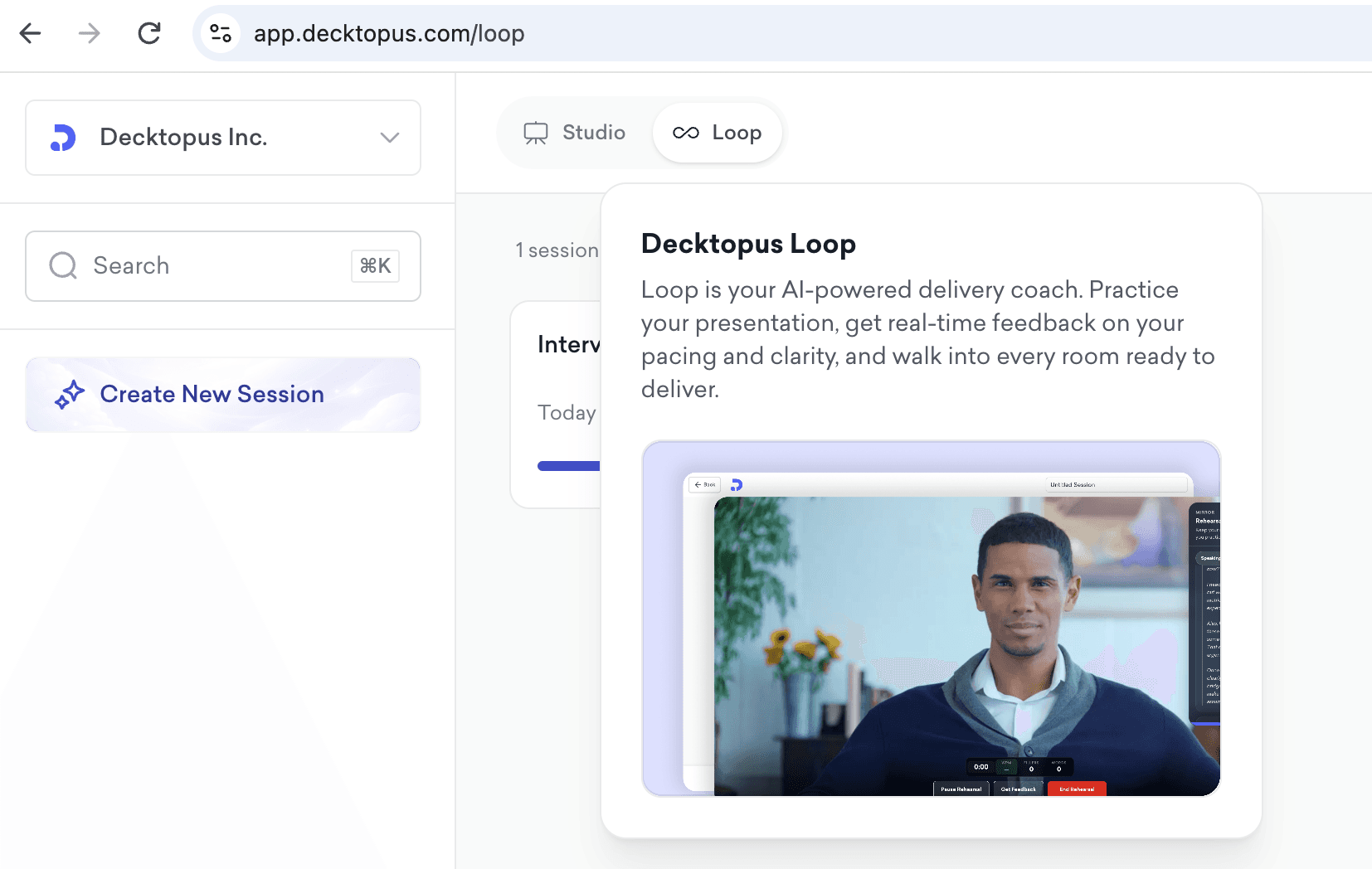
Loop AI Delivery Coach is Decktopus AI's built-in rehearsal environment. It puts four AI agents between you and your real audience - each testing a different signal of a good presentation.
Profiler (Emily) - Simulates the actual audience you're presenting to. Her reactions tell you whether your framing lands with the right people.
Architect (Marcus) - Scores your structure. Flags where the argument stalls, where the ask is buried, where the deck runs long.
Red Team - Fires the hard questions your audience is likely to ask. Facing them in rehearsal removes the fear of getting blindsided live.
Mirror - Records your delivery and plays it back with metrics on pace, pauses, and filler words. You hear yourself the way the audience hears you.
Run your presentation through Loop 2-3 times before a high-stakes delivery. Most presenters see immediate improvement in pacing, filler count, and confidence under pressure.
Test your next presentation with Loop →
How to Build a Good Presentation with Decktopus AI
The gap between a good presentation and a mediocre one often comes down to how much time you spend on design vs. content. Fighting fonts and alignment for two hours leaves you exhausted before you even rehearse.
Decktopus AI collapses the design step:
Describe your topic - get a complete outline in seconds
Apply your brand by pasting your homepage URL - logo, colors, fonts applied automatically
Refine with AI prompts - "make this slide more visual," "add a summary at the end"
Rehearse in Loop - test structure and delivery before you go live
Export or share - PDF, PPT, or live link
The content and delivery stay yours. The design and rehearsal are automated.
Frequently Asked Questions
What are the key elements of a good presentation?
Clear intent, tight structure, one idea per slide, real evidence, human delivery, audience-first framing, and a specific close. The GOOD DECK framework packages these into a checklist.
How long should a good presentation be?
Whatever the assigned or expected time - never longer. Most business presentations are 15-30 minutes. Conference talks are 20-45 minutes. Sales pitches are 20-30 minutes. Interview presentations are 10-20 minutes. Aim for the shorter end when possible.
How many slides make a good presentation?
Roughly one slide per minute of speaking, with lighter presentations closer to two minutes per slide. A 15-minute presentation is 10-15 slides. A 30-minute presentation is 20-30 slides. If you're beyond that, cut.
What's the biggest mistake in presentations?
The content dump - trying to say everything you know. Great presentations are ruthless about what to leave out. Comprehensiveness is the enemy of clarity.
How do I know if my presentation is good before I deliver it?
Run it through the elevator test (can you explain it in 60 seconds?), the audience question test (does each section answer a question the audience is asking?), and the cut test (which sections can go without weakening the argument?). Loop rehearsal automates a lot of this feedback.
What makes a presentation memorable?
A strong opening hook, a specific story or example, and a clear close. Audiences remember stories, not statistics. Build your argument around a specific example that makes the abstract concrete.
How much should I rehearse a presentation?
Rule of thumb: one hour of rehearsal per minute of high-stakes presentation, spread across multiple sessions. A 15-minute presentation deserves ~15 hours of prep. Loop rehearsal makes this efficient.
Should I use notes during a presentation?
Yes - but as trigger words, not a script. Reading from notes breaks eye contact and flattens delivery. Memorize the first sentence, the last sentence, and the transitions. Everything else is trigger words.
What's the ideal color palette for a presentation?
Two or three colors max. One primary color, one accent, one neutral (usually a dark gray or off-white). Consistent color usage builds visual coherence across slides.
How do I make a boring topic interesting?
Frame the topic around a specific problem the audience cares about. Nobody cares about "our Q3 process improvements" in the abstract. They care about "the process change that cut our billing errors 40%."
What's the best way to open a presentation?
A specific hook: a surprising statistic, a short story, a question the audience is already asking. Never open with "Hi, my name is..." - that's what your title slide is for.
What's the best way to close a presentation?
A specific ask: "By Friday, I need you to review the doc and send one comment." Not "any questions?" or "thanks for listening."
Can AI help me build a good presentation?
Yes. AI tools like Decktopus AI handle the design work, generate outlines, and provide rehearsal feedback via Loop. The strategic choices - what to include, what to cut, what the ask should be - still require human judgment.
Related Posts
Stay Connected
Related posts

Webinar Follow-Up Emails: The Sequence That Runs After the Deck Ends
Learn how to build a webinar follow-up email sequence with behavioral segmentation, timely emails, better deliverability, and personalized outreach.
Presentations

Best TED Talks to Improve Your Presentation Skills
Watch ten of the best TED talks for presentation skills and use a practical exercise from each to improve structure, voice, visuals, and confidence.
Presentations

Decktopus AI Best Practices: The Complete Guide, Tips and Tricks (2026)
A complete guide to using Decktopus AI effectively, from writing better prompts and reviewing outlines to rehearsing with Loop and building carousels.
Presentations