For Webinars & Conferences

Presentations built for webinars and online events.

Webinar hosts and conference speakers build session presentations, series templates, and follow-up materials fast, so prep time goes to delivery, not formatting.

For Webinars & Conferences

Presentations built for webinars and online events.

Webinar hosts and conference speakers build session presentations, series templates, and follow-up materials fast, so prep time goes to delivery, not formatting.

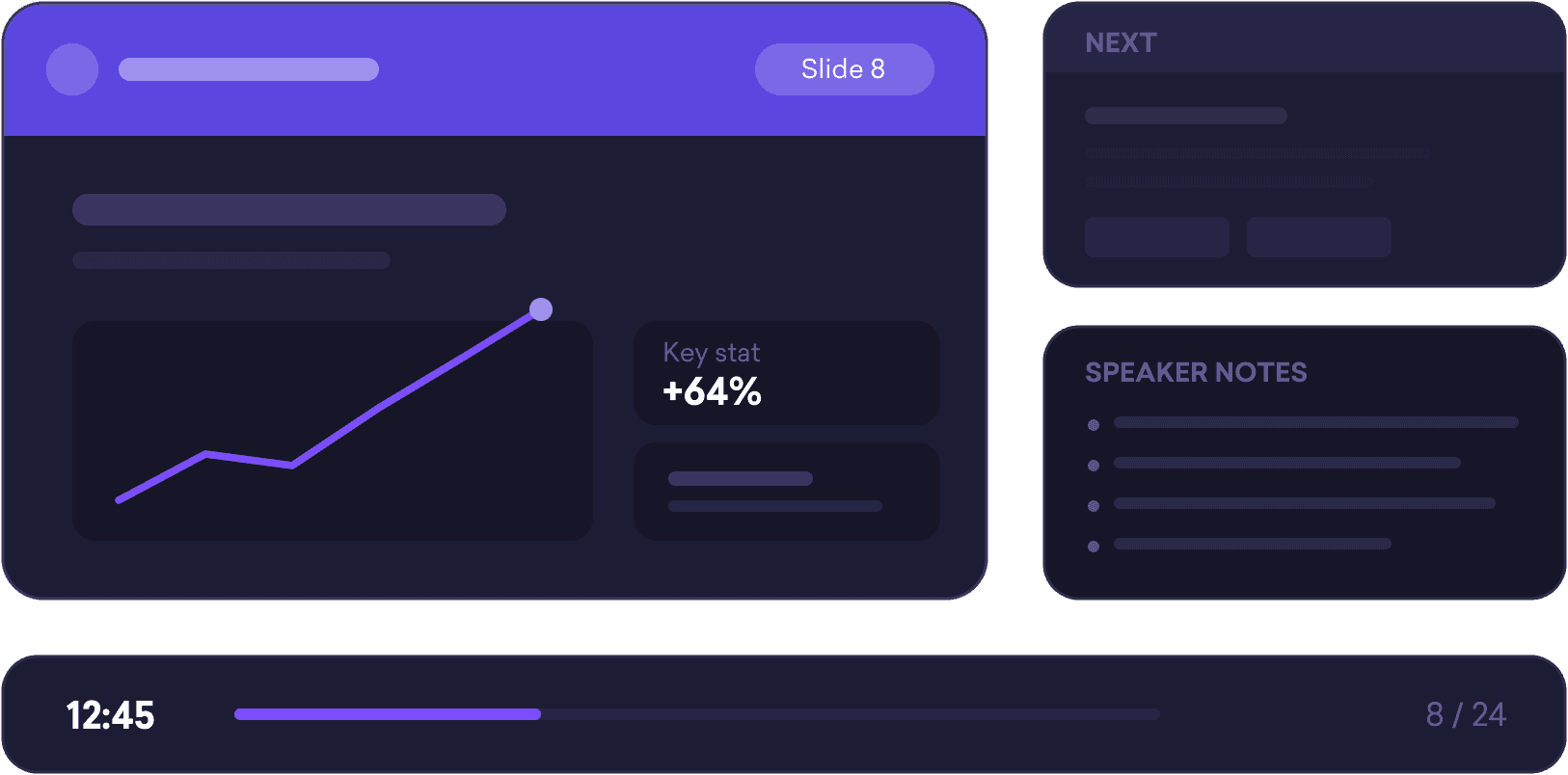
Decktopus AI webinar presentation slide 8 showing a +64% key stat chart, with speaker notes and a presentation timer alongside.

The Problem

You’re doing the prep twice. Once on the presentation, once on the talk.

A great webinar or conference talk comes from deep preparation. Knowing your material. Anticipating questions. Rehearsing the transitions. But most of that time goes to building the slide presentation instead. Formatting, organizing, getting the layout right, and then the talk itself gets squeezed into whatever prep time is left. By the time you step in front of the audience, you've built the presentation. You haven't rehearsed it.

The Problem

You’re doing the prep twice. Once on the presentation, once on the talk.

A great webinar or conference talk comes from deep preparation. Knowing your material. Anticipating questions. Rehearsing the transitions. But most of that time goes to building the slide presentation instead. Formatting, organizing, getting the layout right, and then the talk itself gets squeezed into whatever prep time is left. By the time you step in front of the audience, you've built the presentation. You haven't rehearsed it.

Chart illustrating prep time split, showing most of it spent building slides versus little time left for rehearsing the talk, on Decktopus AI's webinar page.

How it works

From topic to session-ready presentation in 3 steps.

How it works

From topic to session-ready presentation in 3 steps.

Step 01

Describe the session. Get the structure.

Tell Decktopus your topic, your audience, and what you want them to walk away with. The AI generates a complete presentation structure: opening hook, core content flow, key takeaways, closing. You spend your prep time on delivery, not organization.

Step 01

Describe the session. Get the structure.

Tell Decktopus your topic, your audience, and what you want them to walk away with. The AI generates a complete presentation structure: opening hook, core content flow, key takeaways, closing. You spend your prep time on delivery, not organization.

Decktopus AI generating a session outline from topic and audience details, turning "Scaling Design Teams" into an opening hook, core content flow, key takeaways, and closing.

Logos

Logos

Primary Logo

Primary Logo

logo-brand.svg

logo-brand.svg

Colors

Colors

Primary Palette

Primary Palette

Step 02

On-brand across every session

Import your website URL once and every session presentation in the series applies your brand automatically. Whether it's your first webinar or your fiftieth, every presentation that goes to your audience is consistent, same logo, same colors, same fonts. No reformatting between sessions.

Step 02

On-brand across every session

Import your website URL once and every session presentation in the series applies your brand automatically. Whether it's your first webinar or your fiftieth, every presentation that goes to your audience is consistent, same logo, same colors, same fonts. No reformatting between sessions.

Step 03

Share before, during, and after the session

Share a live link with attendees before the session starts. They follow along on their own device. After the session, the same link works as your follow-up resource, no new file to send. Update a slide after the talk and the link reflects it instantly. No version confusion, no outdated attachments. Export to PDF, PPT, or PNG anytime you need a file.

Step 03

Share before, during, and after the session

Share a live link with attendees before the session starts. They follow along on their own device. After the session, the same link works as your follow-up resource, no new file to send. Update a slide after the talk and the link reflects it instantly. No version confusion, no outdated attachments. Export to PDF, PPT, or PNG anytime you need a file.

Diagram showing one live link used before, during, and after a webinar session, on Decktopus AI's webinar page.

Build the presentation. Then own the room.

Build your session presentation with Decktopus Slides. Use Decktopus Loop to rehearse your delivery before you go live.

Key Benefits

Built for speakers who present
more than once.

Key Benefits

Built for speakers who present
more than once.

Session presentation fast

Describe your topic and audience and Decktopus AI generates a structured presentation, opening, content flow, key takeaways. Prep time goes to the talk, not the slides.

Edit with a prompt

Add a slide, rework a section, adjust the flow. Describe the change and the AI handles it. No reformatting, no starting over.

Consistent branding

Brand import applies automatically to every session in your webinar series. Same visual identity every time, without reformatting between events.

Update with a prompt

Add a new slide, rework a section, adjust the flow. Describe what needs to change and the AI handles the edit. No design skills required.

One link for everything

Share a live link with attendees before the session. It works for follow-along during the talk and as a post-session resource. Update the presentation anytime, the link reflects it immediately. Export to PDF, PPT, or PNG anytime you need a file.

Common questions from speakers

Everything you need to know

Common questions from speakers

Everything you need to know

How do I build a webinar presentation fast without starting from scratch?

Describe your session topic, audience, and goal in a prompt. Decktopus AI generates a full slide structure with a logical content flow: opening hook, core content, key takeaways, closing. The whole presentation is ready in minutes and you can edit anything from there.

How do I build a webinar presentation fast without starting from scratch?

Describe your session topic, audience, and goal in a prompt. Decktopus AI generates a full slide structure with a logical content flow: opening hook, core content, key takeaways, closing. The whole presentation is ready in minutes and you can edit anything from there.

Can I run a recurring webinar series with consistent slides every time?

Yes. Import your brand once and every session presentation in the series applies it automatically, same logo, colors, and fonts every time. Generate each session's presentation from a prompt with the new topic. Visual consistency is handled by the system so you're not reformatting between sessions.

Can I run a recurring webinar series with consistent slides every time?

Yes. Import your brand once and every session presentation in the series applies it automatically, same logo, colors, and fonts every time. Generate each session's presentation from a prompt with the new topic. Visual consistency is handled by the system so you're not reformatting between sessions.

How do I share my presentation with attendees during and after the webinar?

Share a live link before the session starts. Attendees follow along on their own device. After the session, the same link works as a follow-up resource — no new file to send, no attachment to update. If you change a slide after the talk, the link reflects it immediately.

How do I share my presentation with attendees during and after the webinar?

Share a live link before the session starts. Attendees follow along on their own device. After the session, the same link works as a follow-up resource — no new file to send, no attachment to update. If you change a slide after the talk, the link reflects it immediately.

Can I export my webinar presentation to PDF or PowerPoint?

Yes. Export to PDF for event organizers or conference coordinators who need a static file, download as PowerPoint if you need to present from a specific tool on the day, or PNG for individual slides. The live link option stays available for attendee sharing regardless of how you export.

Can I export my webinar presentation to PDF or PowerPoint?

Yes. Export to PDF for event organizers or conference coordinators who need a static file, download as PowerPoint if you need to present from a specific tool on the day, or PNG for individual slides. The live link option stays available for attendee sharing regardless of how you export.

Can my whole team or co-presenters use the same branding?

Yes. Set up brand import once and every co-presenter or team member who generates a presentation in the same workspace applies it automatically. Every session that goes to your audience is visually consistent, regardless of who built it.

Can my whole team or co-presenters use the same branding?

Yes. Set up brand import once and every co-presenter or team member who generates a presentation in the same workspace applies it automatically. Every session that goes to your audience is visually consistent, regardless of who built it.

What is the best AI tool for webinar and conference presentations?

Decktopus is built for speakers who present regularly. It generates structured session presentations from a topic description, applies brand automatically across a series, and lets you share via live link so attendees always have the current version. It handles the slide work so you can focus on the delivery.

What is the best AI tool for webinar and conference presentations?

Decktopus is built for speakers who present regularly. It generates structured session presentations from a topic description, applies brand automatically across a series, and lets you share via live link so attendees always have the current version. It handles the slide work so you can focus on the delivery.

Your next session is in the calendar.
The presentation should already be ready.

Build your webinar and conference presentations in minutes. On-brand, structured, ready to share.

Build your webinar and conference presentations in minutes. On-brand, structured, ready to share.