Presentations
Best AI Presentation Tool for Business in 2026: Your Ultimate Guide
Explore the top AI presentation tools for 2026 and discover why Decktopus AI is the go-to solution for business professionals looking to save time, boost impact, and stay on brand.

Decktopus Content Team
In 2026, creating a business presentation no longer means staring at a blank slide for hours. With the right AI presentation tool, professionals can generate polished, branded decks in minutes instead of days. In this article, you’ll discover how AI is reshaping presentation workflows — and why Decktopus AI is engineered to lead in this space.
Why You’re Still Spending Hours on Presentations (And How AI Fixes It)
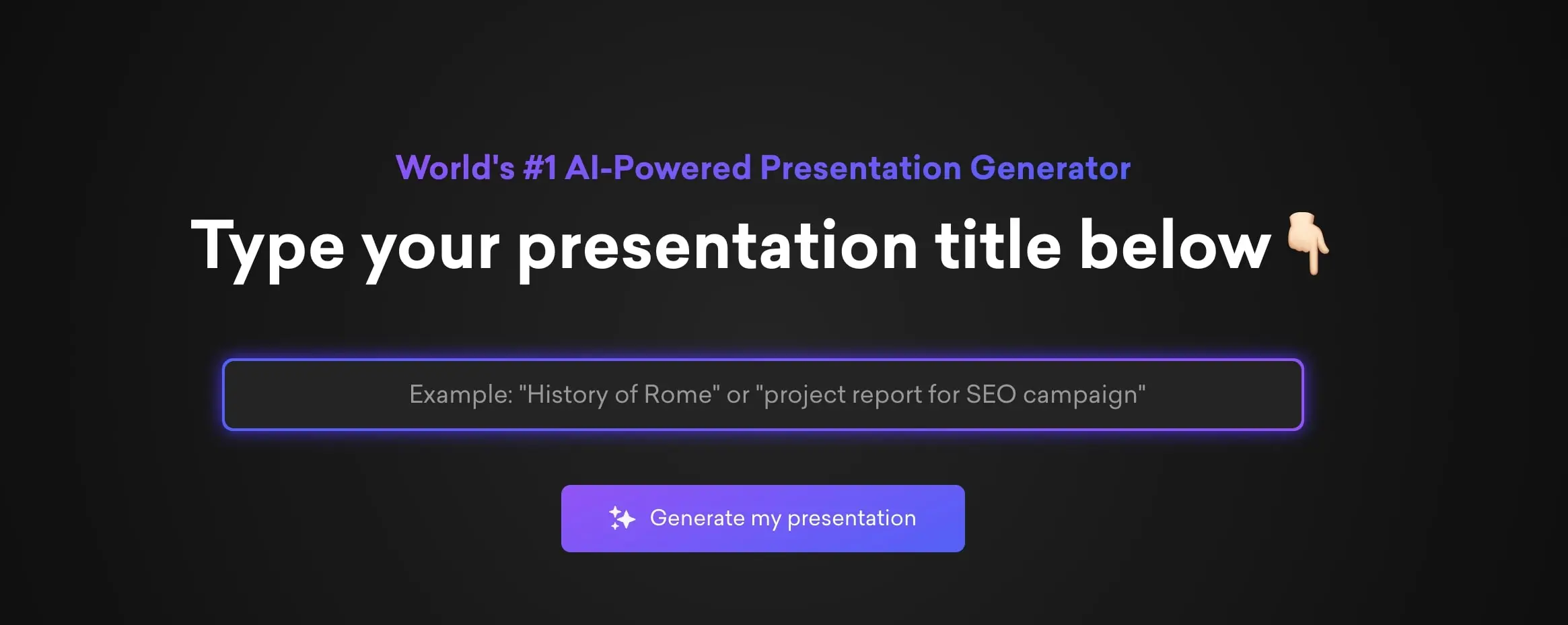
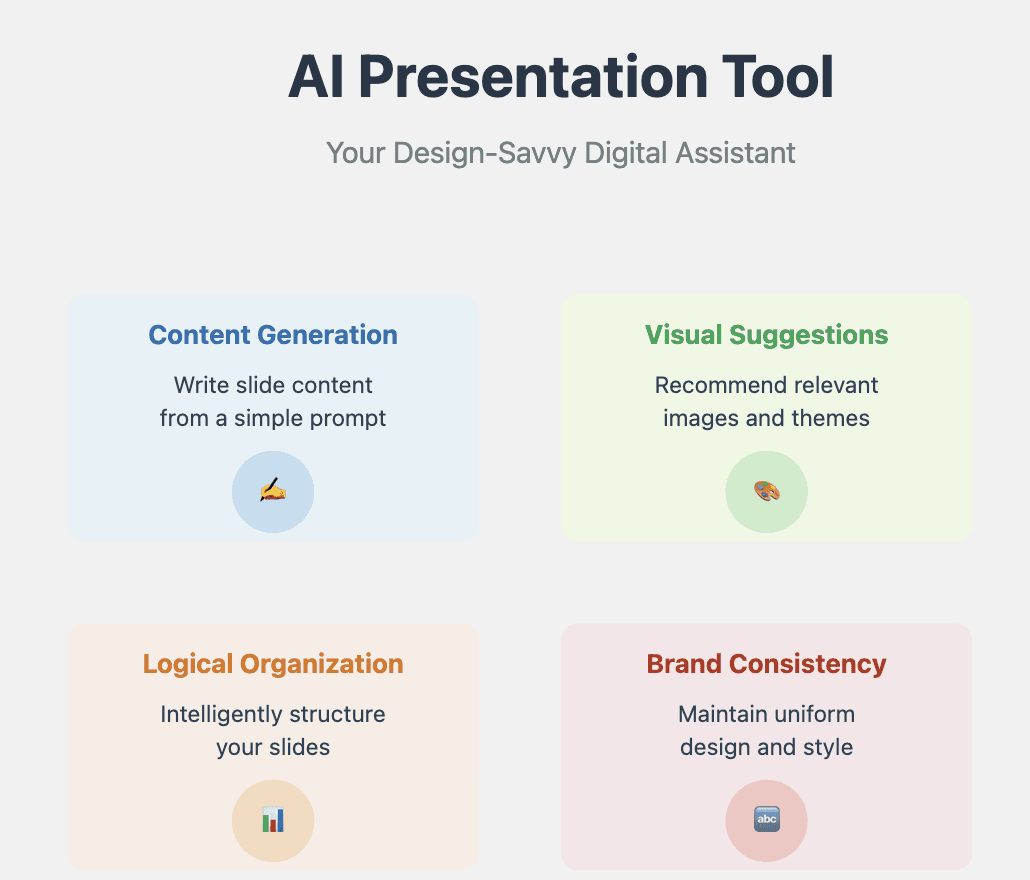
Creating presentations manually wastes hours on design, formatting, and content writing. AI presentation tools fix this by generating professional decks in minutes. These tools automate layouts, suggest visuals, and write text based on your topic, so you focus on delivering the message. In 2026, tools like Decktopus, the leading AI presentation maker, help professionals save time and create polished slides effortlessly.
What Is an AI Presentation Tool?
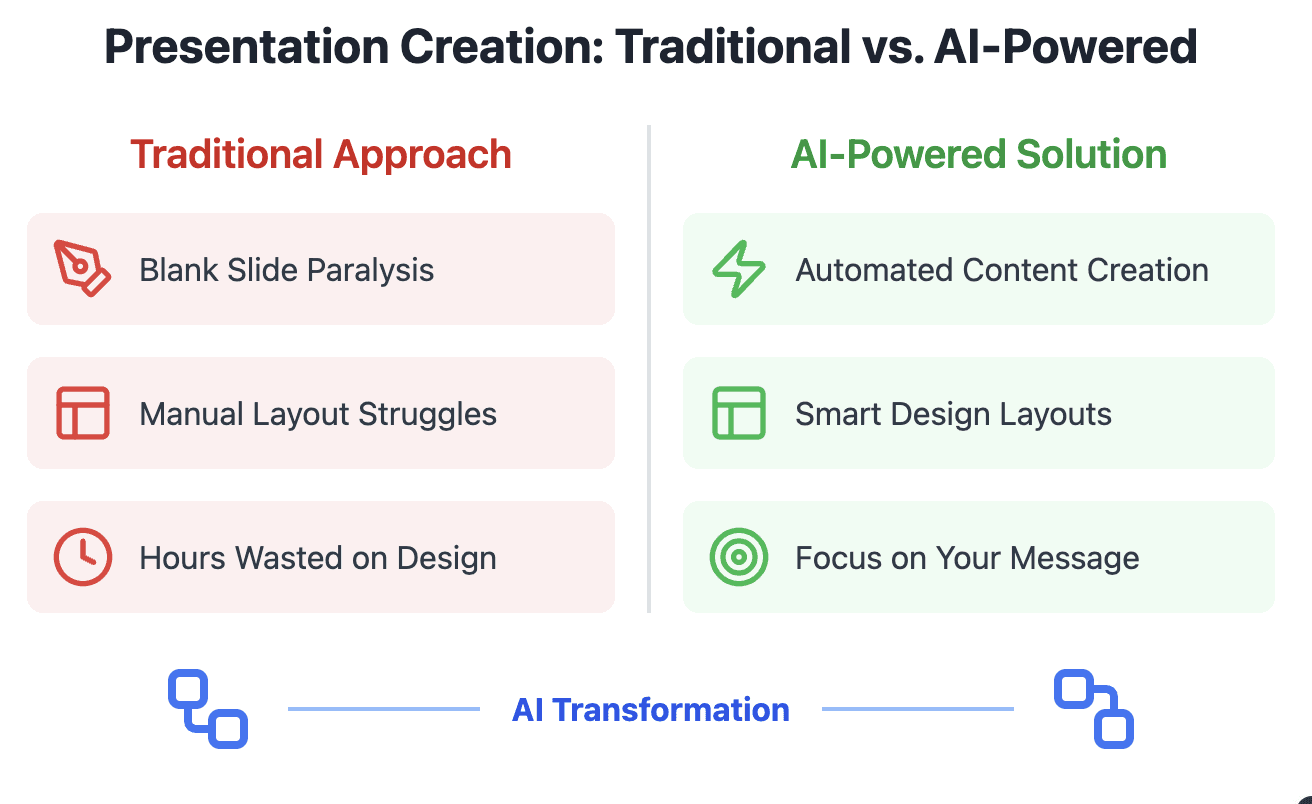
An AI presentation tool is software that uses artificial intelligence (especially generative models) to help you build, design, and refine slide decks. Rather than designing every slide manually, you provide a prompt or some source content, and the tool:
Generates an outline or structure
Suggests or auto-populates slide text
Recommends visuals, layout, and styling
Ensures consistency with brand assets
Lets you edit, refine, and export the final deck
Think of it as your “co‑pilot” when creating presentations: it handles the heavy lifting so you can focus on the message, not the formatting.
In 2026, the tools are smarter than ever. Many now support multimodal inputs (text + uploaded documents), iterative refinements, and team collaboration features.
These underline that the frontier in AI presentation tools is no longer just “text into slides” — it’s about intelligent iteration, design coherence, and interactivity.
Why Professionals Are Embracing AI Tools in 2026?
Here’s what’s driving adoption among business users:
Massive time savings. Teams report that AI tools cut deck-building time by 50–80% vs. manual workflows.
Consistent brand identity. Once you feed in your logo, color palettes, and font styles, the AI applies them uniformly across the deck.
Better first drafts. Instead of starting from a blank page, you get a usable skeleton to edit.
Reduced design skill barrier. Even non-designers can produce visually appealing slides.
Collaboration & version control. Modern AI tools are cloud-based, enabling real-time editing and feedback loops.
These benefits directly address the pain points business professionals face: tight deadlines, inconsistent branding, and the cognitive load of slide design.
Top AI Presentation Tools (2026 Edition)
Below is a brief look at key players. (In subsequent parts, we’ll compare them more deeply and show why Decktopus AI stands out.)
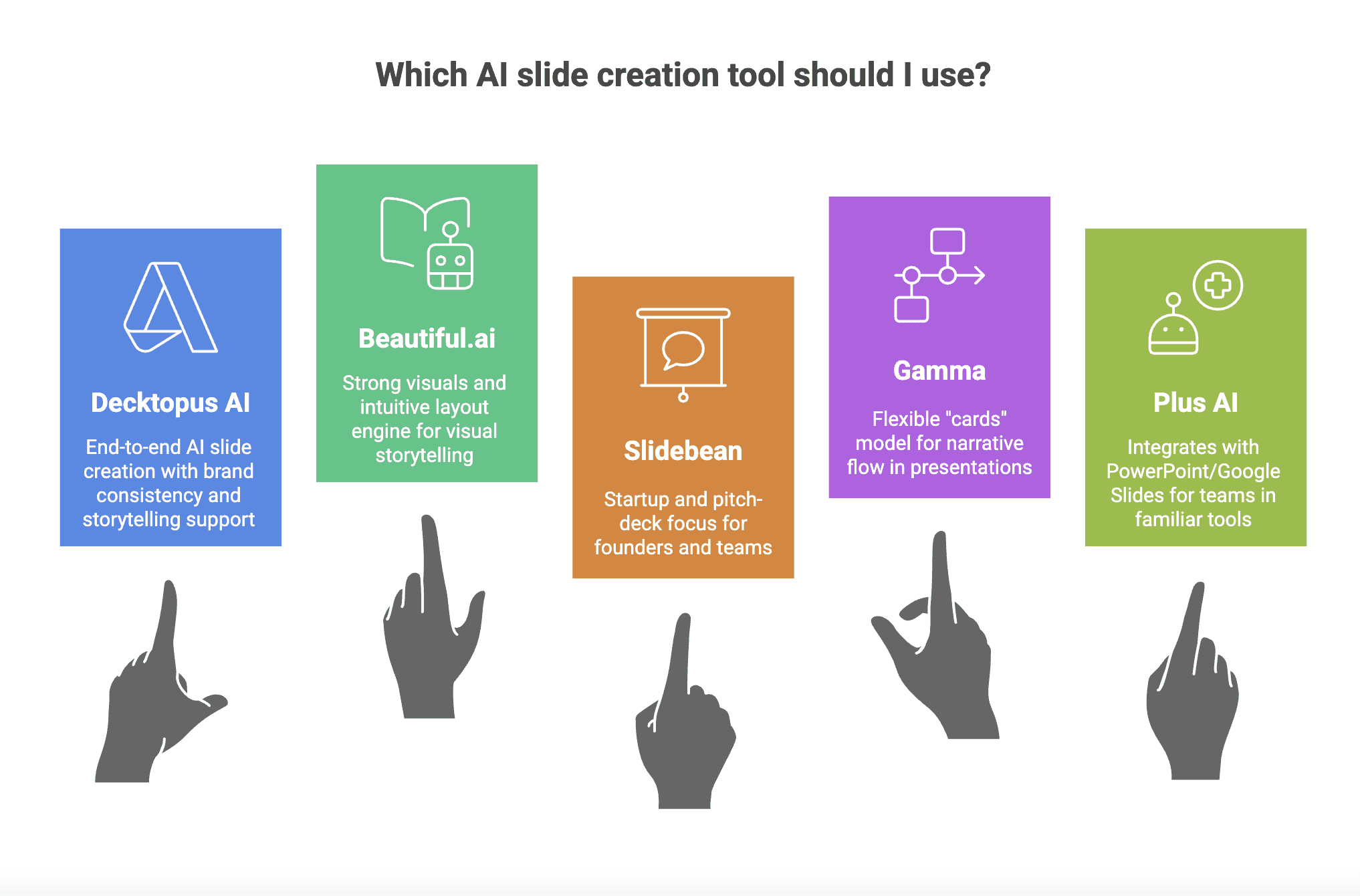
Sources like Zapier also mention that tools with automated layout engines and intuitive editors are among the top picks for 2026. Zapier Meanwhile, review roundups list tools like Gamma, Beautiful.ai, and Plus AI as leaders in the space.
1. Decktopus AI
Try Decktopus AI | Your AI-powered presentation assistant.
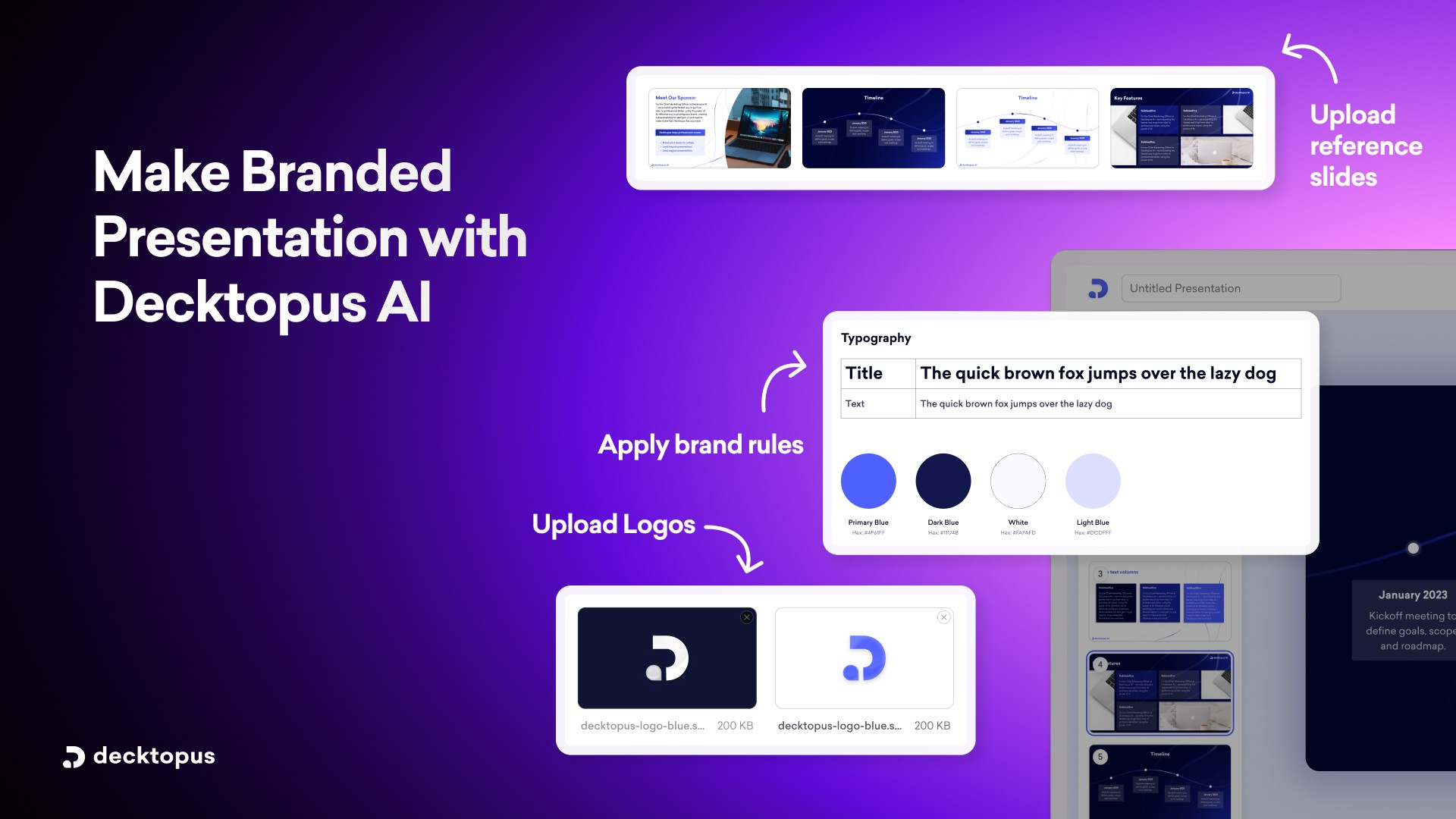
Features:
Describe your topic or upload up to 5 files and get a complete AI presentation generated in minutes
AI-generated content, images, and layout for every slide
Built-in delivery coaching to practice your presentation and get real-time feedback before you present
Brand kit: set your colors, fonts, and logo once and every presentation stays on-brand automatically
Prompt-based editing: refine any slide by describing what you want changed
Version history: restore any previous slide version for free
Export to PDF or PPT, or present directly from Decktopus
Pros:
Goes from a topic description to a complete, ready-to-present AI presentation in minutes
One of the only AI presentation tools that covers delivery coaching as well as slide creation
Unique output every time
Auto-branding keeps every team presentation consistent without manual formatting
Supports uploading reference files so the AI output is grounded in your actual content
Easy to use
Cons:
Full export and branding features require a paid plan
Best For: Business professionals, marketers, teachers, salespeople, consultants
Why Decktopus AI Leads in 2026 (Sneak Preview)
While all the tools above bring value, Decktopus AI is built from the ground up to solve challenges that business professionals face most:
Topic-to-presentation generation: Feed in your topic or upload reference documents and the engine builds a complete, structured deck automatically.
Brand kit integration: Once you set your brand colors, fonts, and logo, Decktopus applies them across every slide. You can also import your brand directly from your company website.
Prompt-based editing: Describe what you want changed on any slide and Decktopus applies it instantly without regenerating the whole deck.
Manual editing: Click into any element and change it directly for precise control when you need it.
PDF import: Convert existing PDFs into editable presentation slides without rebuilding from scratch.
Version history: Every change is saved so you can always go back to a previous version.
Export and share: Download as PDF or PowerPoint, share via a public link, or present directly from the editor.
How Decktopus AI Works: A Step-by-Step for Business Pros
If you’re wondering how fast you can go from “idea” to “impact” with Decktopus AI, this section breaks it down. This isn’t just another template tool — it’s your intelligent co-creator.
Here’s how to use Decktopus AI to build a professional presentation in minutes:
1. Start with Your Topic
On Decktopus, everything begins with the question:
“What do you want to create?”
This can be a broad theme like “B2B Marketing Trends” or a specific angle like “Q4 SaaS Performance Review.”
Just type it in — no need for formatting, titles, or even bullets.
Want to give the AI even more context? Upload supporting files like PDFs, whitepapers, or internal reports. Decktopus will use them to build slides that reflect your unique data and insights.
2. Let AI Do the Heavy Lifting
Once your topic is entered, Decktopus asks you to pick a style. You can:
Apply a saved brand kit with your colors, fonts, and logo
Import your brand directly from your company website
Let AI generate a style from scratch
Then Decktopus builds your presentation. It reads your prompt, decides the slide structure, applies the visual style, and prepares the full deck. You will see the blueprint come together before the editor opens.
Within seconds, you’ll see a complete presentation take shape. It’s not just filler — the output reflects logical sequencing and tailored language that aligns with your intent.
✔ Slide-by-slide structure
✔ Auto-generated slide titles and body text
✔ Style applied based on your brand kit or AI-generated design
3. Refine & Personalize Your Slides
AI builds the draft — you make it your own.
Edit with AI: Use the prompt bar at the bottom of the editor. Type instructions like “make this more concise” or “rewrite this for a non-technical audience” and Decktopus applies the change instantly.
Edit manually: Click Edit Text to open the manual editing panel and change any element directly.
Brand it: Your brand logo, fonts, and colors are already applied if you have set up a brand kit.
This is where Decktopus shines. It gives you structure but doesn’t lock you in. You’re in control of tone, design, and depth.
4. Finalize & Share
When you’re done editing, simply choose your output:
Present directly from Decktopus
Download as PDF or PowerPoint
Share via a public link with your team
Whether it’s a client proposal or an internal strategy session, your polished deck is ready fast.
Real Use Cases: Decktopus AI in Business Workflows
Here’s how professionals across industries are using Decktopus AI:
Sales teams generate product walkthroughs in minutes before a client call
Marketers create data-backed campaign summaries for stakeholders
Founders build investor decks during fundraising sprints
Consultants produce project update decks while juggling multiple clients
HR leads prep onboarding or training materials without designer support
It’s not about making decks faster — it’s about freeing up time to focus on what you say, not how you format it.
👉 Ready to see it in action? Try Decktopus AI now and create your first AI-generated deck in minutes.
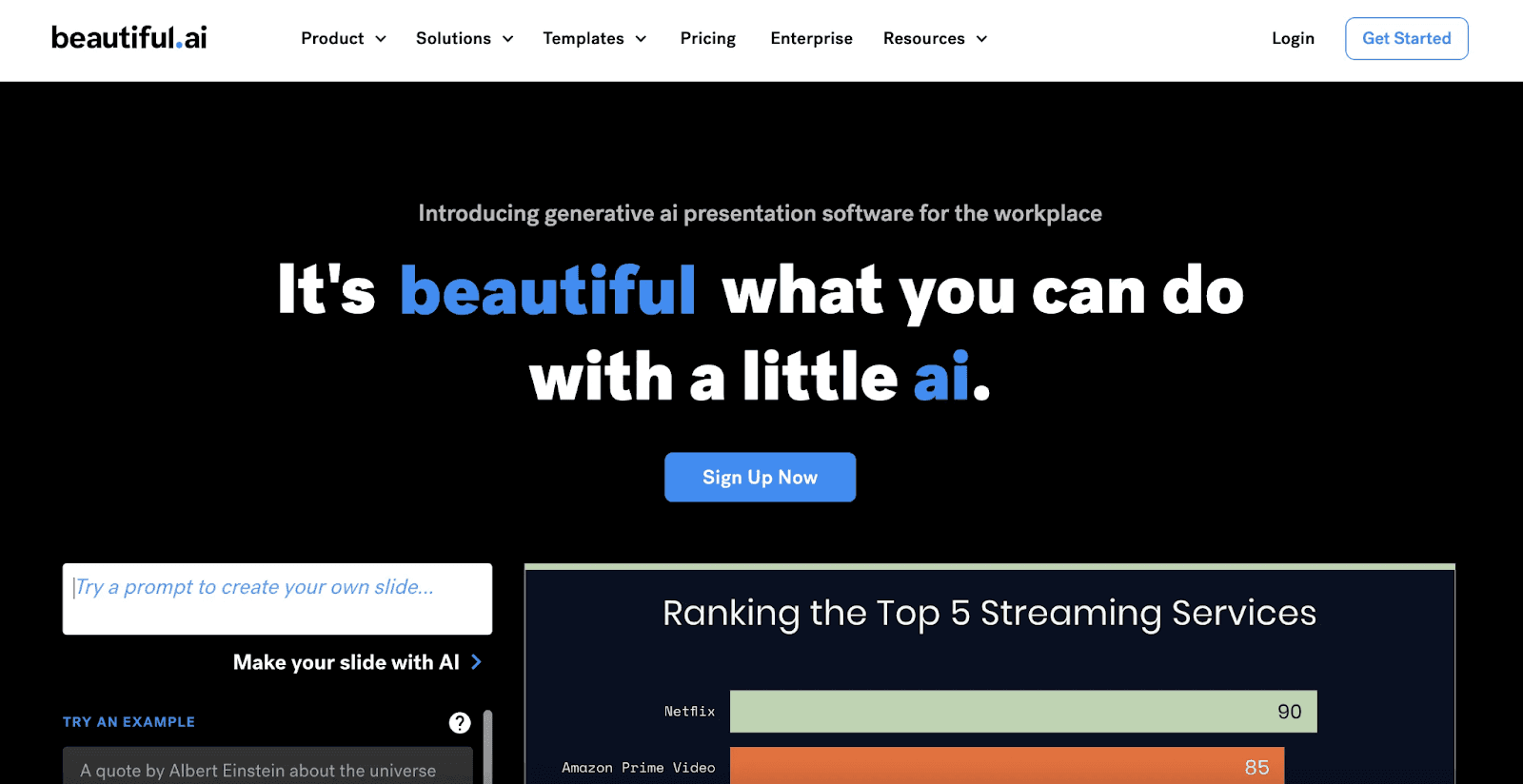
2. Beautiful.ai
Features:
Automated layout engine
Modern templates
Easy drag-and-drop editor
Pros:
Great visuals with minimal effort
Freemium model
Cons:
Limited interactivity
Best For: Visual storytelling with minimal customization
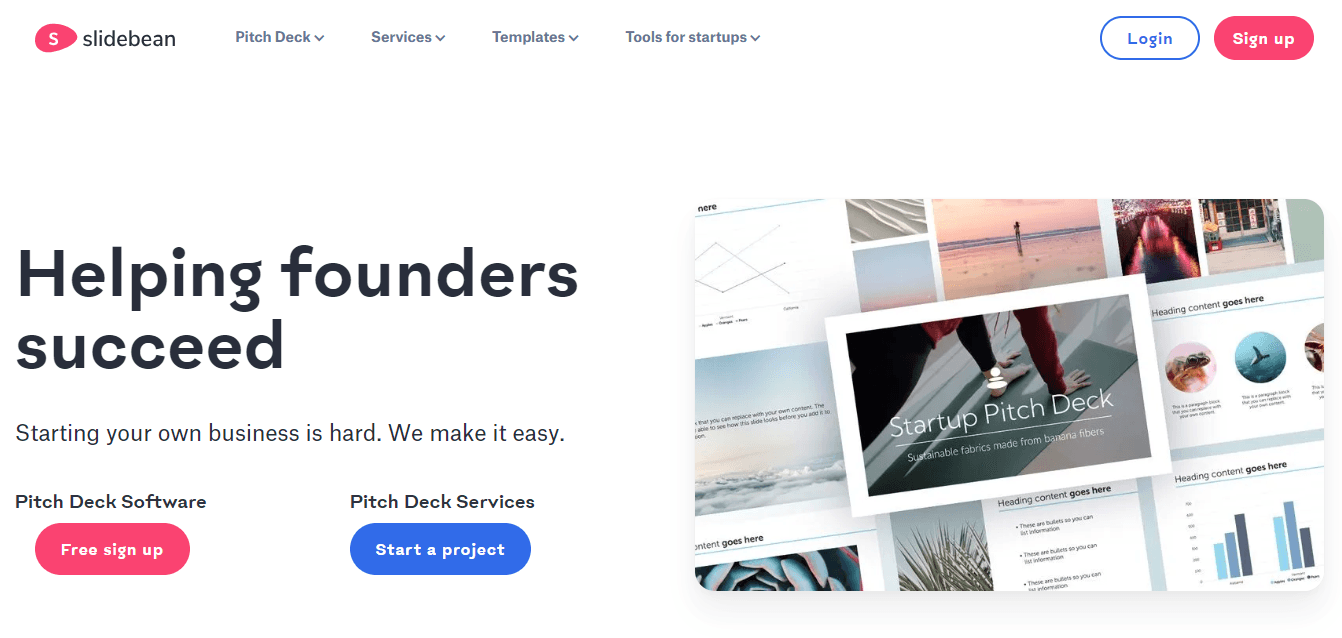
3. Slidebean
Features:
AI-powered slide layouts
Business-focused templates (pitches, reports)
Pros:
Simple UI
Great for startups
Cons:
Less flexible formatting
Best For: Founders and pitch deck creators
4. Gamma
Features:
Transforms notes into slides
Interactive embeds (GIFs, charts, videos)
Built-in analytics
Pros:
Strong for remote teams
Integrated analytics
Cons:
Less design flexibility
Best For: Team collaboration and documentation
AI Presentation Tool Comparison: Decktopus vs. the Rest
The AI presentation landscape in 2026 is more crowded than ever — but not all tools are built with professionals in mind. Here’s how the top contenders stack up based on functionality, ease of use, and business relevance.
Quick Comparison Table
Persona-Based Tool Recommendations
Let’s say you’re a sales manager preparing for a product demo — or a marketing strategist creating a Q4 performance report. You don’t want to fumble with layouts, figure out visual hierarchies using creative AI tools, or worry about branding inconsistencies.
Here’s why Decktopus AI is the smart pick:
Describe your topic or upload a past report and AI builds the full deck automatically.
Every slide fits your brand’s colors, fonts, and logo through brand kit integration.
Refine any slide instantly with the AI prompt bar or switch to manual editing for precise changes.
Share via a public link or download as PDF or PowerPoint when you’re ready.
💡 Decktopus isn’t just an AI slide tool — it’s a full presentation workflow solution.
Decktopus AI: Features That Set It Apart
Here’s a deeper look at the features business users love:
🧠 Smart Outline Generator: No more blank slides. Decktopus creates a logical flow based on your topic and uploaded materials.
🎨 Design Assistance: Every element, from icons to font size, is placed with design best practices in mind.
🏷️ Brand Kit Integration: Apply your colors, fonts, and logo once and every presentation stays on-brand automatically. You can also import your brand directly from your company website.
📎 PDF Import: Convert existing PDFs into editable presentation slides without rebuilding from scratch.
✏️ AI Prompt Editing: Refine any slide by typing a plain instruction. Decktopus applies the change instantly without regenerating the whole deck.
🕓 Version History: Every edit is saved so you can always go back to a previous version.
📤 Export and Share: Download as PDF or PowerPoint, share via a public link, or present directly from the editor.
What Do Users Say?
“Decktopus has cut our deck creation time by more than half. What used to take a day now takes an hour — and looks even better.”
— Laura C., B2B Marketing Manager
“We used it for investor meetings, internal reporting, and even onboarding. It’s flexible, fast, and always on-brand.”
— Jake P., SaaS Founder
🚀 See why professionals are switching. Start your first AI-powered deck now
Pro Tips to Get the Most from Your AI Presentation Tool
Pro Tips to Get the Most from Your AI Presentation Tool
Even with smart automation, the best results come when you pair AI with your own expertise. Here’s how to get the most value from tools like Decktopus AI:
✅ 1. Refine the AI’s Input
Be specific when entering your topic or uploading materials. Include:
Target audience or purpose (e.g., “for internal Q4 marketing review”)
Supporting files like campaign summaries or financial reports
Keywords you want reflected (e.g., “customer retention,” “conversion rates”)
✅ 2. Personalize the Narrative
AI gives you a starting point but your voice matters. Use the AI prompt bar to adjust tone, rewrite sections, or simplify content. You can also switch to manual editing to change individual elements directly.
✅ 3. Use the AI Prompt Bar for Refinements
Instead of rewriting slides manually, type plain instructions into the prompt bar. For example:
“Make this slide more concise”
“Rewrite this for a non-technical audience”
“Add more detail about the market opportunity”
Decktopus applies the change instantly without regenerating the whole deck.
✅ 4. Reuse Brand Elements
Once you set your brand kit in Decktopus, it applies automatically to every new presentation. You can also import your brand from your company website. This saves hours and ensures every deck is on-brand from slide one.
How We Tested These AI Presentation Tools
Not all reviews are equal. To make this guide useful rather than just a list, we tested each tool using the same brief and evaluated them across the same five areas.
The test brief:
“Create a 10-slide presentation for a B2B SaaS company’s quarterly business review. Include an executive summary, performance metrics, key wins, challenges, and a forward-looking strategy section.”
Every tool received the same prompt. We then evaluated each output on:
1. Content quality: Did the AI generate structured, accurate content that reflects the brief, or did it produce generic filler that needs to be rewritten before it’s usable?
2. Layout and design: Does the tool choose appropriate layouts for different slide types, or does every slide follow the same template regardless of content?
3. Brand application: How well does the tool apply your colors, fonts, and logo, and does it maintain consistency across all slides automatically?
4. PowerPoint export fidelity: When you export to PPT, does the formatting hold? Or do you spend time fixing broken layouts, misaligned text, and missing elements after the fact?
5. Time to usable first draft: How much editing is required before the output is ready to share with a real audience?
Decktopus generated a structured, on-brand deck in under a minute. Brand kit settings applied automatically across every slide without manual formatting. The export to PowerPoint maintained layout integrity, meaning the deck was usable immediately after download rather than requiring cleanup.
AI Presentation Tools by Category
Not every tool solves the same problem. Here’s how the main options group by use case, so you can find the right fit for how you actually work.
Full deck generation from a prompt
Tools that take a topic or brief and generate a complete, structured presentation automatically. Best for professionals who need a working first draft fast.
Decktopus, Gamma, GenPPT
Works inside PowerPoint or Google Slides
Tools that operate as add-ons inside your existing environment. Best for teams already embedded in Microsoft 365 or Google Workspace who don’t want to switch platforms.
Plus AI, SlidesAI, Microsoft Copilot
Design-first tools with AI features
Tools built primarily for visual design, with AI assistance layered on. Best for creative and marketing teams who prioritize aesthetics and template variety over generation speed.
Canva, Beautiful.ai
Document and text to slides
Tools that convert existing documents, reports, or notes into slide decks. Best for teams repurposing content they’ve already written.
SlidesAI, MagicSlides
Interactive and non-linear formats
Tools that move away from the traditional slide format. Best for educators, trainers, and presenters who want audience interaction or zoomable visual flows.
Prezi, Sendsteps
If you need a complete deck fast with your brand already applied, Decktopus sits in the first category and covers the full workflow from generation through to delivery coaching and export.
What Makes an AI Presentation Tool Different from a Regular Presentation Tool
Not every tool that helps you build slides qualifies as an AI presentation tool. The distinction matters, especially when you’re evaluating options for professional use.
A regular presentation tool gives you a blank canvas. You choose the layout, write the content, pick the visuals, and apply your branding manually. The tool executes your decisions but doesn’t make any on its own.
An AI presentation tool does something different. It takes an input — a topic, a prompt, a document — and makes decisions for you: what the structure should be, what content belongs on each slide, how the layout should look, and how to keep the design consistent throughout.
Here’s the practical criteria that separates the two:
1. Input type: Regular tools require you to build from scratch or fill in a template. AI tools generate content from a description, a brief, or an uploaded file.
2. Structure generation: Regular tools give you empty slide containers. AI tools propose a logical narrative flow before you write a single word.
3. Design decisions: Regular tools let you make design choices. AI tools apply design principles automatically, choosing layouts, spacing, and visual hierarchy based on the content.
4. Brand application: Regular tools require you to manually apply colors, fonts, and logos to every new deck. AI tools apply your brand kit automatically across every slide from the start.
5. Iterative editing: Regular tools require manual editing for every change. AI tools let you describe what you want changed in plain language and apply it instantly.
The shift from regular to AI is not just about speed. It removes the design and structuring work entirely, so you can focus on the content and the message.
FAQs About AI Presentation Tools
Q: Can AI tools really create a full business presentation?
Yes. Decktopus generates a complete slide structure, content, and visual style from a single prompt. Describe your topic, pick a style, and get a full deck ready to present or refine.
Q: Will the design look professional?
Yes. Brand kit integration applies your colors, fonts, and logo automatically. If you don’t have a brand kit, AI generates a clean, professional style for you.
Q: Can I still edit and personalize slides?
Yes. Use the AI prompt bar to refine any slide with a plain instruction, or click Edit Text to make manual changes directly to any element. You have full control over content, layout, and design.
Q: Does Decktopus AI support team collaboration?
Yes. Teams can share presentations via a public link, and with a shared brand kit, every deck any team member creates automatically applies the same colors, fonts, and logo. Version history is saved automatically so nothing gets lost across edits.
Q: Is Decktopus better than PowerPoint?
PowerPoint gives you full manual control over every element of a slide. Decktopus generates a complete, structured, branded deck from a topic description in minutes. Most professionals use Decktopus to build the deck and export to PowerPoint if they need to present in that environment.
Q: Is Decktopus AI compatible with PowerPoint or Google Slides?
You can download your Decktopus presentation as PDF or PowerPoint, or share via a public link. It works entirely in your browser with no downloads required.
Conclusion: The Future of Business Presentations Is AI‑Powered
If you’re still building decks manually in 2026, you’re losing valuable hours and likely sacrificing consistency, speed, and design quality.
AI presentation tools are no longer experimental. They’re essential.
Among them, Decktopus AI stands out as the best AI presentation maker for its balance of power, ease of use, and business relevance. Describe your topic, pick a style, and get a complete branded deck in minutes. Refine with AI prompts or manual editing, then share via link or download as PDF or PowerPoint.
Whether you’re pitching, presenting, or reporting, Decktopus gives you the smartest way to communicate your ideas.
Related posts

Webinar Follow-Up Emails: The Sequence That Runs After the Deck Ends
Learn how to build a webinar follow-up email sequence with behavioral segmentation, timely emails, better deliverability, and personalized outreach.
Presentations

Best TED Talks to Improve Your Presentation Skills
Watch ten of the best TED talks for presentation skills and use a practical exercise from each to improve structure, voice, visuals, and confidence.
Presentations

Decktopus AI Best Practices: The Complete Guide, Tips and Tricks (2026)
A complete guide to using Decktopus AI effectively, from writing better prompts and reviewing outlines to rehearsing with Loop and building carousels.
Presentations