Pitch Deck
Presentation Outlines: How to Structure a Presentation That Flows
Real presentation outline examples for pitch decks, sales, internal meetings, and more. Includes the four tests every outline should pass before you build slides.


İlayda Tunaboylu
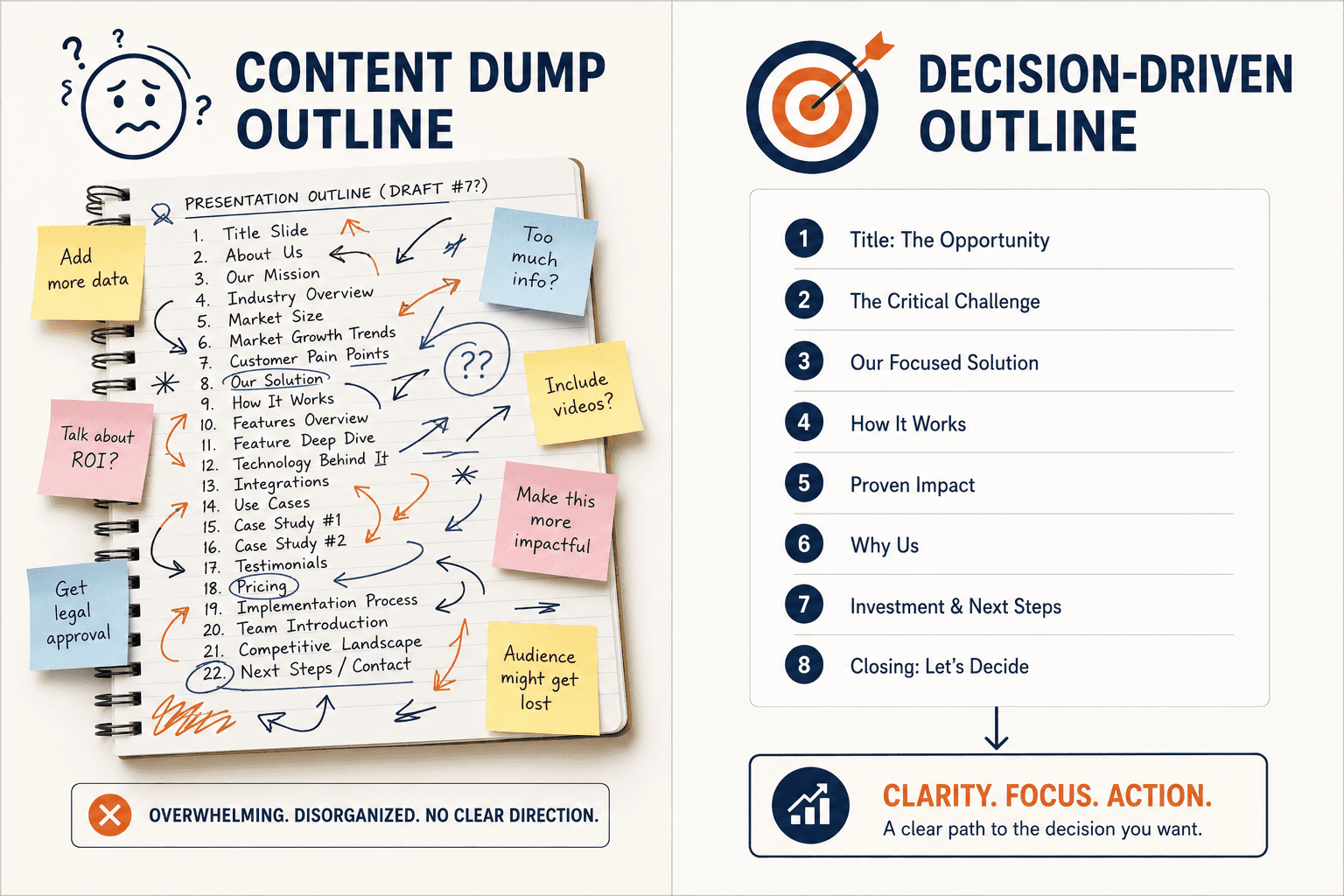
Most people build presentation outlines the same way they pack for a trip.
Throw in everything that might be useful. Worry about what to leave out later.
Then they wonder why their deck feels disjointed, why the audience checks out by slide 12, and why every revision makes it worse instead of better.
A presentation outline is not a content dump. It’s a decision-making tool. Done right, it forces you to choose what matters before you spend three hours formatting slides. Done wrong, it locks in confusion that no amount of design can fix.
This guide shows you how to build outlines that actually work. With real examples for different presentation types, named mistakes that wreck even the best ideas, and the framework I’d use whether I had 5 slides or 50.
You’ll get:
Why most presentation outlines fail before slide one
6 real outline examples for common presentation types
The “one-question test” that fixes weak outlines fast
Named mistakes that quietly destroy presentations
How to turn an outline into a finished deck without manual design work
What Is a Presentation Outline?
A presentation outline is the structure of your argument before you build the slides.
It’s not a list of topics. It’s not a table of contents. It’s the order in which your audience needs to encounter ideas to walk away convinced, informed, or moved to act.
The best outlines answer three questions:
What does the audience need to know?
In what order do they need to know it?
What do you want them to do when you’re done?
If your outline can’t answer all three in one sentence, it’s not an outline yet. It’s a wishlist.
For a related approach to structuring proposals, our guide on the proposal outline walks through how to apply the same thinking to business documents.
Why Most Presentation Outlines Fail
The failure happens at the start, not the end.
Most people open a blank doc and start typing slide titles. By the time they finish, they have 22 slide titles and no idea which ones matter most. So they keep all 22, build the deck, and let the audience figure it out.
That’s not an outline. That’s a content inventory dressed up as a plan.
A real outline starts with the destination, not the slides.
Before you write a single title, you should be able to finish this sentence: “By the end of this presentation, the audience will [decide / believe / do] X.”
If you can’t finish that sentence, your outline will fall apart no matter how clean the slides look. Once your outline is locked in, the slide build shouldn’t take three hours, which is why presenters use Decktopus to upload their outline and generate a complete presentation around it in minutes, with brand colors, visuals, and layouts applied automatically.
If you want a deeper breakdown of why presentations fall flat, our guide on what makes for a good presentation covers the foundational principles.
The One-Question Test
Here’s a fix that works for every outline.
Read your draft outline out loud. After each section, ask yourself: “Does this section move the audience closer to the goal?”
If the answer is no, the section is decoration. Cut it.
Most presentations are 30 to 40 percent decoration. People keep slides because they look nice, took effort to make, or feel comprehensive. None of those reasons help the audience.
The presentations that win are not the most thorough. They’re the most ruthless about what to remove.
The 3 Layers of a Great Outline
Most presentation guides talk about beginning, middle, and end. That framing is too vague to be useful.
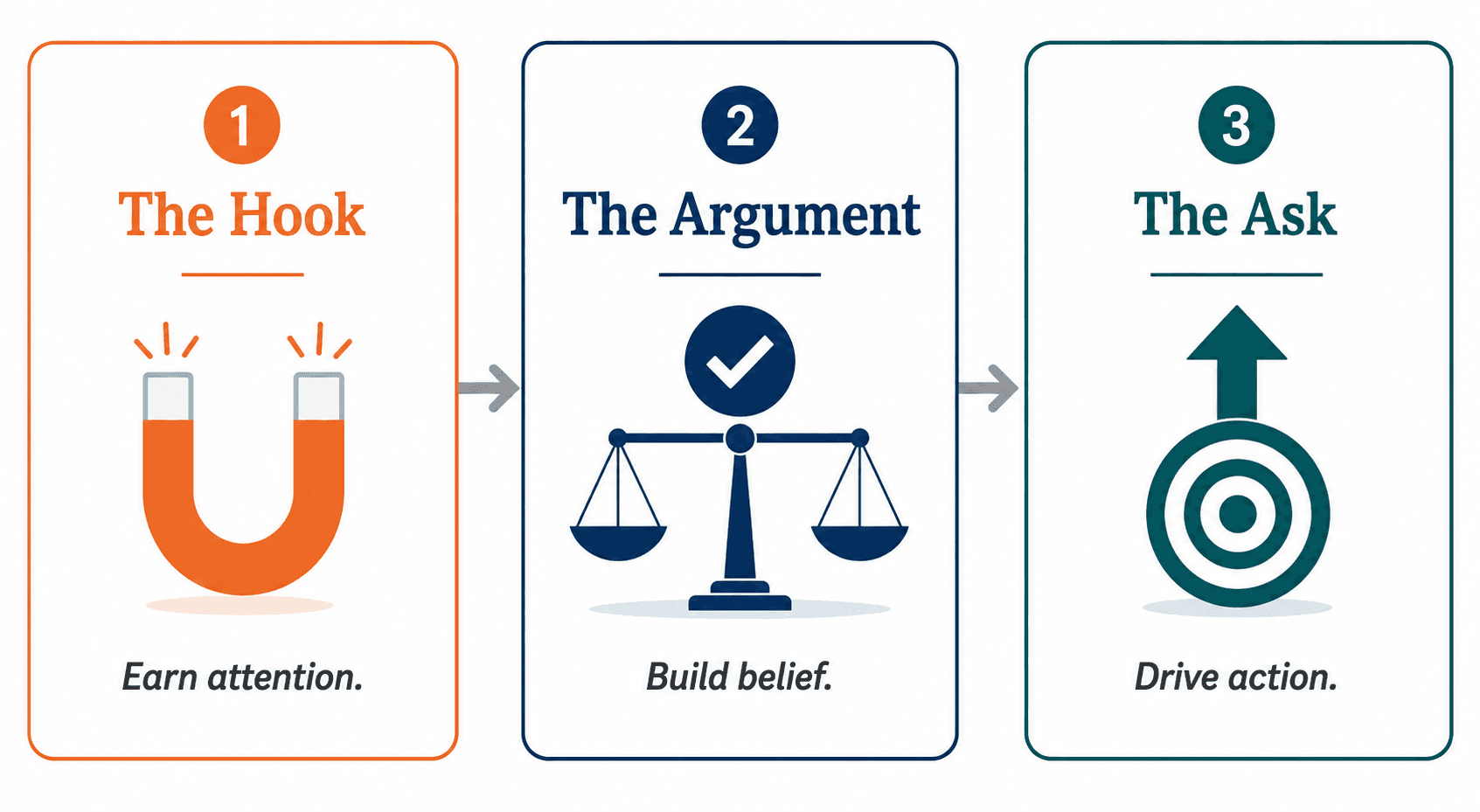
The real layers are:
[[EMBED:PGRpdiBzdHlsZT0ib3ZlcmZsb3cteDphdXRvO21hcmdpbjoyMHB4IDAiPjx0YWJsZSBzdHlsZT0id2lkdGg6MTAwJTtib3JkZXItY29sbGFwc2U6Y29sbGFwc2U7Zm9udC1zaXplOjE1cHg7bWFyZ2luOjhweCAwIj48dGggc3R5bGU9ImJvcmRlcjoxcHggc29saWQgI2UzZTZlYTtwYWRkaW5nOjEwcHggMTRweDt0ZXh0LWFsaWduOmxlZnQ7YmFja2dyb3VuZDojZjRmNmY4O2ZvbnQtd2VpZ2h0OjYwMCI+PHRyPjx0aCBzdHlsZT0iYm9yZGVyOjFweCBzb2xpZCAjZTNlNmVhO3BhZGRpbmc6MTBweCAxNHB4O3RleHQtYWxpZ246bGVmdDtiYWNrZ3JvdW5kOiNmNGY2Zjg7Zm9udC13ZWlnaHQ6NjAwIj5MYXllcjwvdGg+PHRoIHN0eWxlPSJib3JkZXI6MXB4IHNvbGlkICNlM2U2ZWE7cGFkZGluZzoxMHB4IDE0cHg7dGV4dC1hbGlnbjpsZWZ0O2JhY2tncm91bmQ6I2Y0ZjZmODtmb250LXdlaWdodDo2MDAiPkpvYjwvdGg+PHRoIHN0eWxlPSJib3JkZXI6MXB4IHNvbGlkICNlM2U2ZWE7cGFkZGluZzoxMHB4IDE0cHg7dGV4dC1hbGlnbjpsZWZ0O2JhY2tncm91bmQ6I2Y0ZjZmODtmb250LXdlaWdodDo2MDAiPldoYXQgSXQgRG9lczwvdGg+PC90cj48L3RoZWFkPjx0Ym9keT48dHI+PHRkIHN0eWxlPSJib3JkZXI6MXB4IHNvbGlkICNlM2U2ZWE7cGFkZGluZzoxMHB4IDE0cHg7dGV4dC1hbGlnbjpsZWZ0O3ZlcnRpY2FsLWFsaWduOnRvcCI+VGhlIEhvb2s8L3RkPjx0ZCBzdHlsZT0iYm9yZGVyOjFweCBzb2xpZCAjZTNlNmVhO3BhZGRpbmc6MTBweCAxNHB4O3RleHQtYWxpZ246bGVmdDt2ZXJ0aWNhbC1hbGlnbjp0b3AiPkVhcm4gYXR0ZW50aW9uPC90ZD48dGQgc3R5bGU9ImJvcmRlcjoxcHggc29saWQgI2UzZTZlYTtwYWRkaW5nOjEwcHggMTRweDt0ZXh0LWFsaWduOmxlZnQ7dmVydGljYWwtYWxpZ246dG9wIj5XaHkgdGhpcyBtYXR0ZXJzIHRvIHRoaXMgYXVkaWVuY2UgcmlnaHQgbm93PC90ZD48L3RyPjx0cj48dGQgc3R5bGU9ImJvcmRlcjoxcHggc29saWQgI2UzZTZlYTtwYWRkaW5nOjEwcHggMTRweDt0ZXh0LWFsaWduOmxlZnQ7dmVydGljYWwtYWxpZ246dG9wIj5UaGUgQXJndW1lbnQ8L3RkPjx0ZCBzdHlsZT0iYm9yZGVyOjFweCBzb2xpZCAjZTNlNmVhO3BhZGRpbmc6MTBweCAxNHB4O3RleHQtYWxpZ246bGVmdDt2ZXJ0aWNhbC1hbGlnbjp0b3AiPkJ1aWxkIGJlbGllZjwvdGQ+PHRkIHN0eWxlPSJib3JkZXI6MXB4IHNvbGlkICNlM2U2ZWE7cGFkZGluZzoxMHB4IDE0cHg7dGV4dC1hbGlnbjpsZWZ0O3ZlcnRpY2FsLWFsaWduOnRvcCI+RXZpZGVuY2UsIGV4YW1wbGVzLCBhbmQgcmVhc29uaW5nIHRoYXQgY2hhbmdlIHRoZSBhdWRpZW5jZSdzIG1pbmQ8L3RkPjwvdHI+PHRyPjx0ZCBzdHlsZT0iYm9yZGVyOjFweCBzb2xpZCAjZTNlNmVhO3BhZGRpbmc6MTBweCAxNHB4O3RleHQtYWxpZ246bGVmdDt2ZXJ0aWNhbC1hbGlnbjp0b3AiPlRoZSBBc2s8L3RkPjx0ZCBzdHlsZT0iYm9yZGVyOjFweCBzb2xpZCAjZTNlNmVhO3BhZGRpbmc6MTBweCAxNHB4O3RleHQtYWxpZ246bGVmdDt2ZXJ0aWNhbC1hbGlnbjp0b3AiPkRyaXZlIGFjdGlvbjwvdGQ+PHRkIHN0eWxlPSJib3JkZXI6MXB4IHNvbGlkICNlM2U2ZWE7cGFkZGluZzoxMHB4IDE0cHg7dGV4dC1hbGlnbjpsZWZ0O3ZlcnRpY2FsLWFsaWduOnRvcCI+V2hhdCB5b3Ugd2FudCB0aGUgYXVkaWVuY2UgdG8gZG8gb3IgZGVjaWRlPC90ZD48L3RyPjwvdGJvZHk+PC90YWJsZT48L2Rpdj4=]]
Most weak presentations skip layer one and three. They jump straight into the argument. The audience never had a reason to care, and by the end, they’re not sure what to do.
The strongest presentations spend disproportionate effort on the hook and the ask. The middle is often the easiest part. A strong hook and a strong ask both need a visual treatment that matches their weight in the deck, and Decktopus generates the opening and closing slides as part of the full presentation, so the slides that carry the most strategic load also look the most polished.
For more on opening strong, see our guide on how to start a presentation with hooks that grab attention. For the close, our breakdown of how to end a presentation with impact covers what makes the ask land.
6 Real Presentation Outline Examples
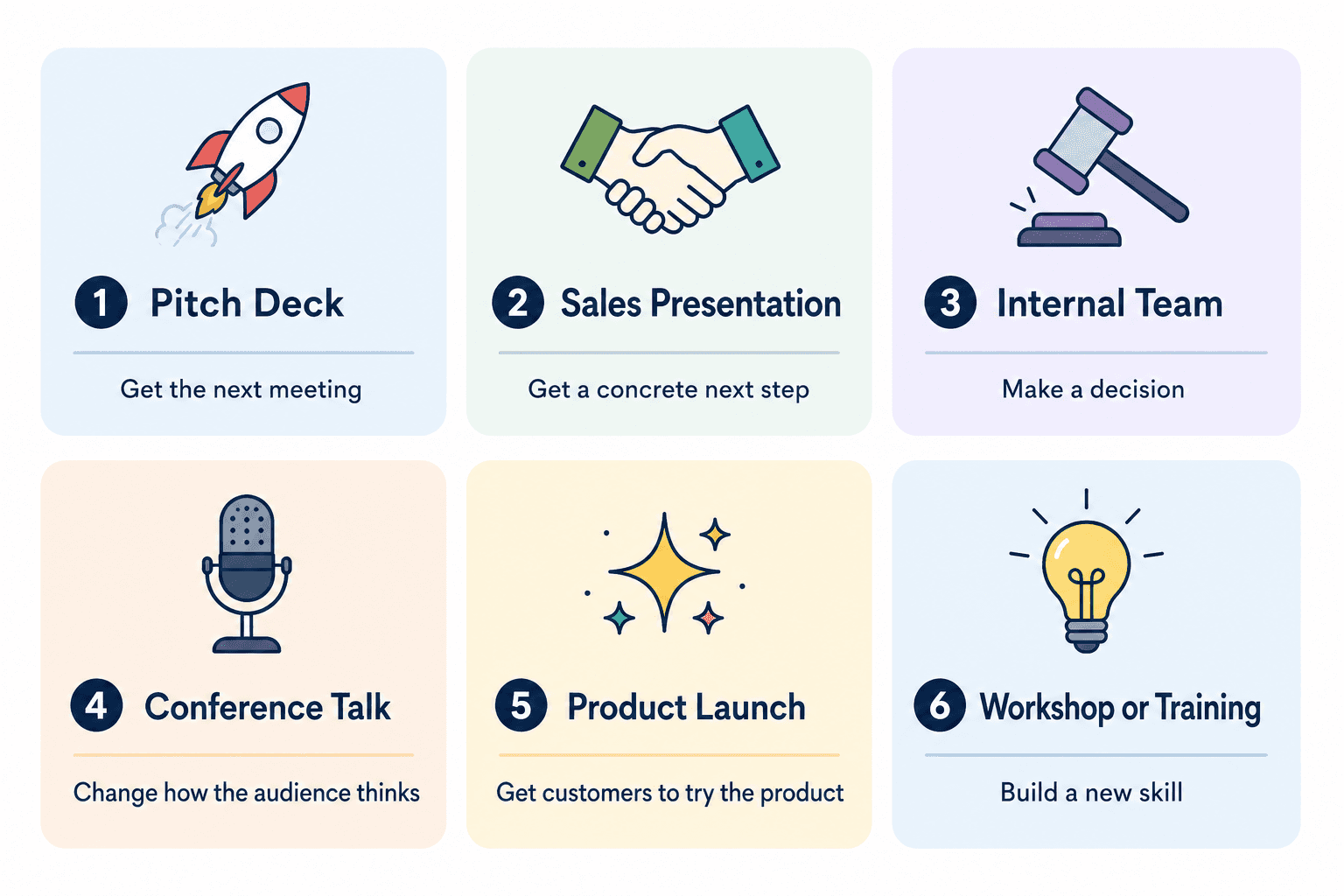
Here are six outlines for the most common presentation types. Each one is built around a clear goal, not a content dump.
1. Pitch Deck Outline (For Investors)
Goal: Get the next meeting.
Not the term sheet. Not the check. The next meeting. That’s all a pitch deck needs to do.
Slide order:
The hook (one sentence on the problem and your solution)
The problem (specific, painful, expensive)
The solution (your product, in plain language)
Why now (market timing, technology shift, regulatory change)
Traction (real numbers, growth rate, key milestones)
Business model (how you make money)
Market size (TAM, SAM, SOM)
Competition (positioning map, not feature matrix)
Team (why this team can win)
The ask (how much you’re raising, what you’ll do with it)
The mistake to avoid: Spending 6 slides on product features and 1 slide on traction. Investors care 10x more about traction than features.
For real examples from companies that raised at this stage, see our breakdown of pitch deck examples. To avoid the most common errors, check our guide on pitch deck mistakes.
2. Sales Presentation Outline (For Prospects)
Goal: Get the prospect to take the next concrete step (demo, trial, contract).
Slide order:
Their problem (in their words, not yours)
Why current solutions fall short
The cost of doing nothing
Your approach (positioned around their problem)
Proof (case studies, testimonials, results)
How it works (the workflow, simplified)
Pricing (transparent, with options)
Implementation timeline
The ask (next step, calendar link, signature)
The mistake to avoid: Starting with “About our company.” Nobody cares about your company until they believe you understand their problem.
For more on crafting persuasive sales messaging, our guide on how to sell an idea effectively covers the underlying psychology. And for examples of strong sales positioning, see our breakdown of sales pitch writing.
3. Internal Team Presentation Outline (For Decisions)
Goal: Get a decision made.
Slide order:
The decision we need to make today
Context (what’s changed since last time)
Options (usually 2 to 3)
Pros and cons of each
Recommendation
Risks if we don’t decide
Next steps and owners
The mistake to avoid: Burying the decision on slide 9. Lead with it. Your team should know what they’re being asked to decide before they see any context.
For more on running these conversations efficiently, see our guide on how to prepare a meeting presentation.
4. Conference Talk Outline (For Audiences)
Goal: Change how the audience thinks about something.
Slide order:
The provocation (a claim that challenges what the audience believes)
The evidence (data, stories, examples)
The reframe (a new way to see the problem)
The implications (what this means for the audience’s work)
The call to action (what they should do next)
The mistake to avoid: Trying to teach three things in one talk. The most memorable talks teach one thing very well. The audience will not remember three.
5. Product Launch Outline (For Customers)
Goal: Get existing or prospective customers to try the new product.
Slide order:
What’s new (in one sentence)
The problem this solves (that the old version didn’t)
The headline feature (demo or screenshot)
Supporting features (briefly)
Pricing and availability
How to try it (link, sign-up, free trial)
The mistake to avoid: Listing every feature equally. There’s always one feature that matters most. Lead with it. Everything else is secondary.
6. Workshop or Training Outline (For Learners)
Goal: Build a new skill or understanding the audience can apply.
Slide order:
What you’ll be able to do by the end
Why this matters (problem this skill solves)
The framework or concept
Worked example (apply the framework to a real case)
Practice exercise (the audience does it)
Common mistakes to avoid
Resources for going deeper
The mistake to avoid: Skipping the practice exercise. Learning without application doesn’t stick. The audience needs to apply the skill once before they leave.
For workshops and training sessions, our guide on building an interactive presentation covers how to keep participants engaged from the first slide to the last.
5 Named Mistakes That Wreck Outlines
1. Topic-First Thinking
The outline is structured around topics (“our team,” “our product,” “our pricing”) instead of the audience’s questions. Every section should answer a question the audience is actually asking, in the order they’re asking it.
2. The Comprehensive Trap
Trying to cover everything because cutting feels risky. The result is a 40-slide deck that says less than a 12-slide deck would. Comprehensiveness is the enemy of clarity.
3. Buried Lead Syndrome
The most important point sits on slide 14 instead of slide 2. If your audience checks out by slide 5, they will never see the punchline. Front-load the insight.
4. The Symmetry Lie
Making every section the same length because it looks balanced. Reality: some sections deserve 1 slide, others deserve 6. Treat each section based on what it needs to do, not how it looks in the outline.
5. The Vague Close
Ending with “thank you” or “questions?” instead of a specific ask. Every presentation should end by telling the audience exactly what to do next. Even if it’s just “respond to my email by Friday.”
How to Test Your Outline Before You Build the Deck
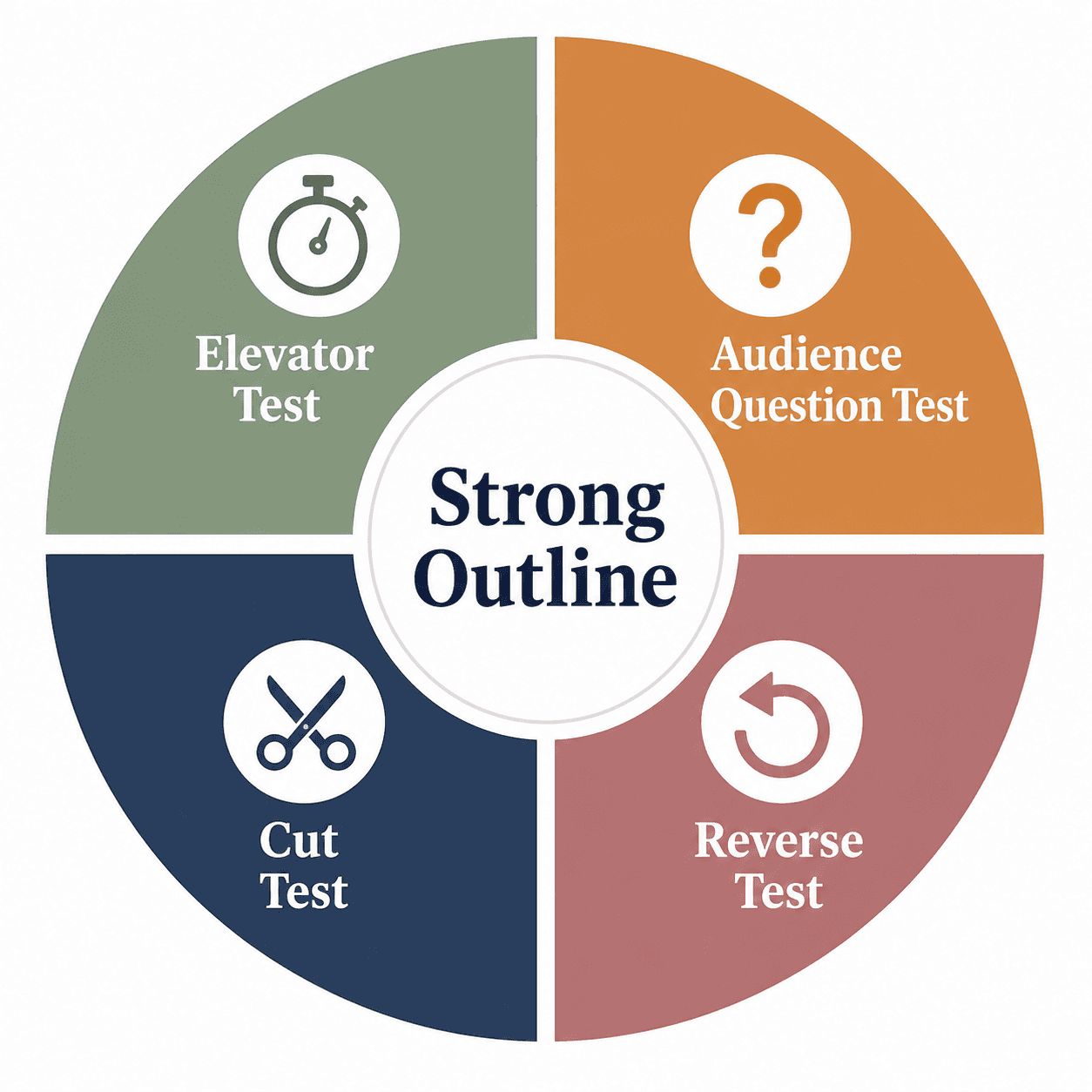
Before you spend hours on slides, run your outline through these four checks.
1. The Elevator Test
Can you explain your entire presentation in 60 seconds, using your outline as a guide? If you can’t, the outline isn’t tight enough.
2. The Audience Question Test
For each section, write down the question your audience is asking that the section answers. If any section doesn’t have a clear question, it’s filler.
3. The Cut Test
Cross out any section that doesn’t move the audience closer to your goal. Whatever survives is your real outline.
4. The Reverse Test
Read your outline from end to beginning. Does each previous section logically lead to the next? If the chain breaks anywhere, you have a structural problem to fix before slide one.
If your outline passes all four tests, the next step is converting it into a real presentation, and Decktopus does exactly that: paste in your outline, apply your brand from your website URL, and get a polished deck ready to share, with the strategic work staying yours and the design work handled by AI.
How to Present an Outline to Your Team or Client
If you’re getting outline buy-in before building the full deck (which you should, especially for high-stakes presentations), keep the outline review short and focused.
The best outline reviews include:
The goal of the presentation
The target audience
The slide-by-slide flow (titles and one-line descriptions only)
The ask or outcome you want
Specific feedback questions
Don’t ask “what do you think?” Ask “does this flow make the case? Is anything missing? What would you cut?”
For more on framing presentations and proposals for stakeholders, our business proposal guide covers how to structure information for fast decisions.
Turning Your Outline Into a Finished Deck

The outline is the hard part. The slides are the easy part, especially if you don’t have to design them yourself.
Decktopus takes your outline and turns it into a complete, on-brand presentation.
Here’s how it works:
Describe your topic. Type your presentation topic, paste in your outline, or upload supporting files. Decktopus reads it and gets to work.
Choose your style. Paste your homepage URL to apply your brand automatically. Decktopus pulls your logo, colors, and fonts so every slide is on-brand. Or apply a saved Brand Kit. Or let AI generate a style.
Review the AI-generated outline. Decktopus translates your input into a slide structure. Adjust the order or focus before the full deck is built.
Refine in the editor. Use the prompt bar to fine-tune any slide. Try instructions like “make this section more concise,” “generate a visual for the problem slide,” or “switch this to a comparison chart.” Brand Compliance auto-checks every slide.
Export or share. Download as PDF or PPT, share via link, or present directly from the editor.
If you’re visualizing data inside your slides, tools that generate clean bar charts or pie charts save the manual chart-building step entirely.
For more on AI-powered presentation workflows, see our guide on the best AI presentation tools.
Rehearsing Your Outline with Loop AI Delivery Coach
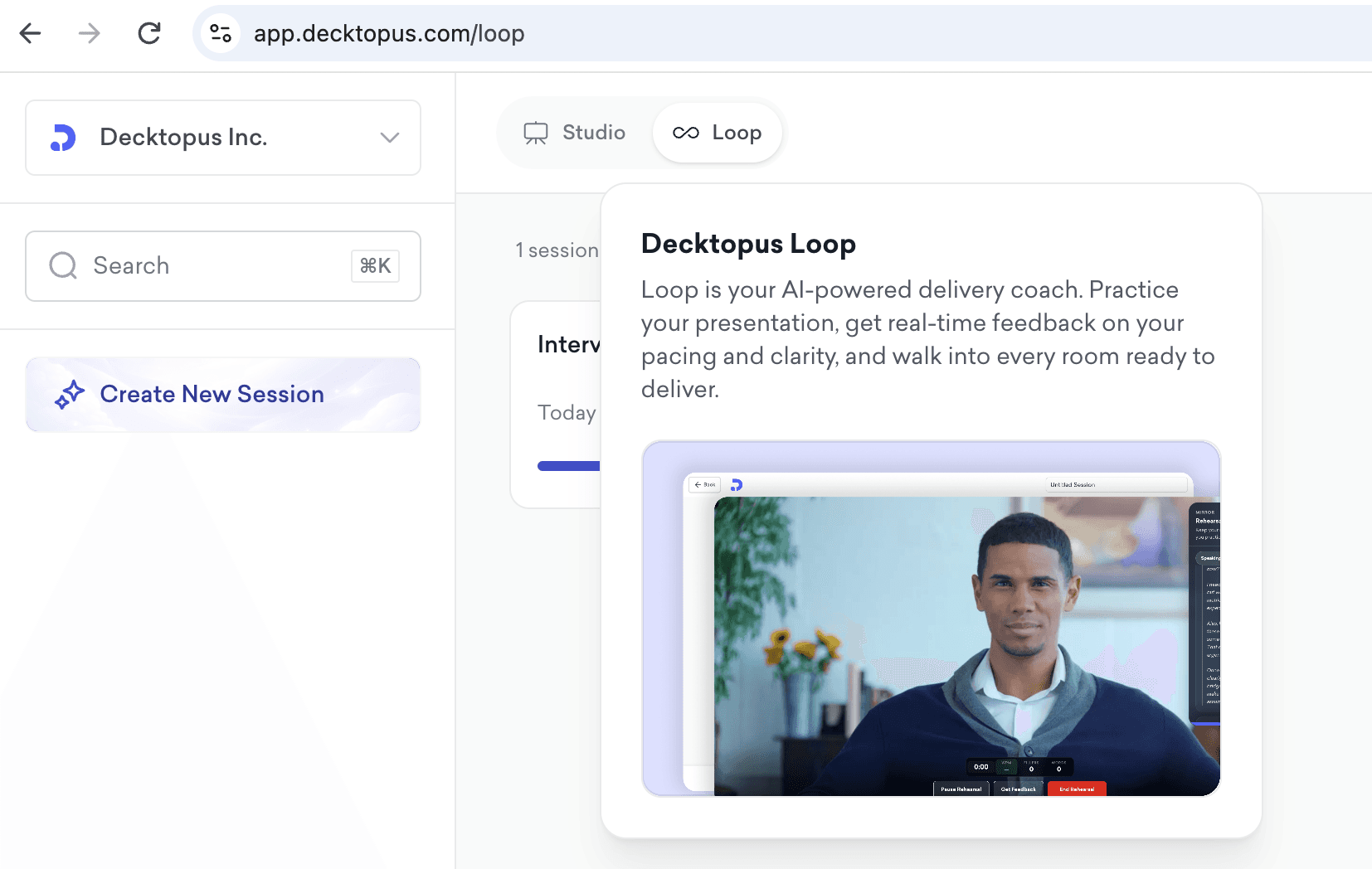
A tight outline is only half the work. Once the deck is built, you still have to deliver it - and the moment you go from outline to live audience is where most presentations fall apart.
Loop AI Delivery Coach is Decktopus AI's built-in rehearsal environment. It takes the outline you just structured and stress-tests your delivery through four AI agents before you present it live.
The 4 Loop Agents for Outline Testing
Profiler (Emily) - Simulates your target audience. If you're pitching investors, she reacts like an investor. If you're presenting internal recommendations, she reacts like a skeptical exec. Her reactions tell you if your outline order actually lands for the people you're presenting to - or if you've optimized for the wrong reader.
Architect (Marcus) - Reviews your outline's structural flow in delivery. Flags sections where the argument drags, where the ask is buried, and where the hook doesn't earn attention fast enough. This is where the "reverse test" from earlier gets validated by an agent, not just your own eye.
Red Team - Fires the questions your audience will ask between slides. If your pitch deck outline puts traction on slide 5, Red Team will ask "how do I know these numbers are real?" on slide 3. That tells you whether your outline order can survive interruptions.
Mirror - Records your walk-through and plays it back with pacing, filler count, and pause data. You'll see exactly which outline sections you rushed and which ones dragged - the parts of your delivery that no self-review can catch.
Loop Workflow for Presentation Outlines
Build your deck from the outline in Decktopus AI
Open Loop, define your audience persona
Present the deck end-to-end - Emily reacts, Marcus scores structure
Face Red Team's interruptions until the outline order holds up
Review Mirror playback and adjust the outline where delivery breaks down
Rebuild any weak sections in the editor and rehearse again
The best presenters treat the outline and the delivery as one system. Loop is what makes that possible without a human coach.
Frequently Asked Questions
How long should a presentation outline be?
Match the length of your final deck. A 10-slide pitch deck needs a 10-line outline. A 40-slide training deck needs a 40-line outline. The outline shouldn’t be longer than the presentation it produces.
Should I write the outline before or after I research?
Both. Write a rough outline first to clarify your goal and structure. Then research with that structure in mind. Then refine the outline based on what you found. The outline is a living document until the deck is finished.
What if my audience has different needs?
Build the outline for the decision-maker. Then layer in detail for the secondary audience. If a CEO and a marketing lead are both in the room, your outline should give the CEO what they need in the first 5 slides and the marketing lead what they need across the full deck.
How detailed should each outline line be?
For a quick outline: slide title plus one sentence on the point. For a high-stakes deck: slide title, the key message, the supporting evidence, and the visual. The right level of detail depends on how much you trust yourself to fill in the gaps later.
Can AI help me build a presentation outline?
Yes. AI tools are useful for drafting an outline structure, suggesting orders, and identifying missing sections. The strategic choices (what to lead with, what to cut, what the ask should be) still require human judgment.
What’s the most common reason outlines fail?
Starting with topics instead of the goal. If you don’t know exactly what the audience should do, believe, or decide at the end, no amount of outline polish will save the presentation.
How do I outline a presentation when I don’t know my audience well?
Make your best guess at the goal and the questions they’re asking, then ask one or two people in that audience to review the outline before you build the deck. The outline is cheap to revise. The deck isn’t.
Final Thoughts
A presentation outline is not about organizing your slides.
It’s about organizing your thinking.
The slides come later. The visuals come later. The animations and brand polish come last. But if the outline is weak, none of that matters. The audience will still leave confused.
The best presenters spend the first hour on the outline. The mediocre ones spend the first hour picking fonts.
If your next outline doesn’t pass the elevator test, the audience question test, the cut test, and the reverse test, fix it before you open the slide editor. The deck will thank you.
Related posts
The Ultimate Guide to the Best AI Pitch Deck Generators: Free and Paid Options for Creating Stunning Pitch Decks
Discover the best AI pitch deck generators to streamline creating decks for investors. Ideal for entrepreneurs and startups, these AI tools help craft the perfect pitch deck effortlessly.
Pitch Deck
Top 10 Best AI-Powered Pitch Deck Generators For Founders
Discover the best AI pitch deck generators for founders. Compare top tools that generate investor-ready decks in minutes, apply your brand automatically, and let you focus on the pitch instead of the design.
Pitch Deck

Early Stage Entrepreneur Hack: Talking to Users
You have your idea and you have your pitch deck. You knock on some doors, pitch the idea, and even though your pitch deck looks stunning, the investor is not sure about the idea. They want to see the transactions first. What a bummer!
Pitch Deck