Presentations
How To Prepare a Meeting Presentation - 10 Practical Tips
Many of us will likely be required to give a presentation in a meeting at some point in our careers. And while it may be intimidating to stand in front of a group of people at 9 am and plainly state your thoughts, if done well, it can help skyrocket your confidence, credibility, and of course, career.

Decktopus Content Team
10 Practical Tips to Prepare an Effective Meeting Presentation
Meeting presentations can be game-changing… or fall completely flat.
Why? Because distilling complex information into digestible, compelling slides—and presenting it clearly—isn’t easy. But when done right, a strong presentation can elevate your confidence, influence decision-makers, and advance your career.
At Decktopus, we help professionals communicate more effectively through smart, beautiful presentations. This guide includes 10 proven tips to help you plan, deliver, and follow up on your next meeting presentation—whether you’re pitching to clients, leading a team sync, or presenting quarterly results.
Let’s dive in 👇
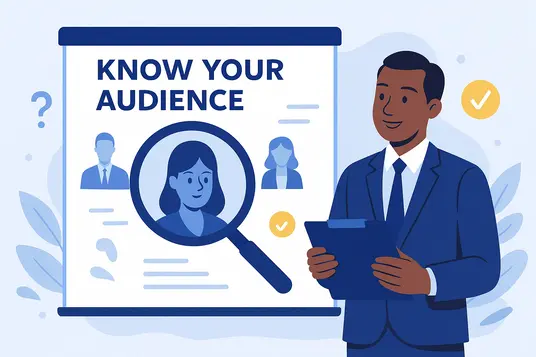
1. Know Your Audience 🔍
Before you open a slide deck or draft your first bullet point, take a moment to think about who you’re presenting to.
Understanding your audience goes far beyond just knowing their names or job titles. You need to know:
What’s their level of expertise?
What challenges are they facing?
What tone or style will resonate with them?
👥 Think Like a Consultant
Imagine you’re selling a car. A client walks in wearing a designer suit—would you offer them a rusty old sedan, or show them a sleek, top-of-the-line model?
Just like in sales, your job is to tailor your content and delivery based on what the audience wants and needs, not what you feel like presenting.
🧠 Use Audience Insights to Guide Your Presentation:
Avoid jargon if your audience isn’t deeply familiar with the subject
Use storytelling or humor where appropriate to boost relatability
Adapt your energy—if your audience looks bored, break the fourth wall with a quick, light comment to regain attention
When you truly understand your audience, you can shape your message in a way that sticks. And that’s how you make your presentation unforgettable.
2. Do Your Research 🧠
A successful meeting presentation starts before the meeting even does.
Arriving unprepared signals that you’re not taking the audience—or their time—seriously. But showing up with insight, clarity, and relevant data? That builds instant credibility.
🎯 Know the Purpose, Inside and Out
Before you open your presentation tool, ask:
What’s the goal of this presentation?
What’s the main takeaway I want to deliver?
What will this specific audience find most valuable?
Once you’re clear on the “why,” you can research and shape content that supports your message—not just what you find interesting.
📊 Use Data That Matters
Don’t overload your slides with numbers. Instead:
Choose 1–2 impactful statistics
Use charts, graphs, or infographics to make data easy to understand
Highlight insights that directly support your recommendations
This makes your message easier to follow—and harder to forget.
❓ Be Ready for Questions
Anticipate what people will ask and prep your answers ahead of time. You’ll look confident and in control, even when things go off-script.
Bonus tip: Include 1–2 provocative insights that naturally invite questions. This creates conversation and shows you’re one step ahead.

3. Outline Your Presentation 🗂️
A strong presentation isn’t just about slides—it’s about structure.
According to our Top Presentation Statistics, audiences remember stories more than facts. That’s why building your meeting around a clear, compelling narrative is essential.
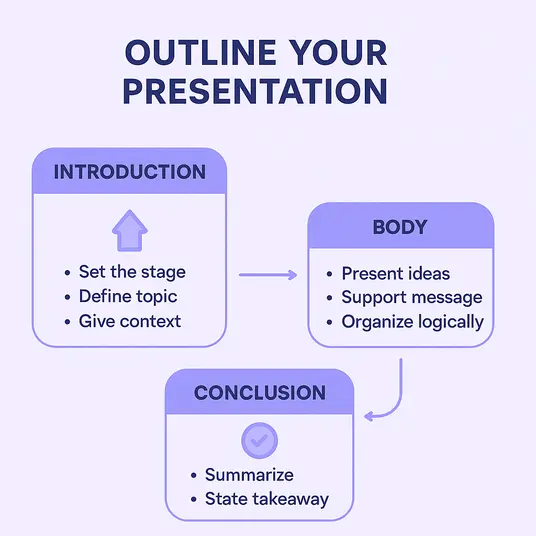
The classic three-part format—Introduction, Body, Conclusion—works for nearly every topic and audience. Here’s how to make it effective:
Introduction: Set the Stage
Open with clarity and confidence. This is your chance to define the topic, share your purpose, and give the audience a reason to care.
Try:
“Today I’d like to talk about a critical issue with our…”
“It’s important to understand that…”
“We believe this can be solved by…”
Keep it concise, but compelling.
Body: Deliver Your Message
This is where the main content lives.
Structure your ideas into 2–4 clear points. Each should support your key message and logically flow into the next.
Use transitions like:
“Firstly, we must consider…”
“As mentioned earlier, this allows us to…”
“We must also factor in…”
Visuals (like charts or bullet slides) help simplify complex info.
Conclusion: Drive It Home
Reinforce your main takeaway and leave a lasting impression.
End with purpose:
“Having seen the data, I’m confident we can agree…”
“And remember…”
Tailor your tone—end powerfully if pitching, or reflectively if inspiring change.
🎯 Pro Tip from Decktopus
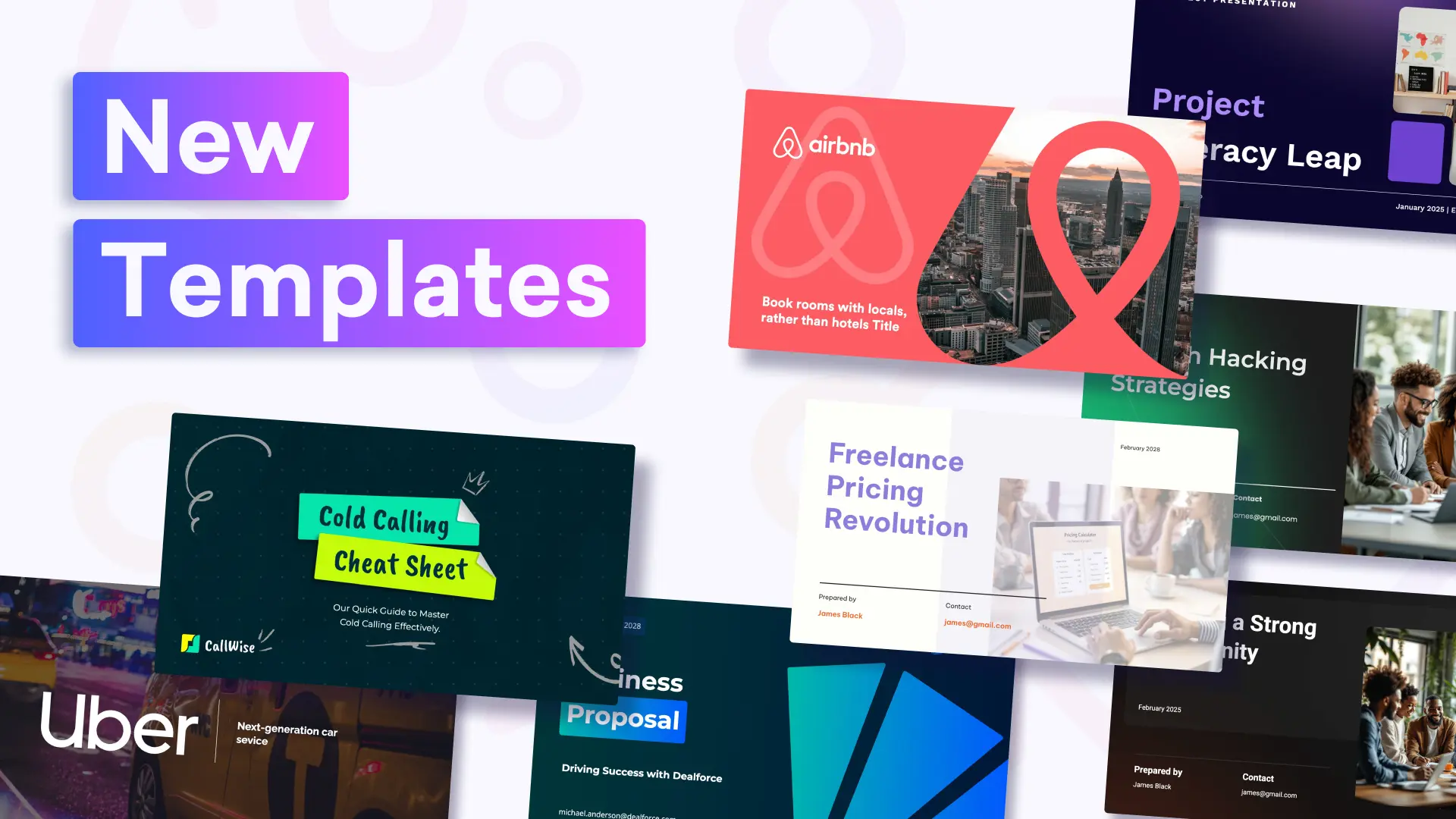
Struggling to structure your slides? Use our AI-powered presentation templates to instantly generate outlines tailored to your topic and audience. These ready-made templates are designed to save you time while keeping your message clear and professional—so you can focus on what you want to say, not how it looks.
4. Create a First Draft ✍️
“It doesn’t matter if it’s good right now—it just needs to exist.”
— Austin Kleon
Your first draft isn’t meant to be perfect. It’s meant to exist.
Putting ideas onto slides (or sticky notes, or scribbles) lets you:
See the big picture
Build momentum
Start refining structure and flow
🧠 Treat your draft like a sandbox: write everything that comes to mind, then shape it. Keep the good, cut the fluff, and reorder until it flows.
5. Design Your Presentation Slides 🎨
Design isn’t just about looking good—it’s about helping your message land.
In fact, Northern Illinois University highlights that poorly designed slides are one of the top reasons audiences disengage during presentations.
A clean, professional slide design ensures your audience can follow your story without distractions.
🧠 Key Visual Design Tips:
Present one main idea per slide
Use images, charts, and quotes to reinforce your points
Avoid large blocks of text
Keep fonts legible and minimal
Use consistent color schemes and spacing
🎯 Pro Tip: Use Decktopus templates to automatically generate well-designed slides—so you can focus on content, not formatting.

6. Rehearse Out Loud, Not Just in Your Head 🗣️
You wouldn’t wing a performance on stage, so don’t wing your presentation.
Practicing aloud helps you:
Catch awkward phrasing or filler words
Work on pacing and timing
Build confidence and reduce anxiety
Also, don’t forget to test your visuals and any equipment you’ll use. There’s nothing worse than a tech hiccup right in the middle of your key point.
🎯 Rehearse in front of a mirror, a friend, or even record yourself to identify areas to improve.
🎥 Need a Visual Example?
Browse the Decktopus YouTube channel for quick tutorials, real user presentations, and tips on how to present with clarity and confidence.
7. Use Notes—But Use Them Smartly 📝
Don’t buy into the myth that great speakers memorize every word. Even the best use notes strategically.
🗂️ A4 Sheets
Great for longer or more detailed presentations.
Pros:
Plenty of space for detail
Works like a mini script
Helps in complex or data-heavy talks
Cons:
Visibly bulky
Can look less polished on stage
📇 Cue Cards
Best for concise transitions and talking points.
Pros:
Discreet and easy to handle
Keeps you on track without being distracting
Cons:
Limited space
Risk of mixing up cards if unnumbered
🎯 Always number your cards, and use bold keywords or phrases—not full sentences—to keep things natural.

8. Engage Your Audience 🤝
A great presentation isn’t a monologue—it’s a conversation.
According to the University of Minnesota Extension, engagement increases retention and participation.
🔑 Ways to Boost Interaction:
Ask questions mid-presentation
Pause to invite feedback or reactions
Use humor or real-life examples
Add interactive elements (polls, quick prompts, quizzes)
Audience participation not only builds energy but also makes your presentation stick.

9. Start Your Presentation Right ⚡
You have just 8 seconds to capture attention. That’s less than a goldfish’s attention span.
Your opening sets the tone—make it count.
Try These Attention-Grabbing Starts:
Tell a story: Human brains are wired for narrative. Stories are memorable and emotionally engaging.
Ask a question: Engage your audience’s curiosity. Even rhetorical questions increase mental engagement.
Use an icebreaker activity: Quick games or fun prompts help reduce tension and boost participation.
🎯 Set a hook early and make the audience want to know what comes next.

10. Encourage Questions & Discussions ❓💬
Don’t view questions as interruptions—see them as engagement signals.
Encouraging discussion:
Clarifies your points
Allows deeper exploration
Shows you’re confident in your topic
How to Handle Questions Gracefully:
Invite questions throughout, or dedicate time at the end
Use follow-up questions to dive deeper
Rephrase unclear questions out loud before answering
🔥 Nervous? Ask a friend or colleague to kick off Q&A with a question you’ve prepared. It sets the tone and breaks the ice.
Rehearse Your Meeting Presentation with Loop AI Delivery Coach 🎯
Meeting presentations have a specific pressure profile: shorter runway (often 10-15 minutes), sharper audience (decision-makers, not general audiences), and higher stakes per minute. The delivery has to land the first time - there's rarely a second shot in the same meeting.
Loop AI Delivery Coach is Decktopus AI's built-in rehearsal environment for exactly this pressure. Four AI agents simulate the meeting room before you sit in it.
The 4 Loop Agents for Meeting Prep
Profiler (Emily) - Simulates the exact meeting attendees you'll face. Describe the room - the CFO who scrutinizes numbers, the VP Sales who cares about pipeline impact, the CEO who wants the one-slide summary - and Emily reacts accordingly. You rehearse for the room you're actually walking into.
Architect (Marcus) - Reviews structural flow for a meeting-length deck. Flags when your intro runs long, when your recommendation is buried, or when you left too little room for discussion. Meeting-optimized structural feedback.
Red Team - Fires the hard boardroom questions: "What's the alternative?", "How much will this cost?", "Why should we act now?", "What's the risk if this fails?" Facing these in rehearsal is what separates "let me get back to you" from confident answers in the room.
Mirror - Records your delivery and plays it back with metrics: pace, filler count, pause length. Meeting settings punish "um" and "like" harder than any other format - Mirror shows you exactly where to cut.
Loop Rehearsal Flow for Meeting Presentations
Build your meeting deck in Decktopus AI
Open Loop, describe the attendees (roles, seniority, likely pushback)
Deliver the presentation - Emily reacts, Marcus scores structure
Face Red Team's boardroom questions until answers feel automatic
Review Mirror playback and firm up delivery
Repeat until the presentation lands cold in 10-15 minutes flat
Most professionals run 2-3 Loop sessions before a high-stakes meeting. The difference is measured in tighter runtime, cleaner delivery, and confident answers to pushback.
Rehearse your next meeting with Loop →
FAQ
1. How do I prepare for a meeting presentation?
Start by understanding your audience, outlining your key message, and doing thorough research. Use visuals and storytelling, rehearse out loud, and be ready for questions.
2. How long should a meeting presentation be?
Aim to keep it between 10–20 minutes depending on context. Be concise and leave room for Q&A or discussion.
3. What tool should I use to create a meeting presentation?
Decktopus is a great tool for building meeting presentations quickly with AI-powered design, templates, and interactive features — no design experience needed.
4. What’s the best way to start a meeting presentation?
Open with a story, question, or statistic to hook your audience. Establish credibility and clearly state your objective.
🚀 Create Your Meeting Presentation with Decktopus — In Minutes
Don’t waste hours designing slides or stressing over formatting.
With Decktopus, you can focus on your message — and let the platform handle the visuals.
✅ AI-powered structure and design
✅ Professional templates for any meeting
✅ Embed slides, collect feedback, and present online
✅ No downloads or design experience needed
Ready to elevate your meeting presentations? Try Decktopus’s AI-powered tools to create engaging and professional presentations effortlessly.
👉 Create Your Presentation Now
🔗 Related Resources You Might Like
Related posts

Webinar Follow-Up Emails: The Sequence That Runs After the Deck Ends
Learn how to build a webinar follow-up email sequence with behavioral segmentation, timely emails, better deliverability, and personalized outreach.
Presentations

Best TED Talks to Improve Your Presentation Skills
Watch ten of the best TED talks for presentation skills and use a practical exercise from each to improve structure, voice, visuals, and confidence.
Presentations

Decktopus AI Best Practices: The Complete Guide, Tips and Tricks (2026)
A complete guide to using Decktopus AI effectively, from writing better prompts and reviewing outlines to rehearsing with Loop and building carousels.
Presentations