Marketing
The Ultimate Guide to SEO Reporting Tools: Top Free and Paid Solutions for Agencies in 2026
Learn the 5-layer SEO reporting framework, the top 10 SEO reporting tools compared, essential metrics to track, step-by-step setup guides, and how to turn your SEO data into client-ready decks fast.


Decktopus Content Team
What Is an SEO Reporting Tool?
An SEO reporting tool is a software platform that tracks, measures, and visualizes a website's search engine performance across metrics like keyword rankings, organic traffic, backlinks, site health, and conversion behavior. These tools aggregate data from multiple sources (search engines, analytics platforms, crawlers, backlink databases) and package it into dashboards and reports that agencies, in-house SEO teams, and freelancers use to prove ROI, guide strategy, and communicate results to stakeholders. The main benefit is that they turn raw SEO data (which is scattered, noisy, and technical) into a clear story your clients and leadership can actually act on.
According to research from BrightEdge and Ahrefs, over 68% of online experiences begin with a search engine, and SEO drives more than 1,000% more traffic than organic social media. Yet industry surveys consistently show that less than half of SEO teams have a structured reporting process in place, which means most SEO work happens without the visibility needed to prove ROI, refine strategy, or retain clients long-term. That gap is exactly why choosing the right SEO reporting tools (and building repeatable workflows around them) has become one of the highest-leverage investments an agency or in-house team can make.
For related SEO and content marketing frameworks, see our guides on SEO and online marketing, building a comprehensive content strategy, and content marketing examples for lead generation.
Why SEO Reporting Tools Are Essential
For SEO specialists and managers, these tools are how you prove the impact of your work. Without structured reporting, months of technical SEO, content, and link-building work can look invisible to leadership. Reporting tools translate effort into visible outcomes.
For agency owners and directors, SEO reporting tools handle multi-client management, white-label branding, and integration across dozens of analytics platforms. They make it possible to serve many clients efficiently without drowning in manual work.
For digital marketing analysts and account managers, these tools deliver the accurate, actionable insights that keep clients confident in the relationship. Clients don't renew because they saw traffic go up. They renew because they understood why it went up and trust that the momentum will continue.
For in-house SEO teams, structured reporting is how you get budget approved, protect headcount, and align cross-functional stakeholders around SEO's business impact.
In short: doing SEO well is only half the job. Communicating SEO results clearly is the other half, and reporting tools are the difference between the two.
The 5-Layer SEO Reporting Framework
Every strong SEO reporting workflow layers five functions on top of each other. When you evaluate a reporting tool, check how well it handles each layer.
Layer | Function | What It Delivers |
|---|---|---|
1 | Data aggregation | Collects data from search engines, analytics platforms, backlink databases, and crawlers into one place |
2 | Performance tracking | Monitors KPIs over time (rankings, traffic, backlinks, conversions) to identify trends |
3 | Automated reporting | Schedules regular reports, automates data refresh, and reduces manual work |
4 | Data visualization | Turns raw numbers into charts, graphs, and dashboards that stakeholders can read at a glance |
5 | Customizable reports | Tailors output to specific goals, audiences, and client-branded formats |
A tool that only does one or two layers well isn't enough. Great reporting workflows combine specialized tools for aggregation, tracking, and analysis with presentation-focused tools for the final storytelling layer. That's why so many agencies now pair an analytics platform like SEMrush or Ahrefs with a dedicated presentation tool like Decktopus AI for the client-facing report itself.
Free vs. Paid SEO Reporting Tools
Choosing between free and paid tools depends on scale, use case, and depth needed.
Factor | Free Tools | Paid Tools |
|---|---|---|
Cost | $0 (Google Analytics, Search Console, Data Studio, Ubersuggest limited) | $49 to $500+/month depending on tier and users |
Data depth | Basic to moderate | Deep, multi-source, historical |
Automation | Limited | Extensive (scheduled reports, alerts, integrations) |
Multi-client management | Not supported | Built-in for agency plans |
Customization | Limited templates and dashboards | Full customization, white-labeling, brand kits |
Backlink data | Very limited | Comprehensive (Ahrefs, SEMrush, Moz all have massive backlink indexes) |
Best for | Freelancers, small businesses, single-site analysis | Agencies, in-house teams managing multiple properties, enterprise SEO |
Client-ready reporting | Manual work required | Automated, branded, scheduled |
Bottom line: free tools like Google Analytics, Search Console, and Data Studio are essential foundational sources. Paid tools add depth, automation, and multi-client management that agencies need. Most serious SEO workflows combine both.
Top 10 SEO Reporting Tools for 2026
The tools below cover the full spectrum from free foundational sources to enterprise-grade analytics platforms.
1. Google Analytics 4
Features: Comprehensive web analytics, real-time data tracking, customizable dashboards, integration with Google Search Console and Google Ads, event-based measurement model.
Pricing: Free (GA4 standard). Enterprise-tier GA360 pricing on request.
Best for: Every SEO team. GA4 is the foundational analytics source almost every other tool integrates with.
Notes: GA4 is more complex than the older Universal Analytics but delivers deeper behavioral insights once configured. Beginner-friendliness is a challenge, which is where downstream reporting and visualization tools (including Decktopus AI for the presentation layer) help.
2. SEMrush
Features: In-depth SEO audits, keyword tracking, competitor analysis, backlink monitoring, position tracking, on-page SEO checker, content marketing tools, PPC integration.
Pricing: Starts at $139/month (Pro plan, current pricing). Higher tiers add multi-user access and API.
Best for: Agencies and mid-sized teams needing a single all-in-one platform for SEO, PPC, and content analysis.
Notes: Depth of data can be overwhelming for beginners. Exporting SEMrush data into a presentation tool like Decktopus AI turns dense reports into stakeholder-friendly decks.
3. Ahrefs
Features: Industry-leading backlink analysis, deep keyword research, site audit and health reports, content gap analysis, rank tracking, competitive intelligence.
Pricing: Starts at $129/month (Lite plan, current pricing). Higher tiers unlock more projects and rows.
Best for: SEO professionals doing serious backlink work, content gap analysis, or competitive research.
Notes: Widely considered the strongest backlink database in the market. Higher tiers get expensive fast.
4. Moz Pro
Features: On-page optimization tools, keyword research, site audit and health reports, link explorer, customizable reporting.
Pricing: Starts at $99/month (Standard plan).
Best for: SEO teams that value ease of use and clean UX over sheer data volume.
Notes: Moz's Domain Authority score is an industry benchmark referenced across SEO reporting.
5. Google Looker Studio (Formerly Google Data Studio)
Features: Customizable dashboards, integration with 800+ data sources, advanced data visualization, scheduled email delivery, free unlimited reports.
Pricing: Free.
Best for: Anyone building customized dashboards from Google Analytics, Search Console, and other data sources.
Notes: Excellent for internal dashboards. For polished client-facing reports where narrative and design matter, most teams pair Looker Studio dashboards with a dedicated presentation tool.
6. Screaming Frog SEO Spider
Features: Detailed technical site audits, JavaScript rendering crawl, integration with Google Analytics and Search Console, customizable data export.
Pricing: Free for up to 500 URLs. £259/year for unlimited (current pricing).
Best for: Technical SEO audits, migration planning, and any workflow where crawl-based data matters.
Notes: One of the most-loved tools in technical SEO. Raw output is dense, so summarizing findings in a client-ready deck is where the value gets communicated.
7. Serpstat
Features: Keyword research, position tracking, site audits, competitor analysis, backlink profiles, and rank tracking.
Pricing: Starts at $69/month (Individual plan).
Best for: Agencies looking for a more affordable all-in-one alternative to SEMrush or Ahrefs.
Notes: Growing platform with strong feature parity at a lower price point. Data depth is slightly behind the top-tier competitors.
8. Raven Tools
Features: SEO audits, keyword tracking, backlink reports, customizable report templates, multi-client management.
Pricing: Starts at $109/month (Small Business plan).
Best for: Agencies that prioritize white-label reporting.
Notes: Strong customizable report templates and multi-client dashboards make it a favorite for agency reporting workflows.
9. AgencyAnalytics
Features: Multi-client management, SEO audit tools, 80+ integrations (Google Analytics, Google Ads, Facebook, Bing, and more), customizable dashboards, white-label branding.
Pricing: Starts at $79/month (Freelancer plan).
Best for: Agencies of any size looking for one dashboard to manage many clients.
Notes: Purpose-built for agency workflows. Deep integration ecosystem and white-label branding are its biggest strengths.
10. Ubersuggest
Features: Keyword research, SEO audits, competitor analysis, traffic estimation, backlink data.
Pricing: Starts at $12/month (Individual plan). Lifetime deals available.
Best for: Freelancers, small businesses, and beginners who want SEO fundamentals at a very accessible price point.
Notes: Fast, cheap, and easy to use. Data depth is not on par with SEMrush or Ahrefs.
Step-by-Step Guides for Setting Up SEO Reporting Tools
How to Set Up Google Looker Studio for Automated SEO Reports
Sign in at looker studio (part of Google) with a Google account.
Click "Create" and select "Data Source."
Choose Google Analytics, Google Search Console, or another connector.
Authenticate and link your data sources.
Click "Create Report" to start a new dashboard.
Add charts (line, pie, bar, table) and drag fields from your data source.
Adjust chart settings, filters, and layout.
Click "Share" and select "Schedule Email Delivery" to automate report distribution.
Save the report with a clear name and share with stakeholders.
How to Configure SEMrush for SEO Reporting
Log in to SEMrush.
Go to the "Projects" section and click "Create Project."
Enter your website's details and click "Set Up."
Navigate to "Site Audit" and configure crawl scope and frequency.
Go to the "Reports" section and choose a report type (SEO Audit, Keyword Ranking, etc.).
Customize the report by selecting metrics and data points.
In "Reports," click "Schedule Report" to automate delivery.
Export finished reports as PDF or Excel to share with clients.
How to Create SEO Reports Using Ahrefs
Log in to Ahrefs.
Go to "Site Explorer" and enter your website URL.
Choose the report you need (Site Audit, Backlink Profile, Organic Keywords, etc.).
Customize with specific metrics and filters.
Click "Export" to download the report (CSV or PDF).
Use the "Alerts" feature to set up email notifications for ranking or backlink changes.
How to Use Google Search Console for SEO Reporting
Go to Google Search Console and log in.
Click "Add Property" and enter your website URL.
Verify site ownership using the provided methods.
Navigate to "Performance" to view queries, clicks, impressions, and average position.
Use filters to focus on specific queries or date ranges.
Click "Export" to download data as CSV or Google Sheets.
Use Looker Studio or third-party tools to schedule Search Console reports.
Essential SEO Metrics and KPIs
Track the right metrics for the right stage of the marketing funnel.
Metric | What It Measures | Why It Matters | Where to Track |
|---|---|---|---|
Organic traffic | Visitors from search engines | Baseline SEO success signal | Google Analytics |
Keyword rankings | SERP positions for target terms | Visibility and search performance | SEMrush, Ahrefs, GSC |
Impressions | Times your site appears in search | Reach and topical authority | Google Search Console |
Click-through rate (CTR) | Percentage of impressions that click | Meta title/description quality | Google Search Console |
Bounce rate | Percentage of single-page visits | User engagement and content relevance | Google Analytics |
Average session duration | Time spent per visit | Content depth and engagement | Google Analytics |
Conversion rate | Percentage of visitors completing goals | Business value of SEO | Google Analytics |
Backlinks | External sites linking to yours | Domain authority and rankings | Ahrefs, Moz, SEMrush |
Domain authority | Third-party site strength score | Comparative ranking potential | Moz, Ahrefs |
Page speed | Load time for key pages | Core Web Vitals and UX | PageSpeed Insights, GSC |
Mobile usability | Mobile-friendliness of pages | Ranking and mobile UX | GSC |
Indexed pages | Pages Google has in its index | Discoverability | GSC |
Metrics by Funnel Stage
Awareness Stage: organic traffic, impressions, keyword rankings, brand searches.
Consideration Stage: bounce rate, session duration, page views per session, click-through rate.
Conversion Stage: conversion rate, goal completions, revenue per session.
For related content on measurement, see our guides on market analysis and effective marketing strategies.
Real-World Case Studies
Case Study 1: Agency A Streamlines Reporting With SEMrush
Challenge: A digital marketing agency managing SEO for 20+ clients spent 3 to 5 hours per client each month manually compiling reports. Errors were frequent, and delivery was slow.
Solution: SEMrush's automated site audits and scheduled reports across all client projects, tailored to each client's KPIs.
Results:
Reduced report generation time by 50%
Cut reporting errors significantly
Boosted client retention by 20% due to faster, more accurate reporting
Takeaway: automation from a strong SEO reporting platform can multiply agency capacity. Pairing automated reports with presentation-quality decks (using tools like Decktopus AI) closes the loop on client-facing delivery.
Case Study 2: Company B Improves Stakeholder Communication With Looker Studio
Challenge: An e-commerce business struggled to communicate SEO performance to non-technical stakeholders. Reports were data-heavy and hard to interpret.
Solution: Custom Looker Studio dashboards pulling from Google Analytics, Google Search Console, and internal sales data. Automated weekly email delivery.
Results:
Clear visual dashboards that non-SEO stakeholders could read at a glance
Automated delivery kept reporting cadence consistent
Faster leadership decisions on SEO investment
Takeaway: internal dashboards excel at ongoing monitoring. For big-picture stakeholder reviews and strategy meetings, teams often supplement dashboards with a well-designed presentation deck.
Case Study 3: Agency C Optimizes Local SEO Reporting With Ahrefs
Challenge: A local SEO specialist needed to track local search rankings and backlink profiles for many small business clients.
Solution: Ahrefs configured per client, focused on local keyword tracking and backlink growth. Custom reports highlighting local search performance.
Results:
40% reduction in manual reporting effort
Deeper client insights into local performance
Higher client satisfaction with report clarity
Takeaway: specialized platforms like Ahrefs shine when you need deep, focused data for a specific SEO discipline.
Expert Tips and Best Practices
1. Choose the tool that fits your scale. A freelancer with 3 clients has different needs than an agency with 50. Match tool sophistication to your actual complexity.
2. Set up custom reports that focus on what clients care about. Not every KPI matters to every client. Tailor reports to each client's specific goals.
3. Automate the routine parts. Schedule reports, use alerts, and let tools do the data pulling so you can focus on analysis.
4. Focus on metrics that drive decisions. Vanity metrics (like total impressions with no context) waste client attention. KPIs tied to revenue or leads always matter more.
5. Visualize data effectively. Charts, graphs, and dashboards do more communication work than columns of numbers ever will. See our guides on the pie chart and bar graph for chart selection.
6. Combine sources for a full picture. No single tool has all the data. Combine Google Analytics + Search Console + a paid SEO platform + a technical crawler for complete coverage.
7. Report on trends, not just snapshots. A single month's traffic number doesn't tell a story. Trends over 3, 6, and 12 months do.
8. Present the data as a narrative. Every good SEO report answers three questions: what happened, why it happened, and what we're doing next.
9. Save time on presentation layer. Building the presentation from scratch each month is where hours disappear. Tools like Decktopus AI generate polished, on-brand SEO reporting decks from a short description or from an uploaded data export.
10. Update your reporting stack as tools evolve. SEO reporting has changed a lot in the last 5 years. Review your stack annually.
Common Mistakes to Avoid
Vanity metric overload. Reports full of impressions, page views, and rankings without any tie to business outcomes give clients numbers but no meaning.
Under-communicating context. A 30% traffic drop looks scary until you show it's aligned with a planned migration or algorithm update.
Skipping automation. Manual reporting eats hours that should go to strategy. If you're compiling data by hand, you're doing it wrong.
Not tailoring to the audience. The report your SEO lead reads should not be the same one you show a C-suite executive. Different audiences need different depth.
Ignoring the presentation layer. A great report packaged as a text-heavy PDF loses its impact. A well-designed presentation-format report gets read.
Reporting too often (or not often enough). Weekly reports on slow-moving SEO metrics create noise. Quarterly reports miss real-time issues. Monthly usually hits the sweet spot for most clients.
No clear recommendations. Reports should always answer "what should we do next?" Data without direction is just data.
Failing to cite methodology. Metrics without definitions confuse stakeholders. Clarify what each metric measures and how it's calculated.
How to Build Your SEO Reporting Deck with Decktopus AI
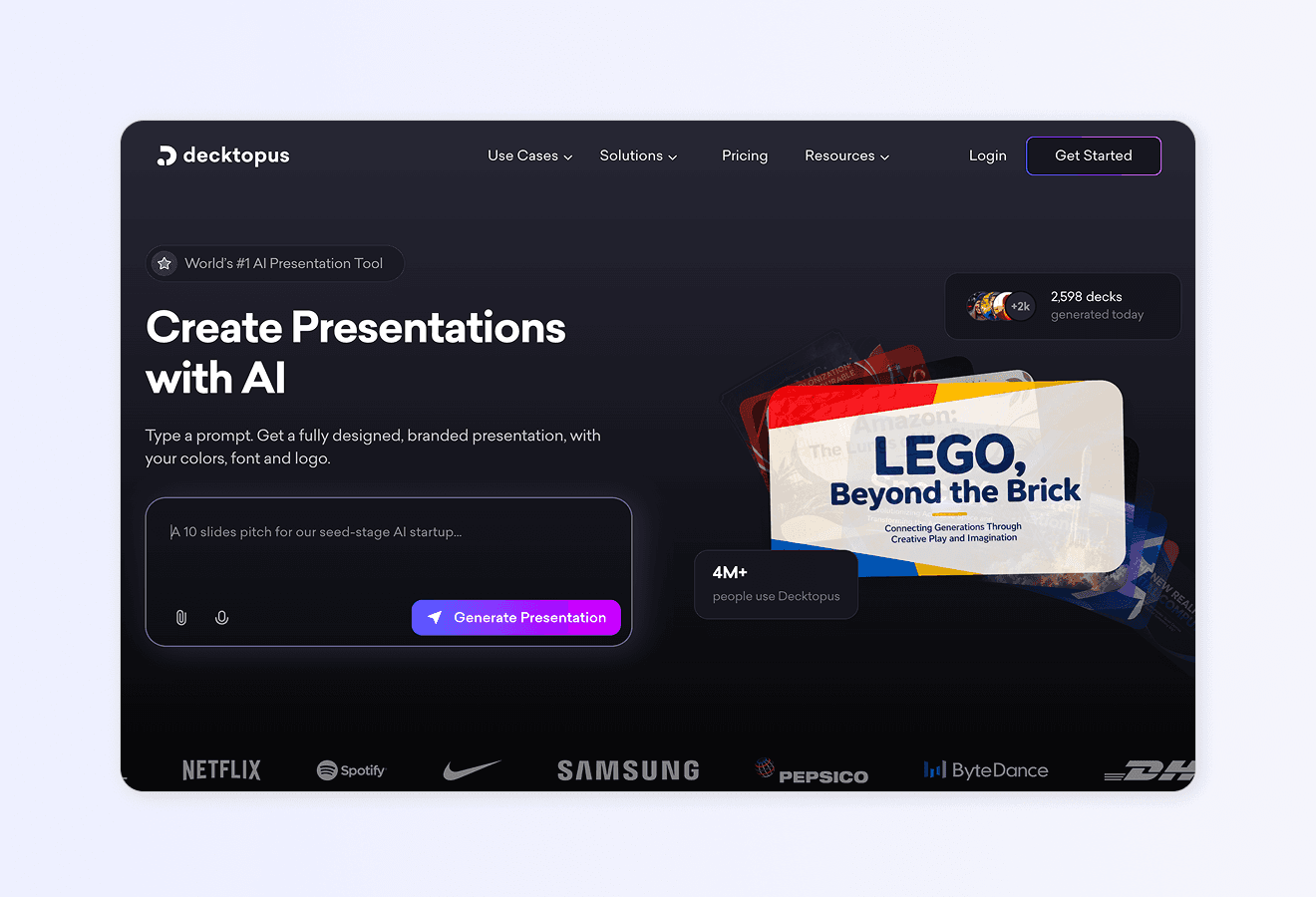
SEO reporting tools handle the data collection. Turning that data into a polished, on-brand, client-ready presentation is a completely different job. Decktopus AI generates a full SEO reporting deck from a short description or uploaded data export in minutes.
Why Decktopus AI Fits Into Your SEO Reporting Workflow
For SEO agencies, freelancers, and in-house teams that need to produce client-ready SEO reports on a recurring cadence (weekly, monthly, quarterly), Decktopus AI is the fastest way to move from data to deck. Every feature below is a confirmed part of the Decktopus AI platform.
AI-first deck generation from a topic or file. Describe your report in one sentence, like "Monthly SEO performance report for a mid-market e-commerce client, focused on organic traffic and keyword rankings." Or upload an exported PDF from SEMrush, Ahrefs, or Google Data Studio. Decktopus AI generates a full slide-by-slide deck in minutes. What used to take an SEO consultant a full afternoon (or a full day for polished client delivery) now takes 15 minutes.
AI Outline Generation as a separate step. Before Decktopus AI produces the full deck, it generates an editable outline. You can adjust section titles, add or remove sections, and reorder before committing to full slide generation. Ideal for SEO reports where you want to ensure the structure matches client expectations before the full deck is created.
Automatic brand import from your website URL. Paste your agency URL and Decktopus AI extracts your logo, colors, and typography and applies them across every slide. For agencies serving multiple clients, this is transformative. Every client's report can be delivered in your agency's brand or, if you white-label, in the client's own brand simply by pasting their URL. No manual Brand Kit setup per client.
Beautify for existing reports. If you have last quarter's SEO report or an older SEO deck you want to refresh, upload it to Beautify. Two options:
Use as a Resource: Extracts the key SEO findings from the old deck and builds a brand-new report structure around them (requires a prompt describing what the new report should focus on)
Redesign: Keeps the existing text and structure intact and applies a fresh visual design
Ideal for refreshing recurring monthly report templates or updating an older SEO strategy deck for a new client engagement.
Edit with AI for prompt-based refinement. Once the deck is generated, click Edit with AI on any slide and refine with natural language:
"Add a chart showing organic traffic growth by month"
"Add a top 10 keyword rankings table"
"Add a competitor comparison slide showing our client vs. their top three competitors"
"Make the executive summary more visual with fewer bullet points"
Every edit tracked in unlimited version history. Any past version can be restored.
Edit Text for manual polish. For fine-grained text edits without an AI prompt, use Edit Text to directly edit each text field on a slide in a right-side panel. Perfect for final polish before sending to a client.
AI Image Generation and Stock Image Library. Add custom AI-generated images by describing what you want, or search the built-in Unsplash and Freepik integrations directly from the Edit with AI panel. Ideal for SEO reports that benefit from visual metaphors, section dividers, or on-brand imagery.
PDF import. Upload existing SEO exports as PDFs and Decktopus AI can turn them into editable, presentation-ready decks. Ideal for turning static SEMrush or Ahrefs PDF exports into interactive client presentations.
Loop AI Delivery Coach. For SEO consultants and agency leads who present reports live to clients, Loop AI Delivery Coach lets you rehearse the presentation and get real-time feedback on pacing, filler words, and clarity. No other major presentation tool offers this. Especially valuable before major quarterly reviews or new client onboarding presentations.
Live-link sharing with auto-update. Share your SEO report via a live link. Any updates you make afterward (new data, refined recommendations, updated visuals) automatically appear at the same URL. Clients always see the latest version. No re-sending updated PDFs.
Embed on your website. Generate iframe code to embed the SEO report directly on your agency website or client portal.
Custom Domain (Business plan). Connect your subdomain (like reports.youragency.com) so shared decks and reports appear on your branded URL. Business plan only.
Team Collaboration for agencies (Business plan). Invite team members to specific reports for shared access. Not real-time co-editing, but shared deck-access allows account managers, analysts, and directors to work on the same report set. Business plan only.
Folders for client organization. Organize reports by client in dashboard folders. Ideal for agencies managing many client accounts simultaneously.
AI Carousel Maker for social distribution. Turn key SEO insights into native LinkedIn or Instagram carousels for thought leadership. Ideal for SEO agencies building an audience.
Multi-format export. Download reports as PDF, PPT, or PNG (with Standard or Compressed quality options).
Version History. Every change to every slide is tracked, so you can restore any past version. Useful when clients ask "can you send me last month's version too?"
Decktopus AI vs. Traditional Presentation Tools for SEO Reporting
Feature | Decktopus AI | Traditional Tools (Google Slides, PowerPoint, Canva) |
|---|---|---|
AI-generated SEO report deck from a prompt | Yes | No or limited |
PDF import (turn SEMrush/Ahrefs exports into decks) | Yes | Limited |
Automatic brand import from client URL | Yes | No (manual) |
Beautify (refresh recurring monthly reports) | Yes | No |
Edit with AI (prompt-based refinement) | Yes | Partial or none |
Loop AI Delivery Coach for rehearsal | Yes | No |
Live-link auto-update | Yes | No |
Embed on external site | Yes | Limited |
Custom Domain for branded URLs | Yes (Business plan) | Not available |
Folders for multi-client management | Yes | Yes |
Multi-format export | Yes | Yes |
Who This Section Is For
Decktopus AI is used by SEO professionals across roles:
SEO consultants and freelancers producing monthly and quarterly client reports
Digital marketing agencies managing many client SEO reports on a recurring cadence
In-house SEO managers presenting to leadership, product, or cross-functional teams
Content and inbound marketing teams reporting on organic performance to executives
SEO analysts turning raw data into stakeholder-ready narratives
For deeper use case guidance, see Decktopus AI for Sales, Decktopus AI for Marketers, and Decktopus AI for Agencies.
Step-by-Step: Build Your SEO Report With Decktopus AI
1. Describe your topic or upload your data. Type "Monthly SEO performance report for [client name] focused on organic traffic, keyword rankings, and technical health." Or upload PDF exports from SEMrush, Ahrefs, Google Analytics, or Search Console via the paperclip icon.
2. Choose your style. Import your agency brand from your website URL, use a previously saved style, or let AI generate one from scratch. For white-label reports, import the client's brand from their URL instead.
3. Review the AI-generated outline. Adjust section titles, add or remove sections (executive summary, keyword performance, backlink profile, technical audit, recommendations, next steps), and confirm the structure.
4. Generate the full report. Decktopus AI produces the full slide-by-slide deck with content, layout, and design.
5. Refine with Edit with AI or Edit Text. Use Edit with AI for structural or visual changes ("add a competitor comparison table"). Use Edit Text for fine-grained wording polish.
6. Add images and data visuals. Use AI Image Generation or search Unsplash and Freepik for on-brand visuals.
7. Rehearse with Loop AI Delivery Coach. Practice your delivery before the client meeting.
8. Export or share. Download as PDF, PPT, or PNG. Share via live link with auto-update. Embed on your client portal. Present directly from Decktopus AI's full-screen Presentation Mode.
For broader guidance, see the best AI presentation tools, our guide on how to do a presentation, and the best pitch deck generators for founders.
Ready to turn your SEO data into a polished client-ready deck in minutes? Get started with Decktopus AI.
Frequently Asked Questions
What is an SEO reporting tool?
An SEO reporting tool is a software platform that tracks, measures, and visualizes a website's SEO performance. It aggregates data from search engines, analytics platforms, backlink databases, and crawlers, then produces dashboards and reports for agencies, in-house SEO teams, and freelancers.
What are the best free SEO reporting tools?
Google Analytics 4, Google Search Console, and Google Looker Studio are the strongest free tools. Combined, they cover most core SEO reporting needs for a single site. Ubersuggest and Screaming Frog (limited free version) round out the top free options.
What are the best paid SEO reporting tools?
SEMrush, Ahrefs, Moz Pro, AgencyAnalytics, Raven Tools, and Serpstat are the most-used paid platforms. Ahrefs leads for backlink data. SEMrush leads for all-in-one coverage. AgencyAnalytics leads for agency-specific multi-client management.
How much do SEO reporting tools cost?
Free options ($0). Entry-level paid tools start at $12 to $70/month (Ubersuggest, Serpstat). Mid-tier platforms range from $79 to $139/month (Moz, AgencyAnalytics, SEMrush, Ahrefs). Enterprise plans exceed $500/month depending on user count and data volume.
Which SEO reporting tool is best for agencies?
Agencies with 10+ clients typically use AgencyAnalytics or Raven Tools for multi-client dashboard management, paired with SEMrush or Ahrefs for deep data. For the client-facing report itself, tools like Decktopus AI generate polished, brand-consistent presentation decks in minutes.
Which SEO reporting tool is best for freelancers?
Freelancers usually start with Google Analytics, Google Search Console, and Looker Studio (all free) plus one paid tool like Ubersuggest, Serpstat, or Moz Pro. Add Decktopus AI for client-ready report presentations.
What metrics should I include in an SEO report?
The essentials: organic traffic, keyword rankings, impressions, CTR, bounce rate, conversion rate, backlinks, domain authority, page speed, and Core Web Vitals. Tailor which metrics you emphasize based on the client's business goals. See the "Essential SEO Metrics and KPIs" table above.
How often should I send SEO reports to clients?
Monthly reporting is standard for most engagements. Weekly reports work for enterprise clients or during high-intensity campaigns. Quarterly reports work for retainer-style relationships with slower-moving KPIs. Match cadence to the client's decision-making tempo.
How do I automate SEO reporting?
Most paid SEO tools include scheduled reporting features (SEMrush, Ahrefs, AgencyAnalytics, Raven Tools). Google Looker Studio also has scheduled email delivery. For the presentation layer, Decktopus AI's live-link auto-update means the shared URL always shows the latest version.
How do I present SEO data effectively to clients?
Use a narrative structure: what happened, why it happened, and what we're doing next. Prioritize metrics that tie to business outcomes. Use visualizations (charts, graphs) over columns of numbers. Keep executive summaries short and put deep data in appendices. Tools like Decktopus AI make it easy to produce this narrative-first structure automatically.
Can I combine multiple SEO tools in one report?
Yes, and most agencies do. Export data from each tool as CSV or PDF, then combine into one presentation. Google Looker Studio can connect multiple data sources into one dashboard. Decktopus AI can turn combined data exports into one client-ready deck through PDF import and Beautify.
What is the difference between SEO reporting tools and SEO auditing tools?
SEO auditing tools (Screaming Frog, SEMrush Site Audit) diagnose specific issues on a site. SEO reporting tools compile performance data over time into dashboards and reports. Most modern SEO platforms include both auditing and reporting features.
How do I white-label an SEO report?
Use paid platforms like AgencyAnalytics or Raven Tools that offer white-label branding. For presentation decks, Decktopus AI's brand import from URL lets you apply either your agency brand or a client's brand automatically to every report.
Is AI changing SEO reporting?
Yes, significantly. AI-powered platforms now handle data aggregation, anomaly detection, natural language summaries, and recommendation generation that previously required manual analyst work. Presentation tools like Decktopus AI use AI to generate report decks from prompts or data exports in minutes rather than hours.
What tool should I use to build the actual SEO report presentation?
For polished, on-brand, presentation-ready SEO reports, Decktopus AI generates a full deck from a short description or an uploaded PDF export in minutes. Automatic brand import, Edit with AI, Beautify, and Loop AI Delivery Coach for rehearsal all combine into the fastest way to move from SEO data to shareable client-ready deck.
Conclusion
SEO reporting has evolved from a manual, spreadsheet-heavy discipline into a data-rich, AI-powered workflow. The tools available in 2026 are more powerful, more automated, and more integrated than anything that existed even three years ago. Choosing the right combination (free foundational tools like Google Analytics and Search Console, plus paid platforms like SEMrush, Ahrefs, or AgencyAnalytics, plus a presentation tool for the client-facing deck) is the fastest path to reporting that actually drives business outcomes.
The 5-layer framework (data aggregation, performance tracking, automated reporting, data visualization, customizable reports) gives you a way to evaluate any tool against a consistent standard. The 10 tools reviewed here cover the full spectrum from free basics to enterprise-grade platforms. The metrics table shows what to measure. The tips and mistakes sections show what separates strong reporting from weak reporting.
For the presentation layer specifically (which is where most reporting workflows lose time and impact), Decktopus AI has become the fastest way to turn raw SEO data into polished, on-brand, client-ready decks. Combined with your existing analytics and SEO platform of choice, it closes the loop from data to delivery.
For more resources, see our guides on SEO and online marketing, how to use AI in digital marketing, and the best AI presentation tools.
Related posts

How AI Voice Agents Help Sales Teams Prepare and Deliver Better Presentations
Learn how AI voice agents help sales teams turn call insights into focused slides, stronger delivery, and more confident customer presentations at every stage.
Marketing

Instagram Carousel Size & Dimensions Guide (2026)
Instagram carousel size in 2026: exact dimensions for square, portrait, and landscape, plus file limits and safe zones, verified across sources.
Marketing

LinkedIn Carousel Size, Dimensions & Format Guide 2026
LinkedIn carousel size in 2026: exact dimensions, file limits, aspect ratios, and formatting rules so your slides never get cropped.
Marketing