Marketing
Best AI Carousel Makers in 2026 (Tested & Compared)
The best AI carousel maker for 2026, compared by AI approach, platforms, and pricing. Find the right tool for LinkedIn and Instagram carousels.


İlayda Tunaboylu
Picking the best AI carousel maker in 2026 comes down to one question: do you want a tool that designs from scratch, or one that fills in a template. Both approaches produce a finished carousel, but they get you there very differently, and the difference matters once you’re posting every week instead of once a month.
The carousel tool space has gotten crowded fast. New entrants launch nearly every quarter, most bolting “AI” onto a template library that already existed, and a few actually rebuilding how the design gets generated. That makes the buying decision harder than it looks: two tools can both claim “AI carousel generation” and produce completely different workflows, one where you’re still picking a layout from a grid, and one where the layout doesn’t exist until you describe what you want.
This guide compares eleven tools people actually use for LinkedIn and Instagram carousels, including Decktopus AI, evaluated on the same criteria: how the AI generates content, what platforms it exports for, whether it schedules or publishes, and what it costs. Where a tool does something well, we say so. Where it has a real gap (no scheduling, no analytics, LinkedIn-only), we say that too. If you only care about LinkedIn, the shorter Best LinkedIn Carousel Generators 2026 list narrows this down further.
What Is an AI Carousel Maker?
An AI carousel maker is a tool that generates the slides for a multi-image or multi-page carousel post, LinkedIn, Instagram, or both, using AI to handle some or all of the design and copy work instead of you building every slide by hand. What “AI” actually means varies a lot between tools: some use it to write hooks and captions while you still assemble a template yourself, some use it to extract key points from a blog post or URL and drop them onto pre-built slides, and a smaller group uses it to generate the entire visual layout, colors, and typography from scratch. That distinction, covered in the next section, matters more than any individual feature on a pricing page.
Quick Answer
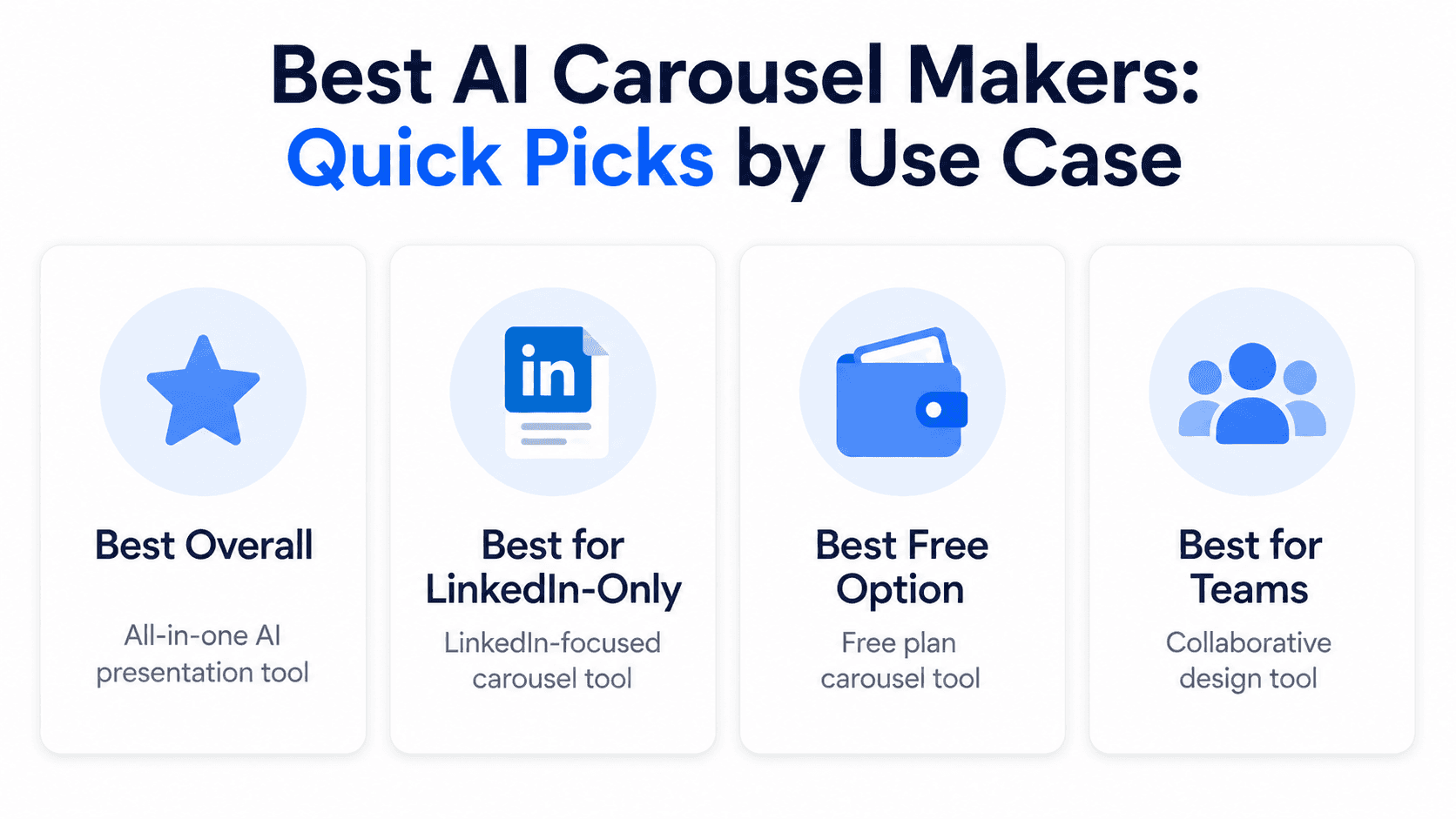
The best AI carousel maker in 2026 depends on what you need most: Decktopus AI for a fully AI-generated design with no template library, Canva for manual template-based control, Contentdrips for bulk agency production, or Taplio, Postiv.ai, ContentIn, and Supergrow for LinkedIn-specific scheduling and analytics. All eleven tools compared below export for LinkedIn, Instagram, or both.
What Makes a Carousel Maker “AI”
Not every tool that says “AI carousel maker” works the same way. Broadly, three categories show up in this space:
Template-first tools. You pick a pre-built layout and drop in your own copy and images. Canva and Figma are the clearest examples. AI features exist (text generation, image generation) but the design itself starts from someone else’s template. The AI here is usually assistive, helping you write a caption or generate a background image, rather than structural. For a full breakdown of Decktopus against Canva specifically for carousels, see Decktopus vs Canva for Carousels, or the broader Decktopus vs Canva comparison if you’re weighing the two tools beyond just carousels.
Content-repurposing tools. You paste in a blog post, URL, or thread, and the AI extracts key points and lays them onto slides, usually still template-based underneath. PostNitro, Contentdrips, aiCarousels, Taplio, ContentIn, and Supergrow fall here. The AI’s job is mostly extraction and summarization: turning a long piece of content into slide-sized chunks, then dropping those chunks into a pre-built layout.
Generation-from-scratch tools. You give the AI a prompt or a document, and it builds the entire visual structure (layout, color, typography) without pulling from a template library. Decktopus AI works this way, and it’s a meaningfully smaller category than the other two. Gamma also falls loosely into this bucket, though its output is deck-shaped rather than carousel-native. See Decktopus vs Gamma if you’re comparing the two beyond carousels specifically.
None of these approaches is objectively “better.” A template gives you predictable structure and a shorter learning curve. Generation from scratch gives you a design that isn’t recognizably built on the same template as everyone else’s carousel, at the cost of slightly less predictability in the first draft. Which one you want depends on how much you value speed versus originality, and how much your feed already looks like everyone else’s.
Why the AI Approach Matters More Than the Feature List
It’s tempting to compare these tools purely on feature checklists: does it have scheduling, does it have a brand kit, does it have analytics. Those features matter, but they answer a different question than the one most people actually start with, which is “will this carousel look like everyone else’s.”
Template-based tools, even good ones, pull from a shared pool. If you and a competitor both use the same carousel generator with the same popular template category, there’s a real chance your slide 1 layout looks structurally identical to theirs, just with different colors. That’s not a flaw exactly, it’s how template libraries work, but it’s worth knowing going in.
Generation-from-scratch tools solve a different problem: uniqueness at the cost of some predictability. You’re not choosing between ten pre-approved layouts, you’re describing what you want and reviewing what the AI proposes. The tradeoff is that your first draft might need more editing passes than a template would, since there was no human designer pre-approving the layout choices before you.
Neither approach is wrong. If you’re testing whether carousels work for your audience at all, a template-first free tool gets you there fastest. If you’ve already validated the format and want your feed to stop looking like a stock template, a from-scratch tool is worth the extra review step.
How We Evaluated These Tools
Every tool below was assessed on the same five criteria:
AI approach, does it generate from scratch, repurpose existing content, or fill in a template
Platforms and export specs, which formats it produces (PDF, PPT, image) and for which platforms
Editing model, can you revise with natural-language prompts, or only by hand
Scheduling and publishing, does the tool publish for you, or do you still upload manually
Pricing, what the free tier includes and what paid plans cost
We also noted, where it was visible on each tool’s own site or documentation, what the tool explicitly does not do, since a missing feature that’s disclosed upfront is a very different experience than one you discover after your team has already built a workflow around the tool.

The Best AI Carousel Makers in 2026
1. Decktopus AI
What it is: An AI-powered platform that generates a complete, ready-to-post carousel from a prompt or an uploaded file, including whole documents, not just snippets. Every design is generated from scratch. There’s no template library to browse or pick from, which is the core thing that separates it from most of the other tools on this list.
Best for: Creators and marketers who want a fully AI-designed carousel without starting from someone else’s layout.
Key features: Style selection from a previously used style, Brand Import via URL (pulls colors, typography, and logo from your website), or fully AI-generated from scratch. The card-by-card outline is reviewable and editable before the carousel is generated, so you can catch structural issues (a slide trying to cover two ideas, a step that’s out of order) before anything is finalized. Editing happens two ways: Edit with AI (natural-language prompts with a preview before you apply changes, and undo available) or Edit Text (direct manual edits). Export options are PDF, PPT, and PNG, in standard or compressed quality. The full workflow is also available on mobile, which matters if your team drafts ideas away from a desktop.
Pricing: Free, Pro, and Business plans, running on a credit system. One carousel card costs 5 credits, and an Edit Text change costs 5 credits. Unlike a flat “X free carousels per month” model, credits scale with how much editing you do, not just how many carousels you generate.
Pros:
Generates the entire visual design from scratch, no template library to search through
Accepts full documents as source material, not just short prompts
Brand Import pulls your visual identity from a URL automatically
Natural-language editing with a preview step before changes apply
Same generation engine available on the Free plan as on paid plans, just credit-limited
Cons:
No native scheduling or direct publishing to social platforms (carousels are exported for you to post manually)
No built-in analytics or engagement tracking on published carousels
No bulk or CSV-based generation for producing many carousels at once
No Present button on carousel output; it’s built for download and posting, not live presenting
New to the platform? Read what Decktopus AI is for a fuller rundown before diving into the carousel-specific feature set above.
Want to try this approach yourself? Start a carousel on Decktopus AI and generate your first draft from a prompt or document in a few minutes.
2. Canva
What it is: A general-purpose design platform with a large carousel template library and a manual drag-and-drop editor. AI features exist (Magic Design, text-to-image) but the core workflow is template-first.
Best for: Users who want full manual design control and already have design experience.
Pricing: Free plan available. Pro plans run roughly $12-15/month for individuals, with team pricing on top.
Pros:
Massive template library covering nearly any topic or aesthetic
Full manual control over every slide
Strong brand kit tools for teams
No watermark on free-tier exports, unlike several competitors
Cons:
No content-to-carousel automation; each carousel starts from a template you customize by hand
No native scheduling or publishing for carousels
Typically takes 30-60 minutes per carousel
AI features are assistive (image generation, copy suggestions), not structural
3. PostNitro
What it is: An AI-powered carousel generator that turns text, URLs, or Twitter threads into multi-slide carousels using a library of 100+ templates.
Best for: Fast AI generation from existing content across multiple platforms.
Pricing: Free tier available. Paid plans start around $12-25/month depending on the tier.
Pros:
Fast turnaround from prompt or source content to finished carousel
Supports LinkedIn, Instagram, TikTok, X, and Threads
Brand kit and Zapier integration in most tiers
Embed SDK and API available for teams building carousel creation into their own tools
Cons:
Design is template-driven, not generated from scratch
Scheduling and direct publishing are limited or absent depending on the plan
Caption writing is a separate step from carousel generation
AI content still needs a manual review pass for nuanced or brand-specific topics
4. Contentdrips
What it is: A template-driven carousel tool built around brand profiles, aimed at agencies producing carousels at volume, including bulk CSV-to-carousel generation.
Best for: Agencies or teams producing many similar carousels at once.
Pricing: Free plan available (with watermark and download limits). Paid tiers run roughly $14-26/month.
Pros:
Bulk CSV production for generating many carousels from a spreadsheet
REST API and Zapier support for automation
Publishes to LinkedIn and Instagram
Purpose-built for the document post format LinkedIn and Instagram actually require
Cons:
Design-only; no slideshow video or content-trend monitoring
Limited to two publishing platforms
Template-based rather than generated from scratch
Free tier’s watermark and download caps push most serious use to a paid plan quickly
5. Taplio
What it is: A LinkedIn-focused personal branding suite with a built-in carousel generator that can turn tweets, Reddit posts, or articles into LinkedIn carousels.
Best for: Solo LinkedIn creators who want carousel creation bundled with analytics and content strategy tools.
Pricing: Starts around $39/month. The carousel generator itself is free to use without an account; the paid tier unlocks scheduling, analytics, and brand removal.
Pros:
Repurposes existing content (YouTube videos, articles) into carousels
Native LinkedIn scheduling and publishing on paid plans
LinkedIn-specific analytics and a content inspiration feed showing what’s performing well for other creators
Cons:
LinkedIn-only; no Instagram or TikTok carousel support
Carousel design itself is more basic than dedicated design tools
Higher price point relative to carousel-only tools
Full feature set (scheduling, analytics) is gated behind the paid subscription even though the base generator is free
6. aiCarousels
What it is: A lightweight, fast AI carousel generator that accepts topics, text, URLs, PDFs, or YouTube videos as input, with no sign-up required for basic use.
Best for: Quick, low-cost carousels across LinkedIn, Instagram, and TikTok.
Pricing: Free tier with watermark. Paid plans run roughly $10-15/month.
Pros:
Accepts the widest range of input formats among the tools on this list
Multi-platform export (LinkedIn, Instagram, TikTok)
Cheapest paid tier of the AI-generation tools here
No account required to try the core generator
Cons:
No scheduling or publishing; download-and-post-yourself workflow
Limited design customization for users who want more control
Carousel-only; no caption writing
Free tier’s watermark is visible on every exported slide until upgraded
7. Piktochart
What it is: A design-first platform with an AI-assisted carousel generator that’s strongest for data-heavy content: charts, infographics, and structured information.
Best for: Brands and teams whose carousels lean on data visualization rather than narrative slides.
Pricing: Free tier available (with monthly AI credits). Paid plans start around $14/month.
Pros:
Strong infographic and chart-building tools
AI-assisted layout suggestions from a text prompt or outline
Clean, professional output for data-driven content
Mature editor with a much larger asset library than most carousel-only tools
Cons:
Not purpose-built for social carousels specifically
No scheduling or publishing
Fewer carousel-specific templates than dedicated tools
AI usage is capped by a monthly credit allowance even on some paid tiers
8. Gamma
What it is: An AI tool that generates full slide decks from a prompt, built primarily for presentations, that some creators adapt into carousel-style content.
Best for: Teams that already use Gamma for decks and want to repurpose slides into carousels.
Pricing: Free tier available. Paid plans run roughly $8-20/seat/month.
Pros:
Fast AI generation of a complete deck with built-in design
Good starting point if you’re already building presentations in Gamma
Generation-from-scratch approach similar in spirit to Decktopus, though optimized for decks rather than social carousels
Cons:
Output is deck-shaped, not tailored to Instagram or LinkedIn carousel dimensions
No native social scheduling or publishing
Requires manual reformatting for carousel-specific specs
Not built with LinkedIn or Instagram export requirements in mind, so slides typically need resizing
9. Postiv.ai
What it is: A LinkedIn-first platform combining AI carousel writing and design with native scheduling and swipe-through analytics.
Best for: Teams and power creators publishing LinkedIn carousels weekly or more.
Pricing: Starts around $29/month, with a free trial rather than a lasting free tier.
Pros:
Combines AI copy generation, design, scheduling, and analytics in one tool
Brand-kit enforcement across carousels
Tracks swipe-through rate and dwell time per slide, which most competitors don’t surface
Multi-workspace support, useful for agencies managing several client accounts
Cons:
LinkedIn-first; other platforms are secondary
Higher starting price than carousel-only tools
No free tier, only a trial, which makes it harder to test long-term fit before committing
10. ContentIn
What it is: A LinkedIn content platform where carousel creation sits alongside AI ghostwriting, scheduling, and analytics, positioned as a full LinkedIn workflow rather than a single-purpose carousel tool.
Best for: Creators and marketers who want carousel creation plus AI writing, scheduling, and analytics in one place, without stitching together separate tools.
Pricing: Starts around $29/month.
Pros:
AI ghostwriter that learns your writing style from past posts, so generated carousel copy sounds more like you than a generic template voice
Integrated scheduling with optimal posting time suggestions
Full content calendar for planning weeks of carousels ahead
Cons:
LinkedIn-focused; not built for Instagram or TikTok carousel formats
The AI voice-matching feature needs a backlog of your own past posts to work well, so it’s less useful for brand-new accounts
Design customization is template-driven rather than generated from scratch
11. Supergrow
What it is: A LinkedIn-first content platform that bundles carousel creation with repurposing, scheduling, and engagement tools into one workflow.
Best for: Creators, consultants, and B2B teams using LinkedIn as a primary growth channel who want one tool covering idea to published post.
Pricing: Starts around $19/month, with a free trial.
Pros:
Turns blogs, PDFs, videos, or raw ideas into LinkedIn carousels in the same workflow used for text posts
Native scheduling and publishing as LinkedIn document posts
Content calendar and Kanban-style board for planning
Cons:
Desktop-focused; no mobile editing yet
LinkedIn-only, so it doesn’t cover Instagram or TikTok carousels
Carousel design is template-driven rather than generated from scratch
Comparison Table
Tool | AI approach | Platforms | Scheduling/publishing | Starting price |
|---|---|---|---|---|
Decktopus AI | Generated from scratch | Export for LinkedIn, Instagram (PDF, PPT, PNG) | No | Free / Pro / Business (credit-based) |
Canva | Template-based | Export anywhere (manual upload) | No | Free / ~$12-15/mo |
PostNitro | Content-repurposing, template-driven | LinkedIn, Instagram, TikTok, X, Threads | Limited by plan | Free / ~$12-25/mo |
Contentdrips | Template-driven, bulk CSV | LinkedIn, Instagram | Yes | Free / ~$14-26/mo |
Taplio | Content-repurposing | LinkedIn only | Yes (paid) | ~$39/mo |
aiCarousels | Content-repurposing | LinkedIn, Instagram, TikTok | No | Free / ~$10-15/mo |
Piktochart | Template-based, data-focused | Export anywhere | No | Free / ~$14/mo |
Gamma | Generated from scratch (deck format) | Export (PDF/PPT/images) | No | Free / ~$8-20/seat/mo |
Postiv.ai | Content-repurposing | LinkedIn-first | Yes | ~$29/mo |
ContentIn | Content-repurposing | LinkedIn-first | Yes | ~$29/mo |
Supergrow | Content-repurposing | LinkedIn-first | Yes | ~$19/mo |
Quick Picks by Use Case
Fully AI-generated design, no template library: Decktopus AI
Full manual design control: Canva
Bulk agency production from a spreadsheet: Contentdrips
LinkedIn scheduling and analytics bundled in: Postiv.ai, Taplio, ContentIn, or Supergrow
Data-heavy or infographic-style carousels: Piktochart
Already building decks and want to repurpose them: Gamma
Zero setup, testing the format for the first time: aiCarousels
AI copy that learns your own writing voice: ContentIn
Repurposing an existing blog post, video, or thread into a carousel: PostNitro or aiCarousels handle this directly; for a full walkthrough of the technique itself, see our guide on turning a blog post into a carousel.
Carousel Maker vs. Carousel Generator
The terms get used interchangeably, but they describe two different workflows. A carousel maker is design-led: you pick a template and build each slide yourself. Canva, Figma, and Piktochart work this way. A carousel generator is AI-led: you give it a prompt, URL, or document, and it writes the copy and lays out the slides for you. PostNitro, Taplio, aiCarousels, Postiv.ai, ContentIn, Supergrow, and Decktopus AI fall into this category, though Decktopus is the only one in this list that builds the visual design from scratch rather than applying it to a template.
The deciding factor for most buyers isn’t which category sounds more advanced, it’s how often you’re actually publishing. If you publish a carousel once a month and enjoy the design process, a maker works fine; the time cost is manageable at that frequency. If you’re publishing weekly, a generator saves real time, and the question becomes which generation approach (from scratch or template-applied) and which platform support fits your workflow.
There’s also a hybrid pattern worth knowing about: some teams use a generator for the first draft, then move the output into a maker like Canva or Figma for final polish on carousels that need extra brand precision. That workflow costs more time per carousel but combines AI speed with hands-on design control where it matters most.
Common Mistakes When Choosing a Carousel Maker

Comparing feature lists without testing the actual output. Two tools can list the same features (AI generation, brand kit, scheduling) and produce noticeably different quality. Generate one real carousel on your actual content before committing to a paid plan.
Assuming “AI carousel generator” means generated from scratch. Most tools in this category apply AI-generated copy to a pre-built template. That’s a legitimate approach, but it’s a different product than one that designs the layout itself, and the terminology doesn’t reliably tell you which one you’re getting.
Picking based on price before checking platform support. A LinkedIn-only tool at $39/month is a bad deal if half your content strategy is on Instagram. Confirm platform coverage matches your actual posting plan before comparing prices.
Ignoring what happens after the free tier runs out. Free tiers vary a lot: some are permanently limited by credits or watermarks (Decktopus AI, aiCarousels), others are time-boxed trials that require payment to keep using the tool at all (Postiv.ai). Know which model you’re signing up for.
Not checking what the tool explicitly doesn’t do. Every tool on this list has at least one meaningful gap, whether that’s no scheduling, no Instagram support, or no from-scratch design. The right choice isn’t the tool with zero gaps; it’s the one whose gaps don’t matter for your workflow.
Free vs. Paid: How to Decide
Free tools are the right call more often than the pricing pages want you to think. Here’s a straightforward way to decide.
Stick with a free tool when: you’re posting a carousel once a month or less, you’re still validating that carousels work for your audience at all, or you already have brand assets ready and just need a place to drop them in. aiCarousels and Canva’s free tier both hold up fine at this frequency.
Move to a paid tool when: you’re publishing weekly or more, you’re managing more than one account or client, or the time you’re spending on manual scheduling, re-branding each carousel by hand, or checking performance in a separate analytics tab is adding up to more than the subscription costs. The rough break-even point most teams land on is around two carousels a week, past that, a paid tool with scheduling and brand-kit enforcement usually pays for itself in saved time alone.
A reasonable middle path: use a free or lower-cost generator for volume, and keep a manual tool like Canva in your back pocket for the rare carousel that needs fully custom, hand-built visuals.
Can You Still Post Carousels on LinkedIn in 2026?
Yes, but not the way carousels worked a few years ago. LinkedIn retired native multi-image carousel posts in late 2023. The only way to publish a swipeable carousel on LinkedIn now is to upload a multi-page PDF (or PPTX/DOCX). LinkedIn renders each page of that document as a swipeable card in the feed. Any tool that exports a properly formatted PDF, including Decktopus AI, produces a working LinkedIn carousel this way. Exact export dimensions differ between LinkedIn and Instagram; we cover the precise specs in a dedicated size guide rather than estimating them here. LinkedIn’s own help center confirms document posts are the current way to publish a multi-page carousel.
How to Know If the Tool You Picked Is Actually Working
Picking a tool from this list is step one. The more useful question comes a few weeks later: is it actually producing carousels that perform, or just carousels that get published on time?
Check completed carousels against your actual posting cadence, not against the tool’s promised speed. A generator that claims to save you time only counts if your time-to-published-carousel dropped in practice. If you’re still spending as long reviewing and re-editing AI output as you would have spent building manually, the tool hasn’t actually solved the bottleneck it was picked for.
Track saves and comments on the platform’s own analytics, not just whether the carousel went out on schedule. A tool that makes publishing effortless but produces carousels that get weak saves and comments relative to your account’s history isn’t actually improving performance, it’s just making it easier to publish something that isn’t landing. Compare a few carousels made with the new tool against your own past posts before judging it.
If you picked a template-based tool specifically to move faster, watch for the “this looks familiar” comment. That’s the clearest sign a template’s tradeoffs (speed for originality) have caught up with you, and it’s worth checking whether a generation-from-scratch approach would serve you better once you’re past the initial testing phase.
If you picked a tool for scheduling or analytics specifically, confirm those features are actually changing your workflow, not just sitting unused. A $29-39/month tool whose scheduling feature you’re not using because you still post manually out of habit isn’t earning its price relative to a cheaper, generation-only tool.
Revisit the choice at your own real posting frequency, not the frequency you expected when you picked the tool. A tool chosen for weekly publishing that you’re actually using twice a month may not be worth its subscription price compared to a cheaper or free-tier alternative; the right tool for your actual cadence, not your intended one, is the one worth paying for.
FAQ
What is the best AI carousel maker in 2026?
It depends on what you’re optimizing for. For a fully AI-generated design with no template library, Decktopus AI. For manual design control, Canva. For bulk agency production, Contentdrips. For LinkedIn-specific scheduling and analytics, Postiv.ai, Taplio, ContentIn, or Supergrow.
What’s the difference between a carousel maker and a carousel generator?
A carousel maker is design-led: you choose a template and build slides yourself. A carousel generator is AI-led: you give it a prompt or source content and it writes the copy and designs the slides. Some generators still apply that content to a template; a smaller number, including Decktopus AI, generate the visual design from scratch.
Can I still post carousels on LinkedIn in 2026?
Yes. LinkedIn retired native multi-image carousel posts in late 2023. You now publish a carousel by uploading a multi-page PDF, PPTX, or DOCX, and LinkedIn renders each page as a swipeable card.
Does Decktopus AI schedule or publish carousels directly to social platforms?
No. Decktopus AI generates the carousel and exports it as PDF, PPT, or PNG, but posting it to LinkedIn or Instagram is a manual step. Tools like Postiv.ai, Taplio, ContentIn, and Supergrow include native scheduling if that’s a priority for your workflow.
How does Decktopus AI’s pricing work for carousels?
Decktopus AI uses a credit system across Free, Pro, and Business plans. One carousel card costs 5 credits, and an Edit Text change costs 5 credits.
What size should an Instagram or LinkedIn carousel be?
Instagram and LinkedIn have different required export dimensions, and we’re not estimating exact numbers here. A dedicated size-guide article with verified specs is planned; check back for exact pixel dimensions once it’s published.
Which carousel maker is best for teams managing multiple clients?
Contentdrips and Postiv.ai both include multi-workspace or team-oriented features. Canva Teams works for design-only agency workflows but doesn’t include AI carousel generation or scheduling.
Is there a carousel generator that works across LinkedIn, Instagram, and TikTok at once?
PostNitro and aiCarousels both export for LinkedIn, Instagram, and TikTok from the same source content. Most of the LinkedIn-first tools on this list (Postiv.ai, Taplio, ContentIn, Supergrow) don’t extend to Instagram or TikTok.
Are there stats on how much better carousels perform than single-image posts?
Figures like this circulate a lot, anywhere from 44% more engagement to 3-5x more reach to 94% less design time, but they don’t agree with each other, and none point back to a source we could actually verify. Rather than repeat a number we can’t stand behind, we’re leaving this one without a stat until a credible one exists.
How do I know if the carousel maker I picked is actually working out?
Compare saves and comments on carousels made with the new tool against your own past posts, using each platform’s native analytics, and check whether your actual time-to-published-carousel dropped, not just whether the tool made publishing feel easier. A tool only earns its subscription price if it’s measurably changing one of those two things for your specific posting cadence.
Already know which platform matters most? How to Make a LinkedIn Carousel and How to Make an Instagram Carousel Post walk through the process step by step, and the TikTok Carousel Guide covers that platform if it’s part of your mix. Prefer a pre-built layout over comparing tools further? Free LinkedIn Carousel Templates for 2026 covers where to find one.
Related posts

How AI Voice Agents Help Sales Teams Prepare and Deliver Better Presentations
Learn how AI voice agents help sales teams turn call insights into focused slides, stronger delivery, and more confident customer presentations at every stage.
Marketing

Instagram Carousel Size & Dimensions Guide (2026)
Instagram carousel size in 2026: exact dimensions for square, portrait, and landscape, plus file limits and safe zones, verified across sources.
Marketing

LinkedIn Carousel Size, Dimensions & Format Guide 2026
LinkedIn carousel size in 2026: exact dimensions, file limits, aspect ratios, and formatting rules so your slides never get cropped.
Marketing