AI & Tools
How to Optimize ChatGPT Content: The REFINE Framework and Best AI Rewriting Tools
Optimize ChatGPT content with the REFINE framework and 5 proven methods. Compare AI rewriting tools and learn to edit AI text for readability and SEO.

Decktopus Content Team
Why ChatGPT Content Needs Optimization
5 Ways to Optimize ChatGPT Content
Best AI Rewriting Tools Compared
The REFINE Framework for AI Content Optimization
AI Rewriting Tools vs. Manual Editing
Common Mistakes to Avoid
How to Build Your Content Optimization Deck with Decktopus AI
FAQ
Conclusion
Stay Connected
Why ChatGPT Content Needs Optimization
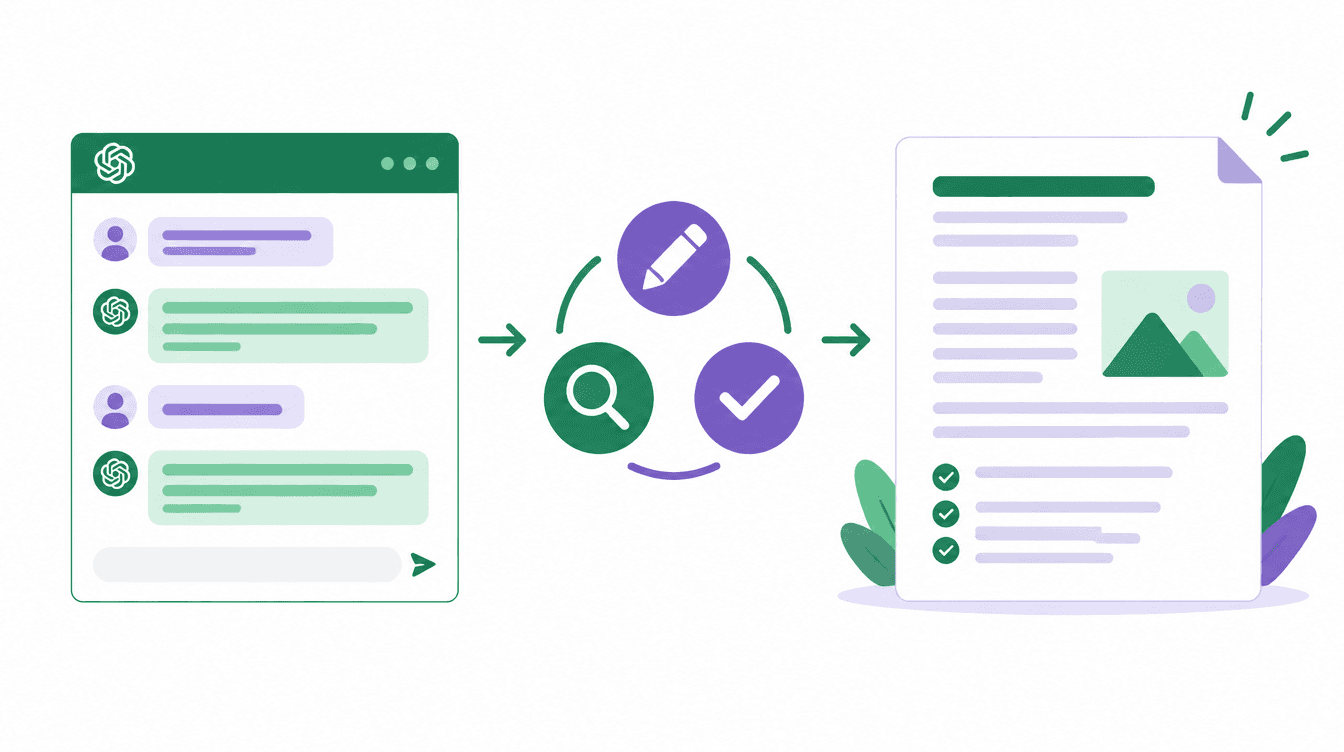
ChatGPT can produce a first draft in seconds, but that draft is rarely ready to publish. The output tends to be generic, repetitive, and written in a tone that readers quickly recognize as machine-generated.
A 2024 study published in Science found that readers could identify AI-generated text with roughly 60% accuracy, largely because of repetitive phrasing and a lack of specific detail. That pattern directly affects engagement, trust, and search performance.
The core issue is not that ChatGPT writes badly. It writes predictably. It defaults to the same sentence structures, filler phrases, and hedging language across topics. Without optimization, the content blends into the growing volume of AI text already online.
Optimization means editing for readability, adjusting tone, adding original perspective, and ensuring the final piece is accurate and useful. This guide covers five practical methods to do that, compares the best AI rewriting tools, and includes a step-by-step framework you can apply to any ChatGPT output.
5 Ways to Optimize ChatGPT Content
1. Improve Readability
ChatGPT often uses complex sentence structures and formal vocabulary by default. This makes the content harder to scan, especially for audiences who are not subject-matter experts.
To fix this, break long sentences into shorter ones. Replace jargon with plain-language alternatives. Aim for a Flesch readability score of 60 or above, which corresponds to an eighth-grade reading level. AI rewriting tools like Rewordingtool.io can automate some of this by swapping complex words for simpler synonyms.
2. Adjust the Tone
ChatGPT defaults to a neutral, slightly formal tone that sounds the same regardless of the topic. A blog post about weekend hiking should not read like a corporate whitepaper.
You can prompt ChatGPT to write in a specific tone from the start, but the result is often inconsistent. A faster approach is to generate the draft first, then use a free paraphraser tool with tone modes (Fluency, Smooth, Creative) to adjust the entire piece at once.
3. Remove Repetition
One of the most recognizable patterns in ChatGPT output is word and phrase repetition. The model tends to reuse the same transitions ("furthermore," "moreover," "in addition") and restate the same idea in slightly different words across paragraphs.
Read the draft aloud or paste it into a tool that highlights repeated words. Replace overused transitions with varied connectors or restructure the sentence to eliminate the transition entirely.
4. Add Original Perspective
ChatGPT cannot draw on personal experience, proprietary data, or opinions. This is the single biggest gap in AI-generated content and the one that matters most for building trust with readers.
After generating a draft, add your own examples, case studies, and viewpoints. Quote internal data or customer feedback. This is what separates content that ranks and converts from content that simply exists.
5. Fact-Check and Update
ChatGPT can generate plausible-sounding statistics and claims that are partially or entirely wrong. Its training data has a cutoff, so any reference to recent events, product features, or industry trends needs verification.
Check every statistic against its original source. Verify that tools and products mentioned still exist and work as described. Update any outdated references before publishing.
Best AI Rewriting Tools Compared
These tools help automate parts of the optimization process. Each has a different strength.
Tool | Best For | Tone Modes | Free Tier |
|---|---|---|---|
QuillBot | Academic and formal rewriting | 7 modes | Yes (limited) |
Wordtune | Sentence-level rewrites | Casual, Formal, Shorten, Expand | Yes (limited) |
Grammarly | Grammar, clarity, and tone | Multiple tone suggestions | Yes |
Jasper | Marketing content rewriting | Brand voice | Trial only |
Hemingway Editor | Readability scoring | No modes (highlights issues) | Yes (web version) |
When to Use Each Tool
Task | Best Tool | Why |
|---|---|---|
Simplify complex sentences | Hemingway Editor | Color-codes hard-to-read sentences |
Rewrite for a different audience | QuillBot | Multiple rewriting modes with fine control |
Polish grammar and tone | Grammarly | Works as a browser extension across platforms |
Rephrase individual sentences | Wordtune | Inline suggestions without rewriting the whole text |
Rewrite for brand consistency | Jasper | Learns and applies your brand voice |
The REFINE Framework for AI Content Optimization
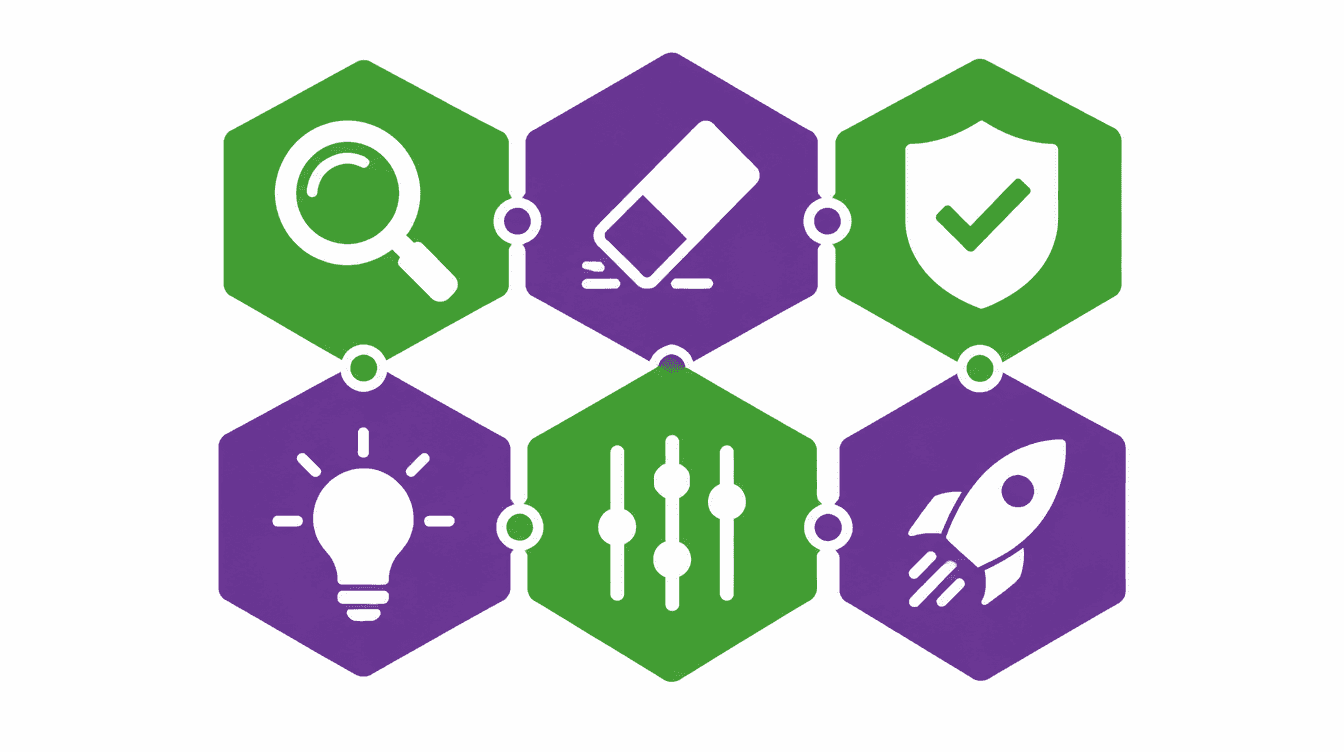
Use this six-step framework every time you optimize ChatGPT output. Each letter stands for one step in the process.
R - Read critically. Read the entire draft as if you were the target audience. Mark sections that feel generic, repetitive, or unclear.
E - Eliminate filler. Remove hedging phrases ("it is important to note that"), unnecessary qualifiers ("very," "really," "extremely"), and sentences that restate the previous point without adding information.
F - Fix facts. Verify every statistic, product name, and claim. Replace anything you cannot confirm with a verified alternative or remove it.
I - Inject perspective. Add your own examples, data, and opinions. This is the step that makes the content yours rather than generic AI output.
N - Normalize tone. Read the draft again for tone consistency. Make sure the voice matches your brand and stays consistent from the introduction through the conclusion.
E - Enhance for search engines. Add internal links, optimize headings for target keywords, write a meta description under 160 characters, and format the content for scannability with short paragraphs and clear subheadings.
AI Rewriting Tools vs. Manual Editing
Dimension | AI Rewriting Tool | Manual Editing |
|---|---|---|
Speed | Rewrites paragraphs in seconds | Takes minutes to hours |
Consistency | Applies rules uniformly | Varies with editor fatigue |
Originality | Rephrases without adding new ideas | Adds perspective and examples |
Accuracy | Can introduce new errors | Catches factual mistakes |
Brand voice | Approximates with tone modes | Nails the nuance |
Cost at scale | Low per-piece cost | Linear cost increase |
The most effective workflow uses both. Run the AI rewriting tool first to handle readability and tone adjustments, then do a manual pass to add original perspective, verify facts, and ensure brand voice.
Common Mistakes to Avoid
Publishing ChatGPT output without any editing is the most obvious mistake, but it is still common. Even a quick pass through a readability checker catches the worst issues.
Over-relying on rewriting tools is the opposite problem. Running text through three different rewriters does not make it better. It often makes it worse by stripping out the few natural-sounding phrases the original had.
Skipping the fact-check step is dangerous. ChatGPT can confidently state incorrect numbers, attribute quotes to the wrong person, or describe features that do not exist. Verify every claim.
Forgetting to add internal links and optimize for SEO wastes the effort you put into creating the content. AI-generated drafts almost never include links to your other pages or optimize for your target keywords.
Ignoring the meta description is a small mistake with outsized impact. ChatGPT does not write meta descriptions unless you ask, and the default auto-generated ones are usually too long or too vague to drive clicks from search results.
How to Build Your Content Optimization Deck with Decktopus AI
Once you have a content optimization workflow, you will likely need to present it. Whether you are training a team on how to edit AI content, pitching a content strategy to a client, or sharing editorial guidelines with freelancers, a clear presentation makes the process easier to follow.
Why Decktopus AI Works for Content Teams
AI Presentation Generation builds a full deck from a short prompt or uploaded document. Paste your editorial guidelines, content optimization checklist, or the REFINE framework above, and Decktopus AI creates a structured presentation around it.
The Style Editor keeps every deck on brand. Import your brand directly from your company website URL to automatically extract colors, fonts, and logo. Or select from saved brands and styles, or create a new style by choosing a base (Minimal, Bold, Dark, or Let AI pick) and confirming your preferences.
Edit with AI refines slides using natural language. Type instructions like "add a before-and-after example of optimized content" or "make the readability section more visual." AI optimizes your prompt and shows a preview before applying changes.
The AI Carousel Maker converts your optimization tips into card-by-card carousels for LinkedIn and Instagram. This is a natural way to repurpose your editorial content for social channels.
ChatGPT Integration lets you create a Decktopus deck without leaving ChatGPT. Tag @Decktopus AI in any conversation and describe the presentation you need. The MCP Server connects Decktopus to Claude Code, Cursor, and similar AI tools for programmatic deck creation.
Once your deck is shared, the Email Gate collects viewer emails before they access the link. Deck Analytics shows who opened it, how long they stayed, and which slides held attention. The Viewers tab displays each viewer's location, device, and browser. The Slides tab shows an attention heatmap and a slide funnel that flags the biggest drop-off point.
The Loop AI Delivery Coach prepares you for presenting your content strategy. It guides you through four stages: The Profiler gathers context about your audience and goals. The Architect builds a narrative framework with speaking notes. The Red Team simulates audience questions. The Mirror lets you rehearse and produces a Readiness Score (0 to 100) covering pacing, filler words, energy, and content coverage.
Step-by-Step Workflow
Describe your topic. Type something like "content optimization workflow for our editorial team." Or upload your existing guidelines via the paperclip icon.
If you have an older training deck, Beautify can help. Use as a Resource extracts key points and builds a new deck (a prompt describing the focus is required), or Redesign keeps your existing content and gives it a new look.
Choose your style. The style selection screen shows your saved brands and styles. Select one to move forward, import a new brand from your company URL, or create a new style by picking a base and confirming your preferences.
Review the AI-generated outline before full slide generation. Each slide appears as a card you can edit, reorder, duplicate, or delete.
Generate the full presentation once the outline is ready. Refine with Edit with AI by typing prompts like "add a slide showing the REFINE framework" or "include a comparison of rewriting tools." Preview changes before applying.
Add images by generating them from a description, uploading your own, or searching the Unsplash and Freepik stock library.
Rehearse with the Loop AI Delivery Coach before presenting to your team or client.
Export to PDF, PPT, or PNG (Standard or Compressed quality). Share a live link that updates automatically with any edits. Enable the email gate to collect viewer emails. Track engagement with Deck Analytics. Business plan users can connect a Custom Domain for branded links.
Get started with Decktopus AI and turn your content optimization workflow into a presentation your team can follow.
FAQ
What does it mean to optimize ChatGPT content?
Optimizing ChatGPT content means editing the AI-generated draft to improve readability, accuracy, tone, and search engine performance before publishing.
Why does ChatGPT content sound robotic?
ChatGPT predicts the most likely next word based on patterns in its training data. This produces grammatically correct text that often lacks variety in sentence structure and word choice.
Can I publish ChatGPT content without editing?
You can, but it is not recommended. Unedited AI content often contains repetition, generic phrasing, and potential factual errors that hurt credibility and search rankings.
What is an AI rewriting tool?
An AI rewriting tool rephrases text while preserving the original meaning. It can adjust tone, simplify vocabulary, and restructure sentences to improve readability.
Which AI rewriting tool is best for ChatGPT content?
It depends on your goal. QuillBot offers the most rewriting modes. Grammarly is best for grammar and tone. Hemingway Editor is ideal for improving readability scores.
How do I improve the readability of ChatGPT content?
Break long sentences into shorter ones, replace jargon with plain language, and aim for a Flesch readability score of 60 or above. Rewriting tools can automate part of this process.
Does optimized AI content rank on Google?
Yes. Google evaluates content quality, not how it was produced. Well-optimized AI content that is accurate, useful, and well-structured can rank alongside human-written content.
How do I add original perspective to ChatGPT content?
Include your own examples, case studies, proprietary data, and expert opinions. This is what differentiates your content from the millions of other AI-generated pieces on the same topic.
What is the REFINE framework?
REFINE is a six-step process for optimizing AI content: Read critically, Eliminate filler, Fix facts, Inject perspective, Normalize tone, and Enhance for search engines.
How long does it take to optimize a ChatGPT article?
A thorough optimization pass on a 1,500-word article typically takes 30 to 60 minutes. Using rewriting tools for the first pass can cut that time in half.
Can I use ChatGPT to optimize its own content?
You can ask ChatGPT to revise its own output, but the improvements are limited. It tends to make the same stylistic choices on the second pass. External tools and human editing produce better results.
How do I optimize ChatGPT content for SEO?
Add target keywords naturally in headings and the first paragraph. Include internal links to related pages. Write a meta description under 160 characters. Use short paragraphs and clear subheadings for scannability.
Should I use multiple rewriting tools on the same content?
No. Running content through multiple rewriters often strips out natural phrasing and introduces awkward word choices. Use one tool for the automated pass, then edit manually.
How do I present a content optimization workflow to my team?
Use Decktopus AI to turn your optimization checklist or editorial guidelines into a visual presentation. Upload your document or describe the workflow and Decktopus generates a branded deck.
Is AI-generated content considered plagiarism?
AI-generated content is not plagiarism in the traditional sense since it does not copy from a single source. However, similar prompts can produce similar outputs, so running a plagiarism check before publishing is good practice.
Conclusion
ChatGPT is a powerful drafting tool, but its raw output is not publication-ready. The content needs optimization for readability, tone, accuracy, and search performance before it can compete with well-crafted human writing.
The REFINE framework gives you a repeatable process: read critically, eliminate filler, fix facts, inject your own perspective, normalize the tone, and enhance for search engines. Pair that process with the right rewriting tools and you can produce high-quality content at scale.
When your content optimization workflow needs to be shared with a team or client, Decktopus AI turns your guidelines into a polished presentation. Import your brand, generate a deck, rehearse with the Loop AI Delivery Coach, and track engagement with Deck Analytics. Get started with Decktopus AI.
Stay Connected
Follow Decktopus AI for more content creation and optimization tips:
Related posts

8 AI Startups That Nailed Their Branding with a .AI Domain
Artificial intelligence continues to reshape the way we live and work. As an essential tool now powering a great number of industries, it’s no surprise that AI is driving a new era of search, too.
AI & Tools

5 Best AI Audio Enhancement Tools in 2026
AI Audio Enhancement Tools: Elevating Your Sound Experience
AI & Tools

AI Checker 2026: Unveiling the Latest in AI Detection Technology - ChatGPT, GPT-3, and Beyond
Explore the power of AI content checkers with our comprehensive guide. Discover how these intelligent tools enhance accuracy and efficiency in various applications. Stay ahead in 2026 with insights on the latest advancements and practical tips for leveraging AI checkers and chatgpt detectors effectively.
AI & Tools