Business & Strategy
Online Course Content Creation: A Beginner's Guide
Learn how to create engaging online course content, find resources, choose tools, and launch faster with the 6-step LEARN framework.


Decktopus Content Team
What Is Online Course Content?
The Online Learning Industry
Who Are the Key Players?
Is Selling Online Courses Profitable?
What Great Course Content Looks Like
How to Find Resources for Your Course Content
Tools for Course Content Creation
How to Support Course Content with Bonuses
Communities for Course Creators
Course Content Formats Compared
The 6-Step LEARN Course Content Framework
Common Mistakes to Avoid
How to Build Your Online Course Slides with Decktopus AI
FAQ
Conclusion
Stay Connected
What Is Online Course Content?
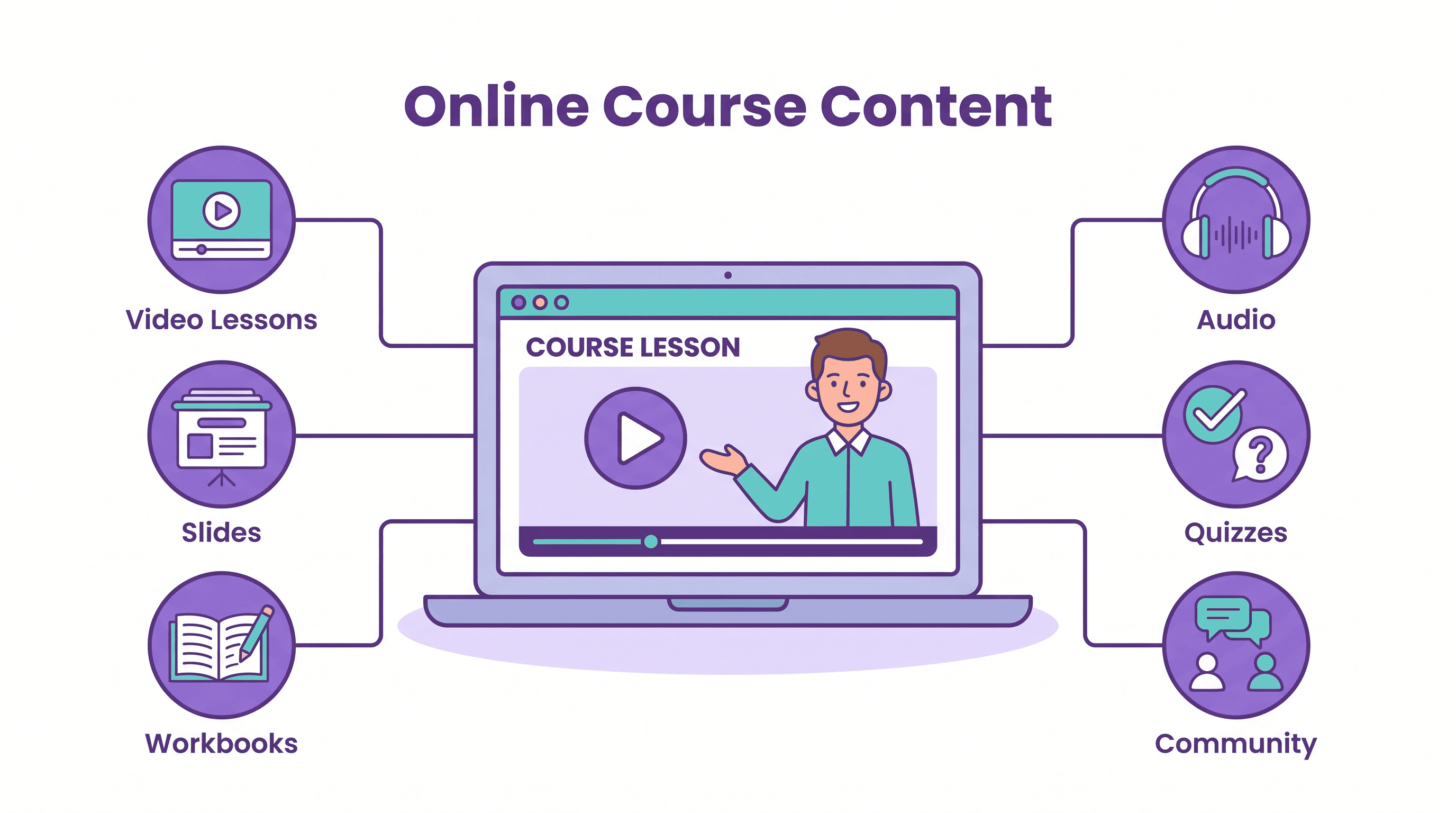
Online course content is the set of lessons, videos, slides, worksheets, and quizzes that teach a specific skill to learners over the internet. Its main benefit is scale: you create it once and it can teach thousands of people, anywhere, at their own pace.
A 2019 study in Science by Justin Reich and José Ruipérez-Valiente found that only about 3% of learners who enrolled in MIT and Harvard MOOCs in 2017-18 completed their course. The takeaway for creators is clear: content quality and engagement decide whether students finish, recommend, and buy again.
Online learning grew quietly for years while many investors focused on traditional education. Then COVID-19 pushed almost everyone to try e-learning, and creators and entrepreneurs moved fast to meet the demand.
This guide covers the market, what makes course content work, where to find material, which tools help, and a simple framework to build your first course.
The Online Learning Industry
Before the pandemic, Research and Markets suggested that the online education market would reach $350 billion by 2025. That forecast showed how much room the industry had to grow.
The goal of the market has always been to make education accessible and affordable. Online courses let learners reach great teachers across continents and languages, often for a fraction of the cost of traditional programs.
Who Are the Key Players in Online Learning?
Many platforms serve the online learning market. Udemy, Coursera, Skillshare, edX, and Udacity are the names most people know.
A second market has grown around them: tools and services for independent course creators. As more people create courses, demand for easy ways to build, host, and market content keeps rising.
Learners have changed too. Many want to learn quickly, by doing, and from people with real experience, which is why platforms like MasterClass built short courses around well-known experts.
Is Selling Online Courses Profitable?
It can be, if you treat your course like a business. A focused course that solves a clear problem can be sold again and again with low production costs after launch.
Part of the demand comes from rising education costs. According to the Washington Post, college costs have been rising faster than financial aid can keep up.
That is why many students work while studying, and some turn to a short term loan just to cover costs. For these learners, an affordable, practical online course is an attractive alternative.
Still, people only pay for content they believe will help them. Learning to build a good content strategy and good curriculum matters as much as the advertising that brings students in.
What Great Online Course Content Looks Like
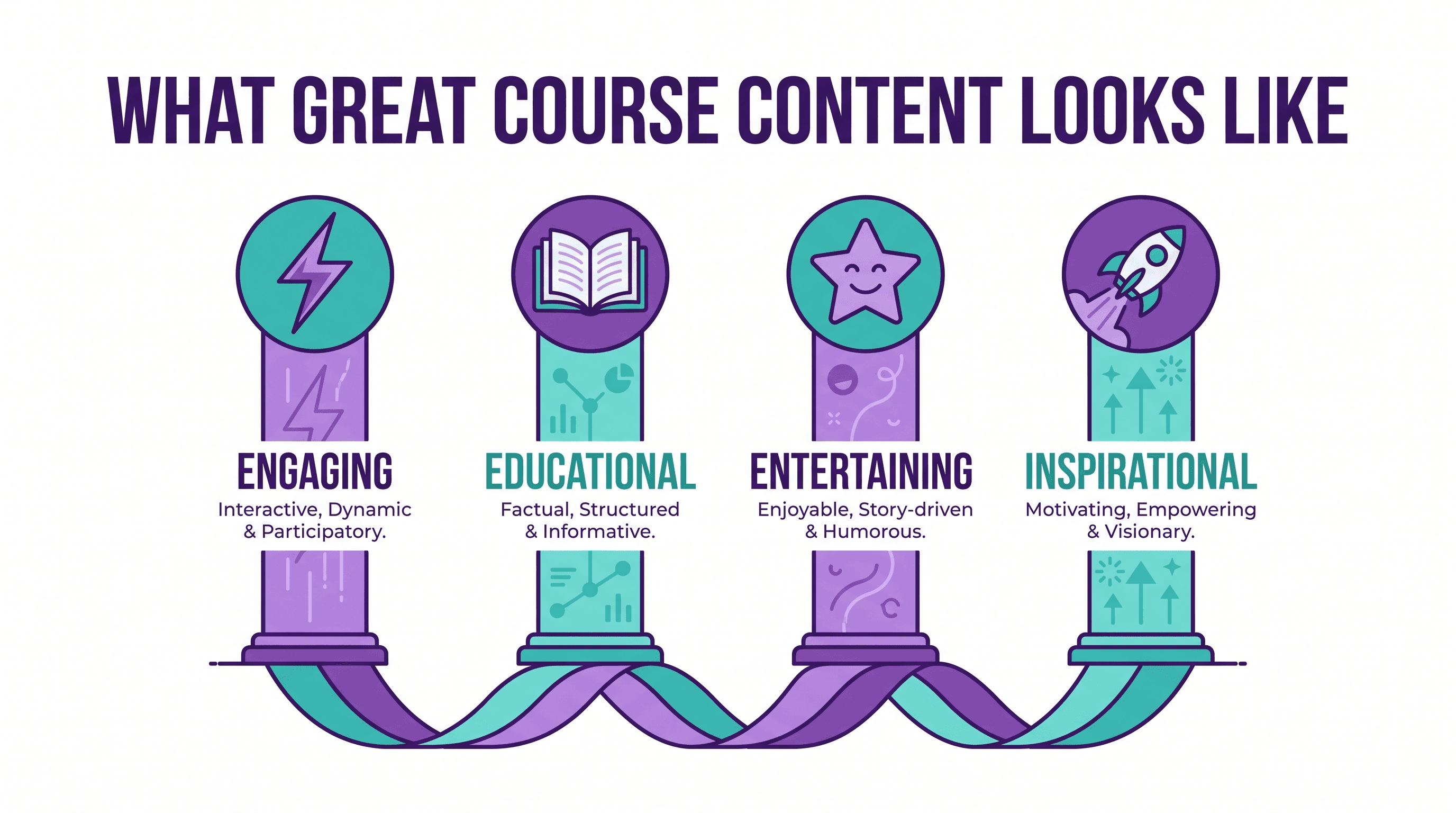
Even though online courses are self-paced, the content must still be appealing. If you want real income from your online course, approach it as a business.
Your content must deliver value so students recommend it. The best marketing is a group of happy students and their testimonials.
Engaging Content
Completion rate is one of the best signals of how well you serve students. Most students who quit do so because the content stops holding their attention.
To keep engagement high, add these often:
Practical, low-cost actions students can try right away
Light moments like short clips, GIFs, or gamified quizzes
Calls to action that push students to apply, observe results, and come back
Educational Content
Never forget why people buy courses: they want to learn, in the most focused way possible. Offer information they can't easily find elsewhere, based on real experience.
Research the market before you plan. Study the prices, curriculums, and outcomes of similar courses on Udemy, Skillshare, and LinkedIn Learning, then cover what they cover plus something new.
Entertaining Content
Entertaining doesn't mean turning your course into a comedy show. It means making content easy and enjoyable to follow.
Hook the Audience
Start each module with an interesting fact, story, or event. A personal story about how your life or career changed works especially well.
Create an Emotional Connection
People often remember how something made them feel longer than the exact words, a point supported by statisticaly backed presentation research. To make your course memorible, connect lessons to real emotions and stories.
Challenge the Myths
Every industry has myths that students bring with them. Challenge those assumptions with evidence and offer a better solution.
Be Natural
Not everyone is comfortable on camera, and that's fine. Being genuine, small mistakes included, builds trust and invites students to engage.
Inspirational Content
Students are inspired by instructors who have done what they teach. Share your own results, since social proof makes students more likely to try your methods.
Build a presence on social platforms so learners can see your journey. If they believe in you, they will act on what you teach.
Leave Perfectionism Aside
Many first-time creators delay their launch again and again trying to make everything perfect. One big advantage of online courses is that you can review, edit, and relaunch at any time.
Launch after your first solid edit, gather reviews, and improve from there. Keep an eye on analytics and collect as much feedback as you can.
How to Find Resources for Your Course Content
Repurpose What You Already Have
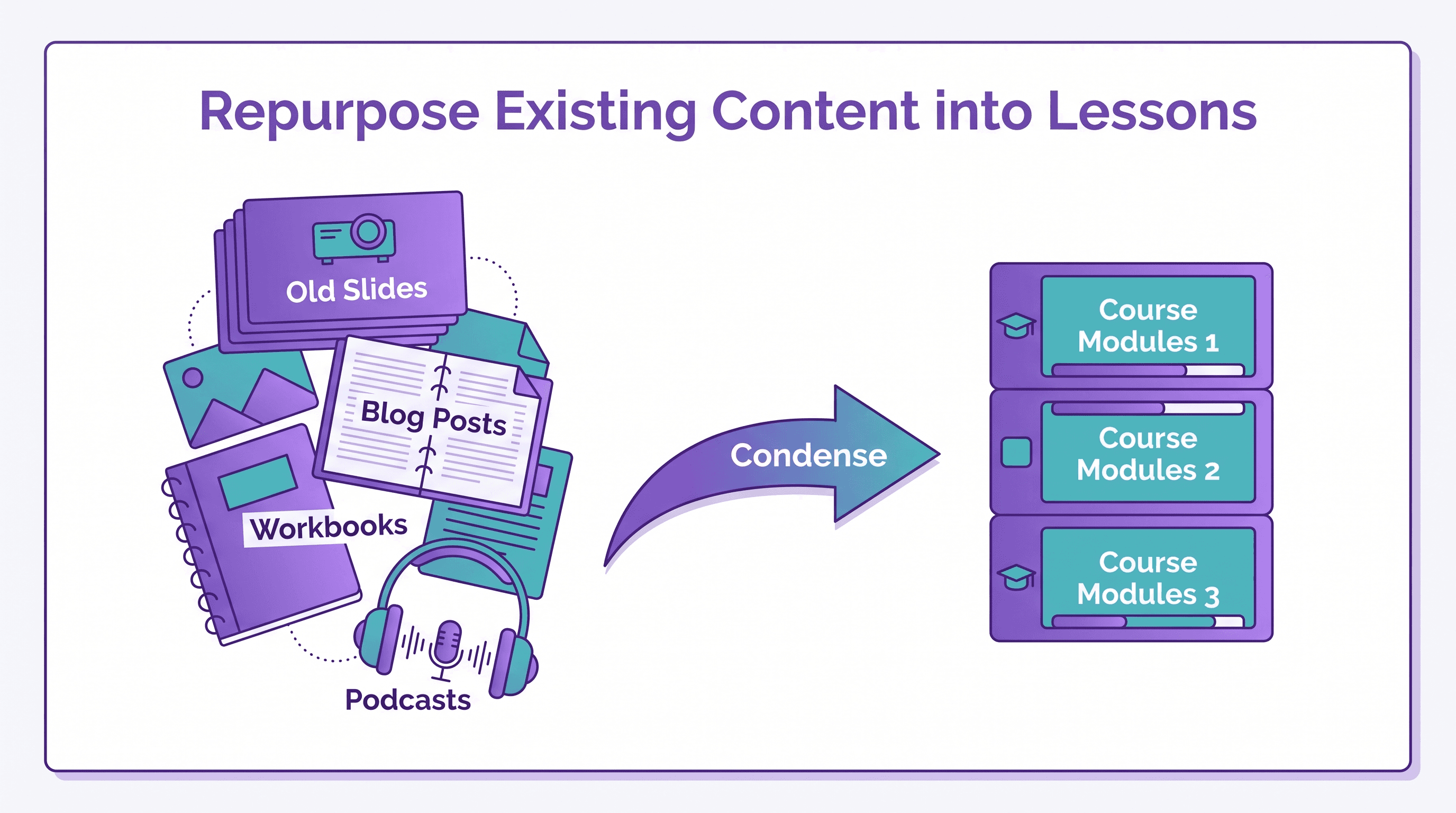
Starting from scratch is hard, even in your own field. Gather everything you already have: slide decks, quizzes, blogs, workbooks, cheat sheets, podcasts, and infographics.
Review it all, pick the best material, and start repurposing your content into condensed, easy-to-follow lessons.
Outline Your Headlines
List everything you want to cover based on your research. Group related topics into modules, and consider splitting large topics into focused mini-courses.
Find Layout Inspiration
You don't need to design every lesson slide from nothing. You can browse Decktopus templates, including online course templates, for layout ideas, or describe your lesson and let AI build it.
Choose Your Formats and Record
Not every course has to be video. Content can also be a podcast, a newsletter series, a workbook, or slides.
Creating several formats gives students choice and makes repurposing easier later.
Tools for Course Content Creation
Decktopus AI
Long PDFs with no visuals lose students fast. Decktopus AI turns your lesson topics or existing materials into clear, designed slide decks in minutes.
You can generate a full lesson deck from a prompt, upload old materials with Beautify, and share each lesson as a live link that updates automatically when you edit it.
iMovie
iMovie is a free, beginner-friendly video editor for Mac users, and many creators start with it. You can make a full movie with complete editing control, or a trailer using pre-made titles and effects.
If you use Windows, look at iMovie alternatives. Tools like Canva can also help you create short promo clips for your launch.
Audext
Audext is a transcription tool that turns audio into text. It helps you create written versions of video or podcast lessons as you go.
Transcripts make your course more accessible and give you material for blog posts, workbooks, and summaries.
How to Support Course Content with Bonuses
Bonus content gives students an extra push and adds perceived value. Think cheat sheets, summaries, templates, or tips from related courses.
The best bonus materials are short and practical. Students often keep them for years, which keeps your name in front of them.
Decktopus itself previously published a beginner public speaking series on Decktopus Academy as an example of this kind of short, focused course (details here).
Communities for Course Creators
Joining communities helps you learn from other creators and find early students. Here are some LinkedIn groups for the online course ecosystem:
Course Content Formats Compared
Each content format has strengths. Most successful courses mix several.
Format | Best For | Production Effort | Engagement |
|---|---|---|---|
Video lessons | Demonstrations and personality | High | High |
Slide decks | Frameworks and step-by-step concepts | Low to medium | Medium to high |
Workbooks and worksheets | Practice and application | Medium | High |
Podcasts and audio | Learning on the go | Medium | Medium |
Quizzes | Checking understanding | Low | High |
Social carousels | Promoting the course | Low | High in feeds |
This second table compares course content that loses students with content that keeps them.
Element | Content That Loses Students | Content That Keeps Them |
|---|---|---|
Lesson length | Hour-long lectures | Short, focused lessons |
Visuals | Text-heavy PDFs | Clear slides and diagrams |
Practice | Theory only | Action steps after each lesson |
Tone | Formal and distant | Personal and natural |
Updates | Never revised | Improved from feedback |
The 6-Step LEARN Course Content Framework
Use this framework to go from idea to launch without getting stuck.
Listen to the market. Study competing courses, reviews, and student questions.
Extract your best material. Gather and repurpose what you already have.
Arrange modules. Outline headlines and group them into short lessons.
Record in multiple formats. Create slides, videos, workbooks, and audio.
Nurture engagement. Add hooks, stories, quizzes, and action steps.
Launch and learn. Release early, gather feedback, and improve.
Step | Key Question | Output |
|---|---|---|
Listen | What do students need that others miss? | Course positioning |
Extract | What do I already have? | Resource library |
Arrange | What order makes learning easy? | Module outline |
Record | Which formats suit each lesson? | Lesson assets |
Nurture | Why would a student keep going? | Engagement plan |
Launch | What will I improve first? | Feedback loop |
Common Mistakes to Avoid
Skipping market research. A course nobody searches for is hard to sell.
Making lessons too long. Short lessons improve completion.
Relying on text-heavy PDFs. Visual slides and diagrams are easier to follow.
Waiting for perfection. Launch, then improve based on real feedback.
Ignoring community. Students who feel connected are more likely to finish.
No promotion plan. Great content still needs marketing.
Not tracking engagement. Without data, you can't see where students drop off.
How to Build Your Online Course Slides with Decktopus AI
Slides are the backbone of many online courses, from video lessons to webinars and downloadable workbooks. Decktopus AI is an end-to-end presentation system that helps you create them fast, rehearse your delivery, and track how learners engage.
Why Decktopus AI Is Built for Course Creators
AI Presentation Generation. Type "Module 1 of a beginner photography course: understanding exposure" and get a full lesson deck.
AI Outline Generation. Review each lesson slide as a card before generating, so your teaching sequence makes sense.
Beautify. Upload old PDFs or slide decks. Use as a Resource to build new lessons from them, or Redesign to give them a fresh look.
Brand Import. Pull your logo, colors, and fonts from your website so every lesson looks consistent.
AI Image Generation and stock images. Create custom visuals or search Unsplash and Freepik.
AI Carousel Maker. Turn lesson highlights into LinkedIn or Instagram carousels to promote your course.
Loop AI Delivery Coach. Rehearse video lessons with The Mirror, which tracks pace, filler words, and timing and gives you a Readiness Score.
Email Gate. Share a free sample lesson as a gated live link to collect emails from interested students.
Deck Analytics. See who viewed your shared lesson, how long they stayed, and which slides lost attention.
100+ languages. Generate lessons in the language your students speak by typing your prompt in that language.
Decktopus AI vs. Traditional Tools for Course Content
Need | Traditional Tools | Decktopus AI |
|---|---|---|
Create lesson slides | Hours per module | Full deck from a prompt |
Reuse old materials | Copy and paste | Beautify from an uploaded file |
Consistent branding | Manual setup per deck | Brand import from a URL |
Update a lesson | Re-upload files | Live link updates automatically |
Collect student leads | Separate form tool | Email Gate on the share link |
See where students drop off | No visibility | Deck Analytics slide funnel |
Who This Is For
Independent course creators and coaches building their first course
Webinar hosts teaching live classes
Marketers promoting courses with lead magnets
Teachers and trainers who want ready ideas from our online course template page and education templates
Step-by-Step: Build Your Course Slides
Describe your topic. Type something like "Lesson 3 of an online Excel course for beginners: pivot tables, with a practice exercise." Or upload your existing notes, PDFs, or slides via the paperclip icon. With Beautify, choose Use as a Resource (extract key points and build a new deck with a required prompt) or Redesign (keep text and structure, apply a new design).
Choose your style. Pick a saved brand or style, import your brand from a website URL, or create a new style from a base (Minimal, Bold, Dark, or Let AI pick).
Review the AI-generated outline. Each slide appears as a card. Edit, reorder, duplicate, or delete slides, and use the Adjust button to change your style.
Generate the full presentation. Decktopus AI builds the complete lesson with content, layout, and design.
Refine with Edit with AI or Edit Text. Try "add a quiz question slide," "simplify this for beginners," or "add a summary slide with three key takeaways." AI optimizes your prompt and double-checks before applying, with preview and undo. Use Edit Text for manual changes (5 credits per edit). Unlimited version history keeps every change.
Add images. Generate AI images, upload screenshots or photos via the paperclip icon, or search Unsplash and Freepik.
Rehearse with Loop AI Delivery Coach. The Profiler learns about your students, The Architect shapes your lesson narrative and speaking notes, The Red Team asks the questions students might ask, and The Mirror scores your rehearsal.
Export or share. Export to PDF, PPT, or PNG (Standard or Compressed) for your course platform. Share a live link, embed lessons on your site, or present in full-screen Presentation Mode. On the Business plan, use a Custom Domain. Turn on the Email Gate for free sample lessons, and use Deck Analytics to see where learners drop off.
Ready to turn your expertise into a course? Get started with Decktopus AI.
FAQ
What is online course content?
It is the lessons, videos, slides, worksheets, and quizzes that make up an online course. Good content teaches a clear skill in a focused, engaging way.
How do I create content for an online course?
Research your market, gather existing material, outline modules, and create lessons in a mix of formats. Then launch, collect feedback, and improve.
Is selling online courses profitable?
It can be, if the course solves a real problem and you market it well. Production costs are mostly up front, so each extra sale adds margin.
How long should an online course lesson be?
Many creators keep lessons short, often under 10 to 15 minutes. Short, focused lessons are easier to finish.
Why do students not finish online courses?
Usually because the content stops holding their attention. Hooks, stories, practice steps, and community all help.
What formats should online course content include?
A mix works best: video, slides, workbooks, quizzes, and audio. Different students prefer different formats.
How can I repurpose existing content into a course?
Collect your old decks, blogs, and workbooks, pick the best material, and condense it into lessons. Decktopus AI's Beautify feature can build new lesson slides from an uploaded file.
What tools do I need to create an online course?
At minimum, a slide tool, a simple video editor, and a microphone. Transcription tools and a course platform help as you grow.
Where should I sell my online course?
Options include marketplaces like Udemy and Skillshare, or your own site with a course platform. Marketplaces bring traffic, while your own site gives more control.
How do I make my course engaging?
Open each lesson with a hook, tell real stories, add quizzes and action steps, and be natural on camera.
Should I launch before my course is perfect?
Yes. Launch after a solid first edit, then improve based on real student feedback.
How can I collect leads for my course?
Offer a free sample lesson. With Decktopus AI, you can share it as a live link with the Email Gate turned on so viewers enter their email first.
Can I create course slides in other languages?
Yes. Decktopus AI generates presentations in 100+ languages when you type your prompt in the language you want.
Conclusion
Online learning has become a major industry, and independent creators can win a real share of it. Success depends on content that is engaging, educational, and easy to follow.
Start by researching your market and repurposing what you already know. Build short lessons in several formats, launch early, and improve from feedback.
Use the LEARN framework to stay on track from idea to launch. When you are ready to build your lessons, get started with Decktopus AI and turn your expertise into slides students actually finish.
Stay Connected
Follow Decktopus AI for more content and presentation tips:
Related posts

How to Improve Communication Skills at Work (2026 Practical Guide)
The 5 workplace communication skills that matter most, the CLEAR framework, and the AI practice method that turns weak communicators into strong ones.
Business & Strategy

Job Interview Sample Questions: How to Practice Your Answers (2026)
The 20 most common interview questions, the STAR framework for answers, and the AI practice method that turns rehearsed responses into confident ones.
Business & Strategy

How to Negotiate a Raise: The Script, Practice Method & Tips That Actually Work
A step-by-step script for negotiating a raise, common mistakes to avoid, and the AI practice method that turns a nervous ask into a confident one.
Business & Strategy