Templates & How-to
About Me Powerpoint Template: A Simple, Easy To Use Template
Use this article as a guide while you prepare your about me PowerPoint presentation. Let’s go over the steps of creating an “about me presentation” while understanding common use cases and where should you use this kind of template.


Decktopus Content Team
As a freelancer, agency owner, or consultant, you understand the importance of presenting yourself effectively.
Introducing yourself well shouldn't require hours of design work. Whether you're a freelancer, agency owner, or consultant, your About Me presentation needs to communicate who you are, what you do, and why it matters, clearly and quickly.
This guide walks you through what to include, how to structure it, and how to get a polished, ready-to-present deck without manually designing a single slide. With Decktopus, you describe your topic, your brand is applied automatically, and you get a fully built presentation in minutes.
What Is An "About Me" Presentation?
An "About Me" presentation is a self-introduction that offers an opportunity to showcase who you are, what you do, and why it matters.
Whether it's digital or printed, it allows you to share key personal or professional details that help others understand your background.
Typically, an "About me" presentation includes your name, your occupation, a little about your family, and some favorite things. If it's for business purposes, it should always impress, who you are, what you do, and how you do it in the simplest way.
If you want to dive deeper and learn how to create an outstanding 'About Me' presentation step-by-step, read on! Now that we've covered the basics of what an "About Me" presentation is and why it's important, it's time to dive deeper into how you can craft an engaging and effective one.
In the following sections, we'll explore step-by-step how to leverage Decktopus’ online presentation tool to create a beautiful, professional presentation without having to worry about design details. You'll learn how to describe your topic, apply your brand automatically, review the AI-generated outline, and refine slides with prompt-based editing.
A well-crafted "About Me" presentation goes beyond just listing your name and job title—it’s your opportunity to tell your personal story, highlight your achievements, and communicate your unique value in an engaging way. Ready to take your presentation skills to the next level? Keep reading to discover how to make your "About Me" presentation truly stand out.
Decktopus builds the full presentation for you. Describe what your About Me deck should cover, paste your website URL so your logo, colors, and fonts are pulled in automatically, and review the AI-generated outline before the deck is built. No design work required.
A good about me presentation will be well-organized and easy to follow. Also, express your personal history and highlight your achievements.
Now that we've covered the basics, let's explore the key elements you should include in your About Me PowerPoint to make it truly effective.
What To Include In An About Me PowerPoint?
This is your chance to introduce yourself to the audience and tell them a little about who you are and what you do. Here are some things to include in your about me slides:
1. Your name and title
Make sure that your name is prominently displayed on the slide so that everyone in the audience knows who you are. Include your job title or current position underneath your name. Make sure to have a good-looking headshot.
If you can, to make it look more professional, do the following:
Have a single color and simple background.
For crowded backgrounds, use blur effects.
Have a decent-looking outfit and style, which matches your working style.
Smiling gives the audience a warm introduction, meaning they can communicate and resonate with you.
If you have a brand, you can make a branded look on your profile images. By removing the background, applying your branded background or color and a frame can make your picture well branded.
Using memojis or alternatives is a kind of hype at the moment, especially in the Twitter space. It gives freelancers more of a modern and young look.
2. A brief overview of your professional background
Use this section to give the audience a brief overview of your professional experience and expertise. Keep it concise and be sure to mention any relevant qualifications or awards that you have received.
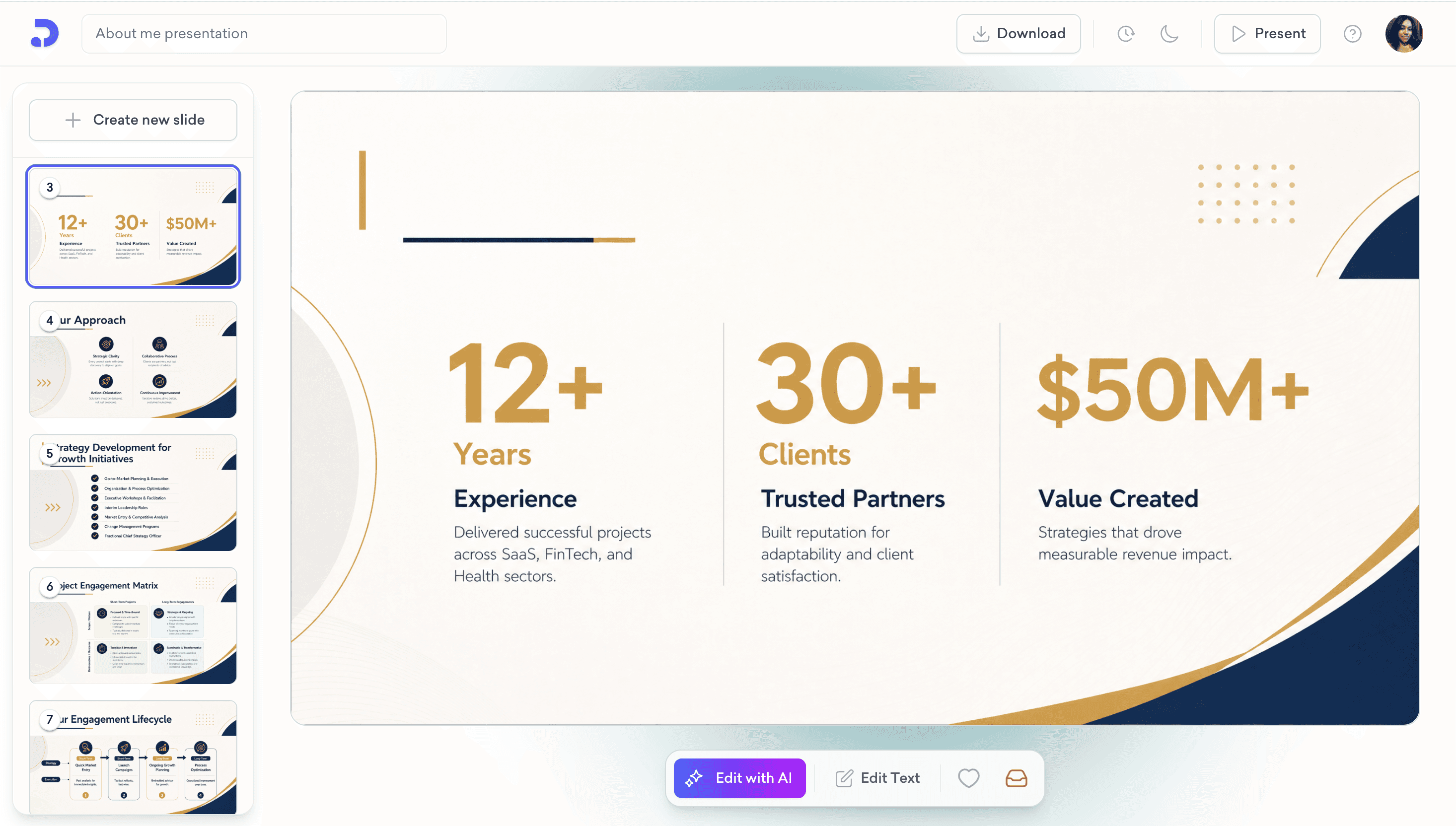
3. An explanation of your personal brand and how it informs the work you do
Your personal brand is like the invisible force that drives your work. It’s not something you can see, but it influences what decisions and actions are taken on a day-to-day basis, so think about how this affects everything from career choices to networking tactics!
4. A space for your online presence
It's important that you include a space on your self-introduction deck where all the social media links are showcased. This will give visitors an idea about what kinds of things happen in your everyday life and how you resonate with them with your online presence.
Don't forget that when they hit that follow button but somehow ended up not having worked with you. You have a life-long opportunity to convince them of your work on social media, so make sure to post some interesting content!
5. A portfolio or case studies of your work
Creating a portfolio or case studies of your work is a great way to showcase your skills and experience to potential employers. There are a few things you should keep in mind when putting together your portfolio:
Include a variety of different types of work. Show that you're capable of more than one type of project by including items like writing samples, designing mockups, and even coding projects.
Highlight your best work. Don't try to showcase everything you've ever done - focus on your strongest pieces that will wow potential employers.
TIP: Use an online portfolio if possible. This makes it easy for employers to view your work, and also allows you to share links with them easily.
TIP: Testimonials from customers or clients are a great way to build trust about the work you do. Make sure to include testimonials from real people if you can add a like to your freelance profile to let them see for themselves.
6. Always add a contact section
Adding a contact section to your portfolio is a great way to make yourself more visible and accessible to potential clients. It also helps you build your business page, which can be beneficial if you're looking to grow your business.
Finally, having a contact section makes your portfolio easy to navigate and keeps everything organized. This makes it easier for potential clients to find the information they need and increases the chances that they'll reach out to you for more information or work.
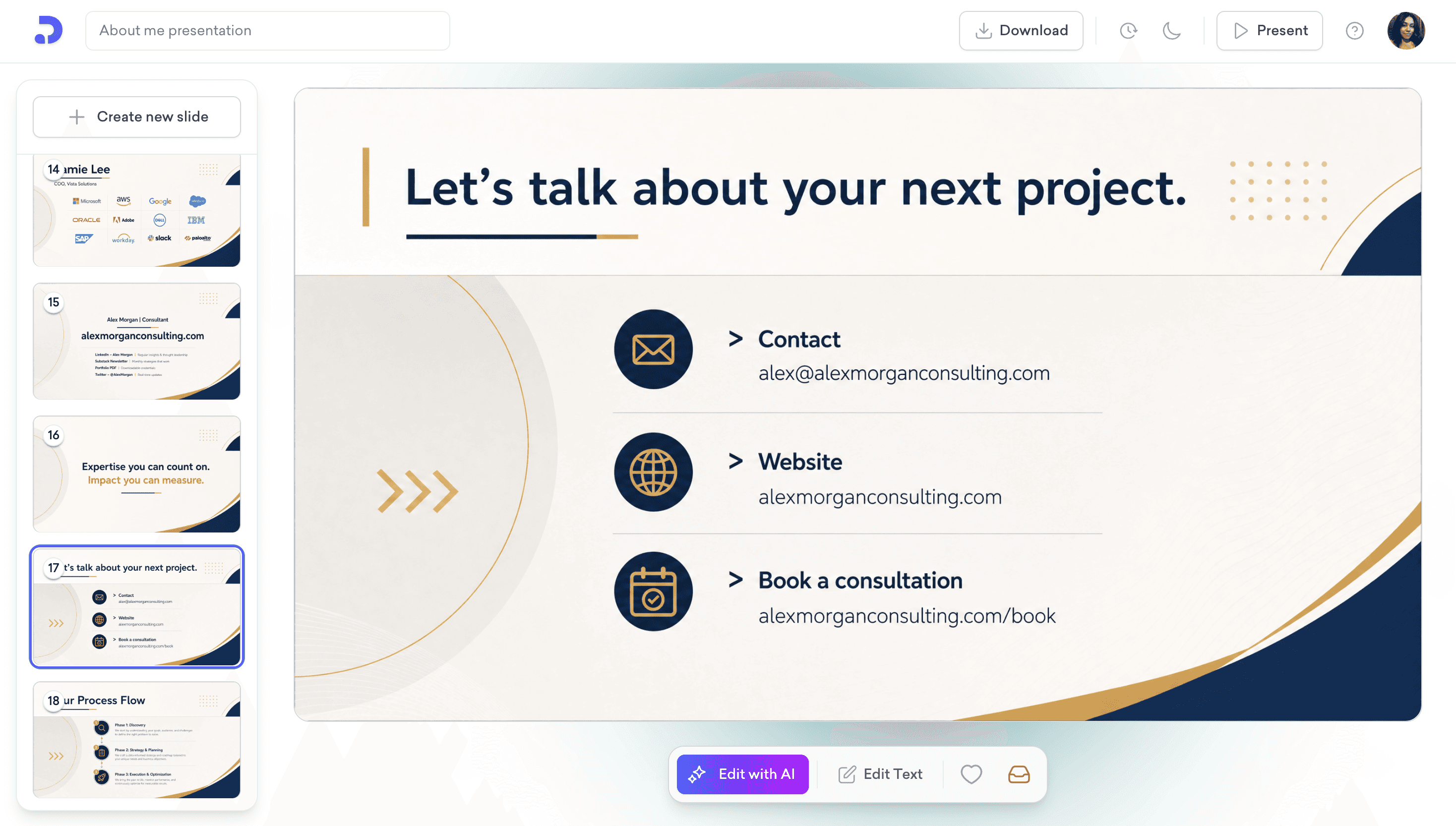
TIP: Add a form, or direct booking page at the end of the about me presentation to get them to book an appointment or leave their contact information to you. It will reduce the friction and let you do your work in the best way possible.
How to Build an About Me Presentation with Decktopus
Have a website? Paste your homepage URL once and Decktopus pulls your logo, colors, and fonts automatically. No hex codes, no logo files, no manual setup.
No website yet? No problem. You can upload your logo and pick your colors manually, or let AI generate a style that matches your topic. Either way, the deck is built for you.
Here's the full flow:
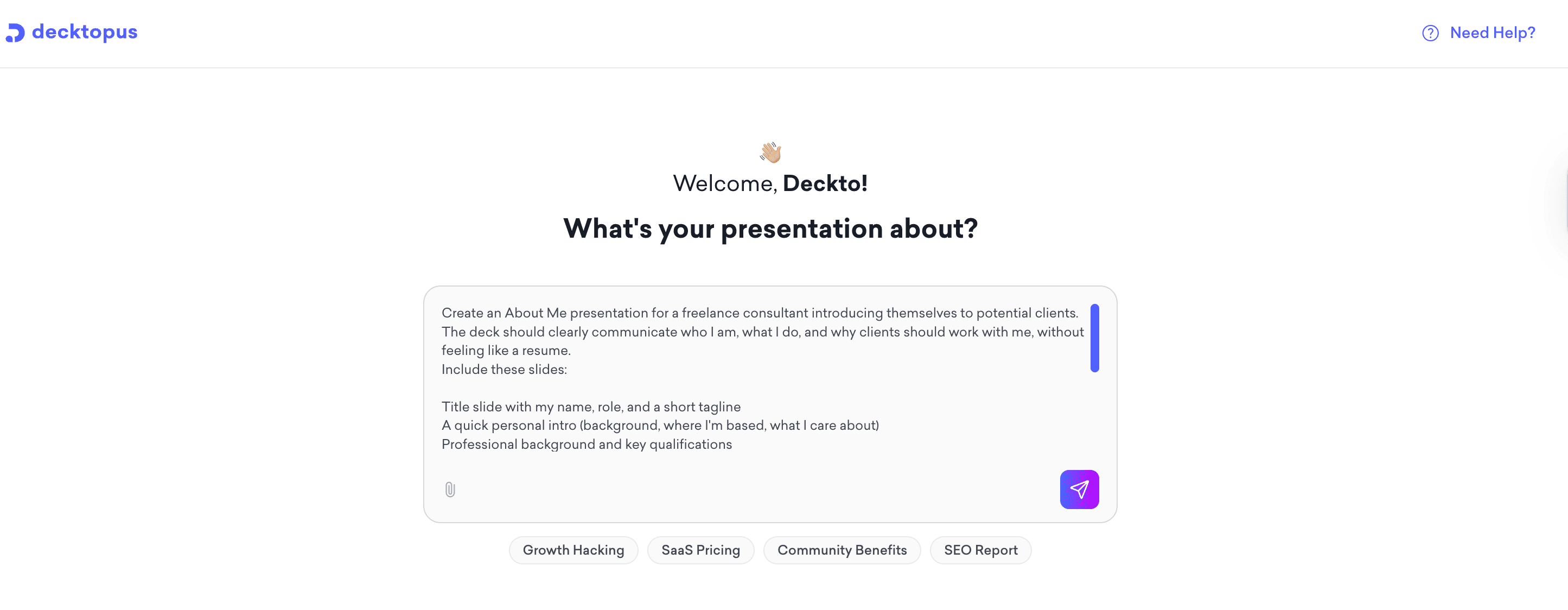
Describe your topic. Type what your About Me deck is about, or upload supporting files like a CV or portfolio.
Choose your style. You have three options. Paste your website URL to auto-import your brand, apply a saved Brand Kit (upload your logo, colors, and fonts once and reuse them across every deck), or let AI generate a style from scratch based on your topic.
Review the outline. Adjust slide order or focus before the full deck is generated.
Edit in the editor. Use the prompt bar with instructions like "make this more concise" or "simplify this slide," or click Edit Text to refine manually. Brand Compliance auto-checks every slide for logo, color, and font consistency.
Export or share. Download as PDF or PPT, share via link, or present directly from the editor.
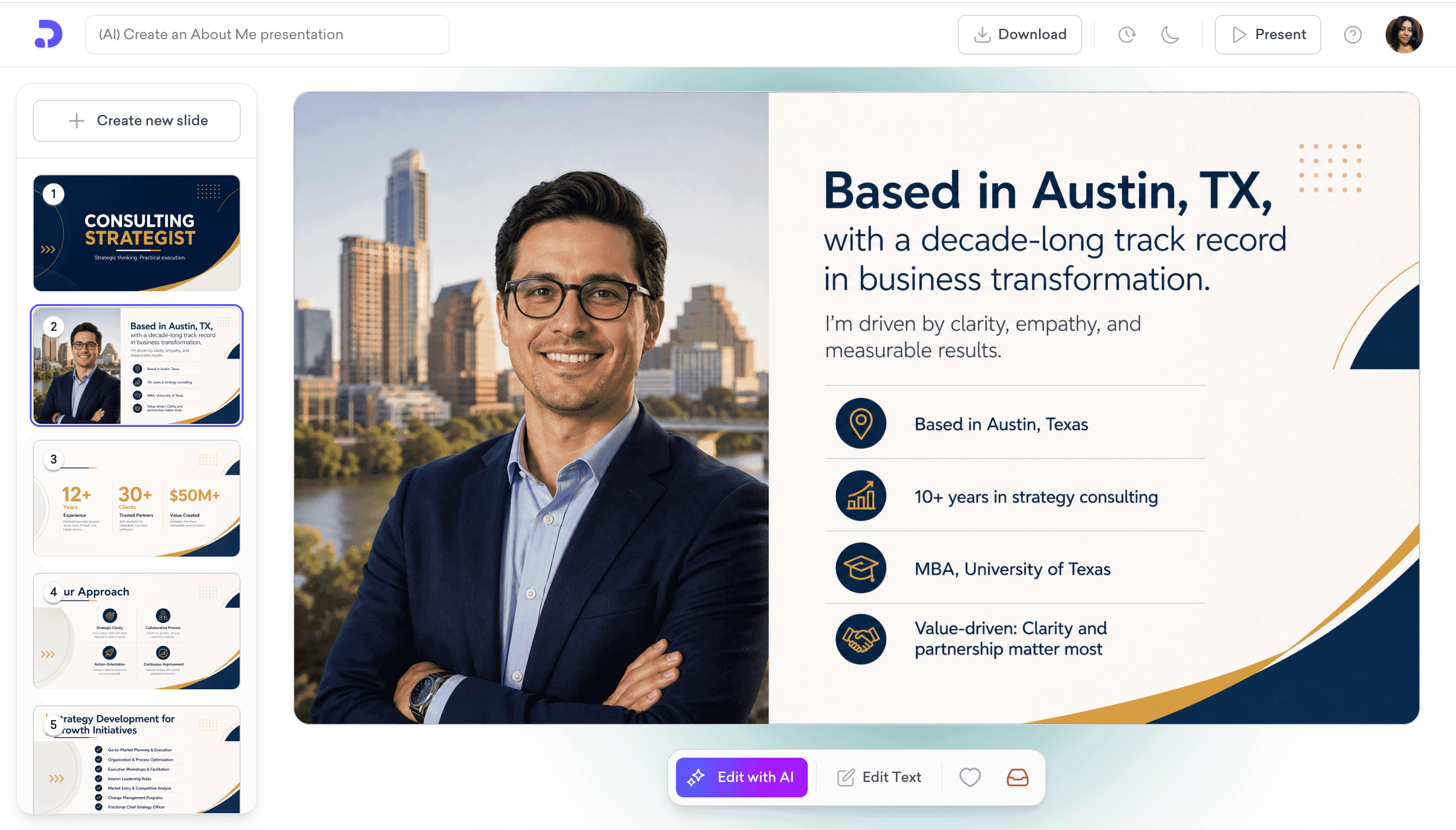
Reusing Your About Me Deck for Different Clients
Save individual slides to your Slide Library and reuse them across new presentations. With Brand Kit applied across your workspace, every new deck is automatically on-brand, so you only update the parts that change per client. Version history is unlimited, so any past version is one click away.
What Makes an About Me Presentation Effective
Use Icons to Make Information Easier to Scan
Icons help your audience connect details about you faster than text alone. A book icon for reading, a stethoscope for medicine, a camera for photography. Pick icons that are easy to recognize and reinforce what you're saying.
Keep the Structure Simple
Lead with your name and role, then your story, then your work, then how to contact you. A clear order is more memorable than a clever one.
About Me Presentations vs Team Introduction Slides
These two are often confused. An About Me presentation showcases your personal brand and communicates your value to potential clients, employers, or audiences. A Team Introduction slide presents the people on a team, their roles, and how they work together. The first is personal. The second is collective.
Final Takeaway
A strong About Me presentation introduces you clearly, shows your value, and gets out of the way. You shouldn't have to spend an afternoon designing it. Describe your topic, choose your style, and let Decktopus build a polished, on-brand deck you can present today. Refine anything with a prompt, share via link, or export to PDF or PPT.
Related posts

How to Build Confidence When Speaking in Public (2026 Guide)
The science behind speaking confidence, the CONFIDENT framework, and the AI practice method that turns nervous presenters into calm, credible speakers.
Templates & How-to

How to Practice Public Speaking Alone (With and Without AI)
The 4 rehearsal methods that actually build public speaking skill, why mirror practice fails, and how AI simulates a real audience for structured feedback.
Templates & How-to

How to Give a TED Talk: Delivery Tips from the Best Speakers (2026)
A structured breakdown of what makes TED talks land, the delivery framework used by top speakers, and the AI practice method that closes the gap.
Templates & How-to