Presentations
Public Speaking Tips: How to Deliver a Presentation That Actually Lands
Practical public speaking tips backed by data - the framework, mistakes, and rehearsal method that turn nervous presenters into confident ones.


Decktopus Content Team
Public speaking is the #1 phobia in the world. According to the National Institute of Mental Health, roughly 73% of adults report significant anxiety when speaking to a group - more than the fear of death, heights, or spiders.
And yet, the average professional will give more than 100 presentations across their career. Sales pitches, team updates, all-hands meetings, conference talks, client demos. The skill isn't optional. It's how careers move forward.
The problem is that most public speaking advice is soft: "smile more," "make eye contact," "just breathe." That's not a framework. That's a pep talk.
This guide gives you the actual playbook - the mistakes that quietly wreck presentations, the 5-part delivery framework that professional speakers use, and the rehearsal method that replaces vague self-practice with real feedback.
You'll get:
Why most public speaking tips fail (and what to replace them with)
The DELIVER framework for confident presenting
6 common mistakes that make even smart people sound unprepared
The AI-powered rehearsal method that beats mirror practice
A pre-presentation checklist you can run 10 minutes before you go on
Why Most Public Speaking Tips Fail
The standard advice - "picture the audience in their underwear," "practice in the mirror," "just be yourself" - fails because it treats a systemic problem with vibes.
Public speaking anxiety isn't a personality flaw. It's your brain's threat-detection system reacting to being watched by many people at once. You can't willpower it away. You can only train around it with three things: structure, repetition, and specific feedback.
Everything in this guide comes back to those three.
The DELIVER Framework for Public Speaking
Every strong presentation delivery has seven components. Miss any of them and the audience notices - even if they can't name what's off.
Letter | Component | What It Does |
|---|---|---|
D | Direction | You know exactly what you want the audience to think, feel, or do by the end |
E | Energy | Your voice, pace, and body match the weight of the content |
L | Language | Plain words, short sentences, zero jargon your audience doesn't already use |
I | Interaction | You watch the room and adjust - you're not delivering into a void |
V | Voice | Volume, pace, and pitch shift with the material (monotone is the killer) |
E | Eye contact | You look at real people, not the back wall or your slides |
R | Recovery | When something goes wrong, you name it, move on, and don't apologize |
Weak presenters skip Direction and Recovery. They deliver without a clear target, and when a slide breaks or a joke lands flat, they collapse. Strong presenters treat mistakes as invisible until they name them.
The 6 Mistakes That Quietly Wreck Presentations
1. Reading From the Slides
The fastest way to lose the room. If everything you're going to say is on the screen, the audience will read ahead and stop listening. Slides are backup singers. You're the vocalist.
Fix: Put one idea per slide. Speak to it, don't recite it.
2. Apologizing for Being Nervous
"Sorry, I'm a bit nervous" trains your audience to notice every tremor in your voice. Most nervousness is invisible until you point it out.
Fix: Never announce your nerves. If your voice shakes on slide 2, keep going - 90% of the audience won't notice unless you tell them.
3. The Monotone Delivery
Speaking at one volume, one pace, one pitch. Even brilliant content sounds like a dial tone. Studies from communication researcher Albert Mehrabian show that vocal variety accounts for 38% of how a message is perceived - more than the words themselves.
Fix: Mark your script with pace changes. Slow down on key insights. Speed up on transitions. Pause after your most important line.
4. Filler Words
"Um," "like," "you know," "basically," "sort of." Every filler is a tiny confidence leak. String enough of them together and you sound underprepared, even if you know the material cold.
Fix: Record yourself, count fillers, replace with silence. A one-second pause reads as authority. "Um" reads as searching.
5. Ignoring the Room
You have a script. The audience has questions. If you push through your slides without watching for confused faces, checked-out phones, or nods of agreement, you're presenting to a wall.
Fix: Every 3-4 slides, look up, scan the room, and calibrate. Speed up if you're losing them. Ask a question if energy drops.
6. The Vague Close
Ending with "so, yeah, that's it" or "any questions?" wastes the moment when the audience is most primed to act. Your close is 20% of what they'll remember.
Fix: End with a specific ask. "By Friday, I need you to review the doc and send one comment." Not "let me know your thoughts."
The Rehearsal Method That Actually Works
Practicing alone in front of a mirror is comfortable, which is exactly why it doesn't build the skill. You're rehearsing to your most forgiving audience - yourself. Real audiences interrupt, question, and lose interest. Your mirror does none of those things.
The rehearsal method that actually transfers to real presentations has three properties:
A realistic listener who reacts based on the audience you're actually preparing for
Structural feedback on where your delivery drags or loses the thread
Playback so you can hear your own filler, pace, and pauses without distortion
Most professional speakers pay coaches to provide these three things. That's what Loop AI Delivery Coach automates inside Decktopus AI.
How Loop AI Delivery Coach Replaces Mirror Practice
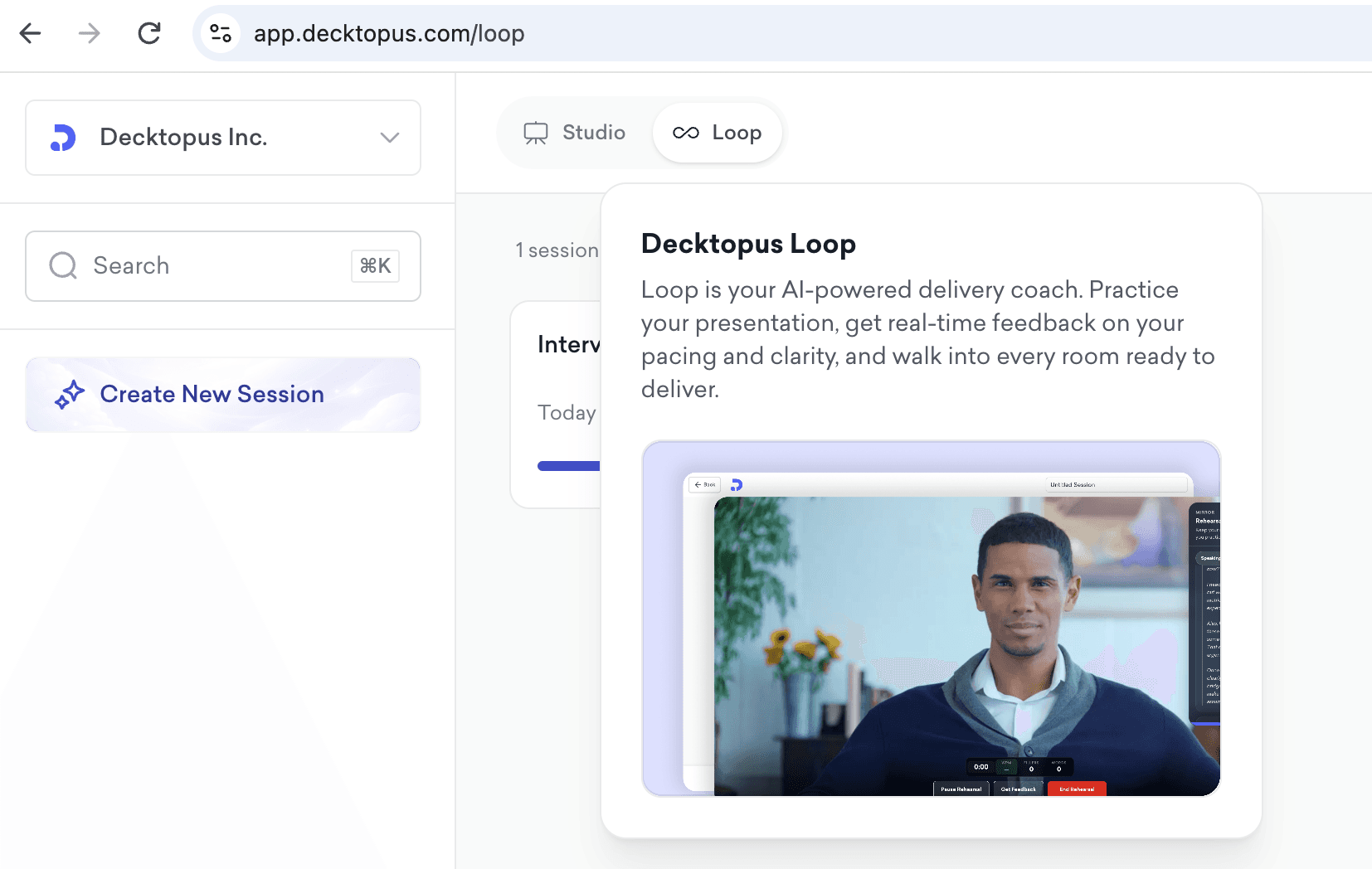
Loop is Decktopus AI's built-in rehearsal environment. Instead of practicing to a mirror, you practice to four AI agents - each one solving a different part of the delivery problem.
The 4 Loop Agents
Profiler (Emily) - Builds a listener persona that matches your actual audience. If you're pitching to a skeptical CFO, Emily reacts like a skeptical CFO. If you're presenting to a room of engineers, her responses mirror how engineers process information. This is the "realistic listener" your mirror can't be.
Architect (Marcus) - Analyzes the structure of your delivery. He'll flag when your opening runs long, when your evidence isn't landing, or when your close is buried behind extra slides. Structural feedback in seconds, not weeks.
Red Team - Fires the hard questions you'd rather not face. "What's your proof?", "How is this different from X?", "What happens if you're wrong?" Facing these in rehearsal means they never surprise you live.
Mirror - Records your run-through and plays it back with metrics: filler count, pace, pause length, tone variance. You hear yourself the way the audience hears you - which is completely different from how you hear yourself in the moment.
Loop Rehearsal Flow
Upload or build your presentation in Decktopus AI
Open Loop, describe your audience, and pick your goal
Run the presentation - Emily reacts, Marcus observes structure
Face Red Team questions until they feel routine
Review Mirror playback and cut filler
Repeat until the delivery runs clean
Most presenters see meaningful improvement after 3 Loop sessions - measured in fewer fillers, tighter pacing, and calmer delivery under pressure.
Rehearse your next presentation with Loop →
Pre-Presentation Checklist (10 Minutes Before You Go On)
Run this quick check before every presentation:
Water within reach
Slides loaded, on the right monitor, presenter view working
First sentence memorized cold
Last sentence memorized cold
Phone silenced (not vibrate - silent)
Two deep breaths before you walk on
Scan the room for one friendly face - anchor eye contact there for slide one
Remind yourself: the audience wants you to succeed
How to Build a Presentation That's Easier to Deliver
Some presentations are hard to deliver because the underlying deck is fighting you - 60 slides when you needed 20, walls of text you can't help but read, no visual anchor to hold the audience's attention.
Decktopus AI builds presentations that are structurally easier to deliver:
One idea per slide by default
Visuals generated automatically so you're never reading a wall of bullet points
Speaker notes generated per slide so you have a delivery script, not just content
Brand-consistent so the design never distracts from the message
Combined with Loop rehearsal, you're not just building a better deck - you're building one that sets you up to present well.
Frequently Asked Questions
How do I stop being nervous before public speaking?
You don't stop being nervous - you channel it. Nervousness and excitement produce the same physical symptoms. The difference is what you call them. Tell yourself "I'm excited" instead of "I'm nervous." Multiple studies (Harvard's Alison Wood Brooks, 2014) show reappraising anxiety as excitement improves performance measurably.
How long should I practice a presentation?
Rule of thumb: one hour of practice per minute of high-stakes presentation, spread across multiple sessions. A 10-minute keynote deserves ~10 hours of rehearsal, but broken into 30-minute Loop sessions across a week - not one exhausting all-nighter.
What's the best way to open a public speaking presentation?
Open with a hook that earns attention: a surprising statistic, a specific story, a question the audience is already asking. Never open with "Hi, my name is..." - that's what your intro slide is for.
How do I handle questions I don't know the answer to?
Say "I don't know - let me get back to you by [specific date]." Then do it. Faking an answer destroys credibility. Owning the gap builds it.
Should I memorize my presentation word-for-word?
No. Memorize the first sentence, the last sentence, and the transitions between sections. Everything else should be spoken - memorized delivery sounds robotic and collapses if you get thrown off.
How do I stop saying "um" and "like"?
Record yourself. Count fillers per minute. Practice replacing every filler with a one-second pause. Loop's Mirror agent automates this - it counts your fillers and shows you where they cluster.
What's the best breathing exercise before public speaking?
Box breathing: inhale 4 seconds, hold 4, exhale 4, hold 4. Repeat 4 times. It activates your parasympathetic nervous system and lowers your heart rate within 60 seconds.
How do I make eye contact with a large audience?
Divide the room into three zones (left, center, right). Rotate your gaze between them every few sentences. Individual eye contact isn't scalable past ~30 people - zone contact is.
What should I do if my slides break mid-presentation?
Keep talking. You built the deck; you know what's on the next slide. Say "the tech is fighting me - let me tell you what's on the next slide" and move on. The audience remembers how you recovered, not that it broke.
How do I handle hostile audience questions?
Restate the question in neutral language. Acknowledge the concern. Answer honestly, even if the answer is "we haven't solved that yet." Hostility drops when the questioner feels heard.
How long should each slide take?
Rough baseline: 1-2 minutes per slide for content-heavy decks, 30-60 seconds for lighter ones. If you're spending 4 minutes on a slide, it should probably be two slides.
Is it okay to use notes during a presentation?
Yes - index cards or presenter notes are fine. Just don't read from them line-by-line. Notes should be trigger words, not scripts.
How do I get better at public speaking if I don't present often?
Rehearse presentations you'll never give. Pick a topic, build a 5-minute talk, run it through Loop. The skill compounds with reps, not with waiting for the next stage.
What's the single most important public speaking skill?
Recovery. Everyone messes up. The difference between good and great presenters is that great ones move past mistakes so quickly the audience never notices.
Related Posts
Stay Connected
Get daily insights on presentations, public speaking, and delivery:
Related posts

Webinar Follow-Up Emails: The Sequence That Runs After the Deck Ends
Learn how to build a webinar follow-up email sequence with behavioral segmentation, timely emails, better deliverability, and personalized outreach.
Presentations

Best TED Talks to Improve Your Presentation Skills
Watch ten of the best TED talks for presentation skills and use a practical exercise from each to improve structure, voice, visuals, and confidence.
Presentations

Decktopus AI Best Practices: The Complete Guide, Tips and Tricks (2026)
A complete guide to using Decktopus AI effectively, from writing better prompts and reviewing outlines to rehearsing with Loop and building carousels.
Presentations