Sales & Proposals
Mastering Project Proposals: Your Ultimate Guide to Effective Proposal Templates
Learn the 7-step project proposal framework, the 11 essential elements every proposal needs, industry-specific use cases, and how to turn your proposal into a client-ready presentation deck fast.

İlayda Tunaboylu
What Is a Project Proposal?
A project proposal is an official document that outlines the goals, scope, methodology, timeline, budget, and expected outcomes of a proposed project. It works by presenting decision-makers with a clear, structured case for approving, funding, and resourcing a specific initiative. Unlike a business plan (which describes ongoing operations) or a quotation (which lists price only), a project proposal is a persuasive document built around one specific decision: approve this project. The main benefit is that a well-crafted project proposal secures approval faster, aligns stakeholder expectations before work begins, and creates a shared reference point that reduces scope disputes later.
According to sales and proposal research from Proposify and independent industry data, proposals sent within 24 hours of a discovery conversation close at significantly higher rates than proposals sent days later. Customized executive summaries alone lift close rates by up to 50%. Proposals with tiered pricing options close 35.8% more often than single-price alternatives, and proposals under five pages close 31% more often than longer ones. Meanwhile, the average project proposal takes teams 6 to 10 hours to build from scratch. A structured proposal framework can cut that by 50 to 70%, and turning the finished proposal into a presentation with an AI tool takes about 15 minutes.
Project proposals appear across nearly every industry and function: consulting, marketing, IT, construction, research, government, non-profits, and internal business initiatives. The core structure and best practices apply across all of them.
For related content, see our guides on the business proposal, proposal outline, and detailed proposal outlining.

Project Proposal vs. Business Proposal vs. Business Plan
These three documents are often confused. They serve different purposes.
Document | Purpose | When to Use | Typical Length |
|---|---|---|---|
Project Proposal | Get approval, funding, or resources for a specific project | Before a project starts | 5 to 20 pages / slides |
Business Proposal | Sell a product, service, or partnership to a prospective client | Client-facing sales engagements | 4 to 15 pages / slides |
Business Plan | Describe entire business model, market, and operations | Fundraising, internal strategy, business review | 25 to 50 pages |
Sales Proposal | Pitch a specific product or service to a prospect | After sales discovery, before purchase | 4 to 10 pages / slides |
The critical distinction: a project proposal drives one specific decision (approve this project). A business proposal sells externally. A business plan describes what the company already does.
For more, see business proposal vs. business plan and our guide on how to prepare a sales proposal step by step.
The Importance of a Well-Crafted Project Proposal
A strong project proposal is more than a formality. It's a strategic document that shapes whether a project gets approved, funded, and successfully executed.
Clear communication of project objectives. A well-written proposal describes the project's goals and expected outcomes clearly. Decision-makers, sponsors, and team members can align on the same definition of success.
Alignment of stakeholder expectations. A thorough proposal defines objectives, timelines, and deliverables. Alignment before work starts prevents miscommunication and scope disputes later.
Efficient resource management. A detailed proposal analyzes the resources needed (financial, human, technological). This makes planning realistic and reduces mid-project surprises.
Faster approval cycles. Proposals with clear structure, transparent pricing, and specific outcomes move through approval processes faster than vague or generic ones.
Better project outcomes. Projects that start with strong proposals typically deliver on time and on budget more often. The proposal isn't just a sales document. It's the operating plan for the first 60 days of execution.
Why You Should Use a Project Proposal Framework
Consistency across projects. A structured framework creates standardized presentation style. Important components (goals, timelines, budgets) get communicated the same way every time.
Time efficiency. A framework saves time. Teams don't rebuild the same structure from scratch for every proposal. They focus on customizing content, not creating documents.
Flexibility across project types. A well-designed framework adapts across IT, marketing, research, construction, consulting, and other industries. The core structure holds. The details change.
Effective resource allocation. A framework guides you to include resource requirements consistently. Decision-makers get the same information format every time, which speeds up review.
Reduced training overhead. New team members can create client-ready proposals faster because they don't need to invent the structure themselves.
Better internal knowledge management. A framework becomes an institutional asset. Successful proposals from the past inform new ones through the same reusable structure.

The 11 Essential Elements of a Project Proposal
Every strong project proposal includes these 11 elements. Adjust wording and emphasis based on the project type and audience.
Element | Purpose |
|---|---|
1. Title and Cover Page | First impression with project name, date, organization, and client |
2. Executive Summary | Standalone persuasive summary of the entire proposal |
3. Introduction | Project overview and context |
4. Problem or Opportunity | The specific challenge or need being addressed |
5. Project Objectives and Scope | Measurable outcomes and scope boundaries |
6. Methodology | Proposed approach, phases, and rationale |
7. Timeline and Milestones | Realistic schedule with owner assignments |
8. Budget and Resource Requirements | Transparent pricing with clear itemization |
9. Project Team | Who is working on the project and their responsibilities |
10. Success Criteria and Evaluation | How success will be measured and reported |
11. Call to Action | Specific, dated next step |
For deeper guidance on the executive summary specifically, see our guides on how to write an executive summary, executive summary, and executive summary examples.
The 7-Step Project Proposal Framework
Every winning project proposal follows a version of this 7-step framework. It works whether you're building the proposal from scratch or adapting from a previous one.
Step | Description |
|---|---|
1 | Define purpose and components |
2 | Design a structured layout |
3 | Maintain a consistent format |
4 | Incorporate measurable goals |
5 | Visualize timeline and budget |
6 | Include stakeholder information |
7 | Seek feedback and refine |
Deep Dive Into Each Step
Step 1: Define Purpose and Components
Clearly state the objective of your proposal and the essential elements it needs to contain (goals, approach, budget, timeline, stakeholder information). Understanding purpose upfront prevents the proposal from drifting into content that doesn't help the reader decide.
Key questions to answer before writing:
What action or decision do you want the proposal to produce?
Who will read it and what are their specific concerns?
What are the client's evaluation criteria?
What formal requirements (page limits, format, required sections) exist?
Step 2: Design a Structured Layout
Follow a logical flow: Introduction, Problem, Objectives, Methodology, Timeline, Budget, Team, Success Criteria, Call to Action. This structure isn't arbitrary. Problem before solution signals audience-centricity. Budget after value reduces sticker shock. Call to action at the end drives decision.
For related structure guidance, see our guides on the proposal outline and detailed proposal outlining.
Step 3: Maintain a Consistent Format
Consistency creates a polished appearance and reduces cognitive load for the reader. Use:
Consistent font family and size throughout
Same color palette across all sections
Uniform heading hierarchy
Standardized visual style for tables and charts
Aligned spacing and margins
Formatting inconsistency signals a template patched together at the last minute. Formatting consistency signals care and competence.
Step 4: Incorporate Measurable Goals
Provide a dedicated section for measurable, specific, unambiguous objectives. Include:
Primary business outcome tied to the client's strategic goals
Quantifiable success targets with clear metrics
Timeline for achieving each objective
How progress will be measured and reported
Vague goals like "improve efficiency" don't help. Specific goals like "reduce processing time from 18 days to 5 days within 90 days" do.
Step 5: Visualize Timeline and Budget
Add visuals to make your proposal easier to understand. Graphic representations of timelines and budgets communicate faster than paragraphs.
Timelines: use Gantt charts or horizontal timeline visuals showing phases, milestones, and dependencies
Budgets: use itemized tables plus a summary visual like a pie chart or bar graph
Team assignments: use org chart or table format
Key metrics: use dashboard-style visuals
For related structural guidance, see our project plan template, timeline templates, and content calendar template.
Step 6: Include Stakeholder Information
Recognize that project success depends on aligned stakeholders. Include:
Named stakeholders and their roles
Communication plan (frequency, format, escalation path)
Decision-making authority for scope, budget, and timeline changes
Client responsibilities and required inputs
For related content, see our guides on how to prepare a meeting presentation and 5 ways to make board meetings more valuable.
Step 7: Seek Feedback and Refine
Conduct a review with 2 to 3 people unfamiliar with the draft before finalizing. Ask them to answer:
What is the problem being solved?
What is being proposed?
Why should the audience choose this approach?
What will it cost and take?
What decision is required?
If they struggle to answer any of these clearly from the document alone, revise. This is the single most reliable test of whether the proposal communicates effectively.
Project Proposal Use Cases by Industry
Different industries emphasize different sections of the framework. Here's how to adapt.
Investment Project Proposal
For investment proposals, the deck needs to communicate the opportunity, financial projections, risk analysis, and expected returns. Focus on project overview, market analysis, and investor-relevant data. Great for pitching to potential investors or securing internal budget approval. See our guides on pitch deck examples and the use of funds slide.
Executive Project Proposal
For high-level executives, the deck should be sophisticated and concise. Emphasize strategic relevance, key goals, deadlines, and anticipated results. Skip the detail. Lead with the ask. Best for C-suite stakeholders.
Educational Project Proposal
For educational initiatives, focus on learning objectives, assessment techniques, curriculum design, and expected impact. Communicate the benefits to students, faculty, and institutional partners.
Digital Marketing Project Proposal
For digital marketing campaigns, emphasize target audience analysis, campaign objectives, budget allocation across channels, and expected outcomes. For more on presenting marketing work specifically, see our guide on how to write a marketing proposal step by step and the marketing plan template.
Construction Project Proposal
For construction projects, communicate project scope, budgetary constraints, schedules, safety measures, and architectural blueprints. Include a visual timeline for phases and milestones.
Technical Project Proposal
For complex technical projects, focus on technical specifications, execution strategies, and risk mitigation. Balance precision with clarity so non-technical stakeholders can follow along.
Branding Project Proposal
For branding work, articulate visual identity elements, target audience analysis, brand strategy, and execution plans. Show proposed design direction and expected impact on brand positioning.
Business Project Proposal
For general business initiatives, cover project scope, budget, market studies, company objectives, and expected results. Best for cross-functional stakeholder groups.
Engineering Project Proposal
For engineering endeavors, provide clear project objectives, technical requirements, budgetary considerations, and detailed timetables.
Grant Project Proposal
For grant applications, focus on project aims, community impact, budget, and expected results. Present coherently to increase the likelihood of securing financing. For more on framing pitches that get funded, see our guides on how to sell an idea and the sales pitch.
Research Project Proposal
For research proposals, focus on hypotheses, methodology, expected findings, and how the research advances the field. Grant reviewers evaluate methodology rigor as heavily as anticipated results.
Non-Profit Project Proposal
For non-profit initiatives, emphasize community impact, beneficiaries, program design, and measurable outcomes. Funders evaluate mission alignment as heavily as budget.
Common Mistakes to Avoid
Writing before understanding. Proposals created from assumptions rather than discovery produce low relevance and avoidable objections.
Leading with company history. Puts you first, client second. Signals a template.
Generic language. "We are a leading provider of comprehensive solutions" tells the reader nothing.
Vague objectives. "Improve efficiency" doesn't help. Specific, measurable objectives do.
Missing evidence. Every major claim needs backing (quantified outcomes, case studies, references, methodology explanation).
Unclear scope. Vague deliverables create disputes later. Explicit scope with "out of scope" section protects both sides.
Suspiciously fast timelines. Timelines that look impossibly aggressive signal you don't understand the work.
Hidden pricing or single-price offers. Vague pricing signals distrust. Single-price offers miss the 35.8% close-rate lift from tiered pricing.
No clear call to action. Ending passively is unmemorable. End with a dated, specific next step.
Ignoring RFP requirements. In formal procurement, missing stated criteria often disqualifies otherwise strong proposals.
Sending too late. Proposals sent 3+ days after discovery close at meaningfully lower rates.
Skipping the review phase. A proposal that reads clearly to you may not read clearly to the reader. Independent review catches this.
For more mistakes to avoid, see our guide on pitch deck mistakes.
Tips for Presenting Your Project Proposal
When you present the proposal live (in a meeting or on a video call), delivery matters as much as content:
1. Professional, clean design. A polished design signals competence and confidence.
2. Clear, direct language. Skip jargon and complexity. The best proposals feel effortless to read.
3. Language suited to the audience. Executive language for executives, technical language for technical reviewers, plain language for everyone else.
4. Purposeful visuals. Every chart, table, or diagram should answer a specific question. Skip decoration.
5. Strong opening. The first 30 seconds decide whether the audience stays engaged. Open with the client's problem or a bold outcome claim.
6. Highlight differentiation. Make clear why this approach beats alternatives.
7. Rehearse the walkthrough. For high-stakes proposals, practice at least three times before the meeting.
8. End with a dated call to action. Not "let us know if you have questions." Instead, a specific next step with a date.
For more on presentation delivery, see our guides on presentation design, how to do a presentation, and how to end a presentation with impact.
How to Build Your Project Proposal Deck with Decktopus AI
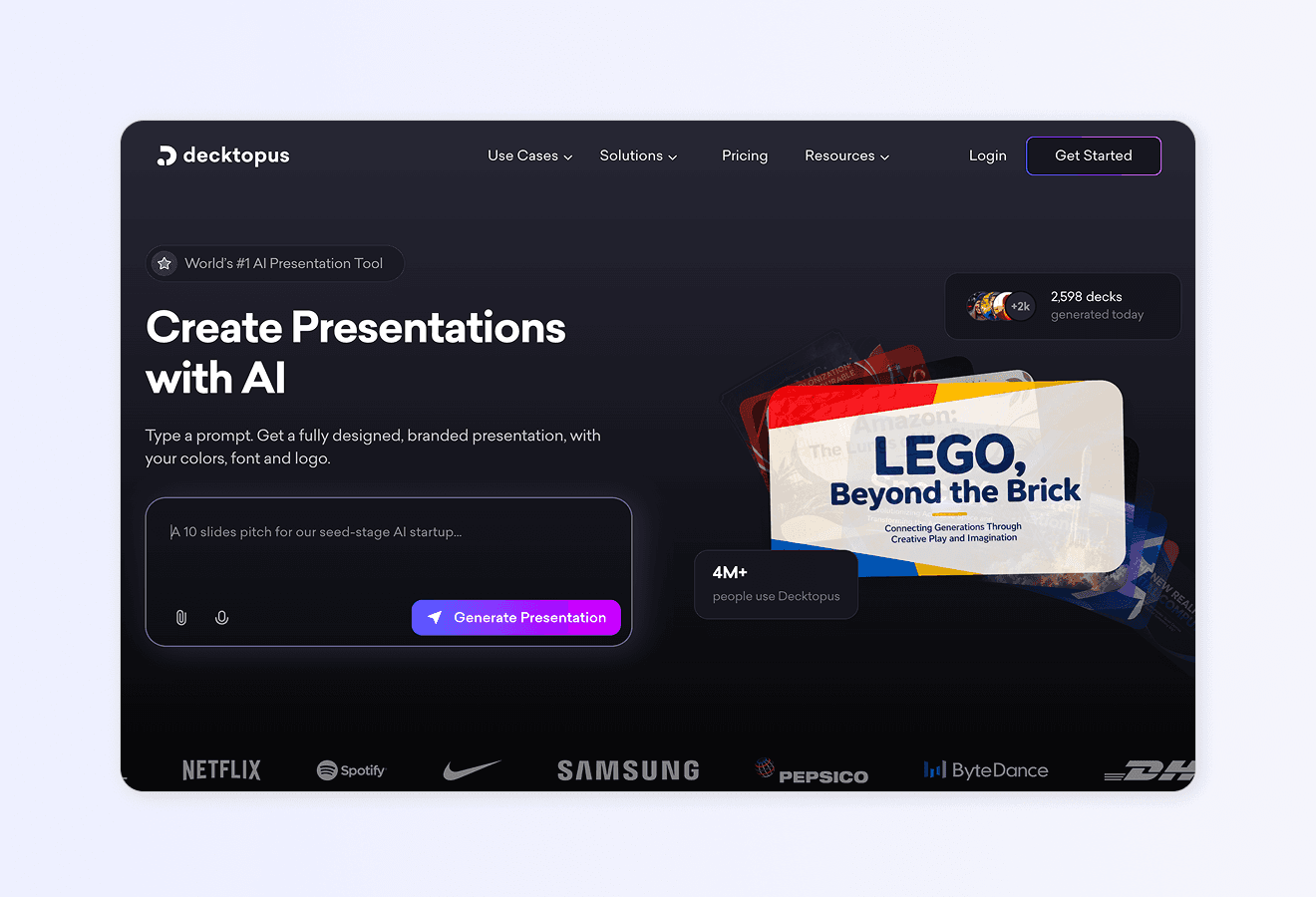
For anyone building project proposals on a recurring basis (agencies, consultants, sales teams, PMs, freelancers) Decktopus AI is the fastest path from proposal outline to client-ready deck. Every feature below is a confirmed part of the Decktopus AI platform. This section walks through how each feature applies specifically to project proposal workflows.
Why Decktopus AI Is Built for Project Proposals
Project proposals live and die by turnaround speed, brand consistency, and pitch quality. Decktopus AI is designed to address all three.
AI-first proposal generation from a prompt. Type "Project proposal for a mid-market SaaS client focused on Q4 CRM implementation" and Decktopus AI generates a full slide-by-slide proposal deck with content, layout, and design in minutes. What used to take a project manager or account executive an entire afternoon (or a full day for a polished pitch) now takes 15 minutes.
AI Outline Generation as a separate reviewable step. Before Decktopus AI produces the full deck, it generates an editable outline. Adjust section titles, add or remove sections (like a Risks and Mitigations section for enterprise clients or a compliance matrix for RFP responses), and reorder before committing to full generation. Ideal for project proposals where you want to align structure with the client's specific requirements.
Automatic brand import from your website URL. For agencies, consultants, and project teams, this is the biggest workflow win. Paste your company URL and Decktopus AI extracts your logo, colors, and typography and applies them across every slide. For white-label engagements, paste the client's URL instead. No manual Brand Kit setup per project.
Beautify for reusing prior proposals. If you have a winning project proposal template from a previous engagement, upload it to Beautify. Two options:
Use as a Resource: extracts the key content from the previous proposal and builds a fresh version around them (requires a prompt describing the new project)
Redesign: keeps text and structure intact, applies fresh visual design
Ideal for iterating from a winning proposal template while personalizing to each new client or project.
Edit with AI for prompt-based refinement. Once your deck is generated, refining it doesn't require menu-hunting. Click Edit with AI and type in plain language:
"Add a tiered pricing table with three options"
"Add a Gantt-style visual timeline for the six-month project"
"Add a Risks and Mitigations section for slide 8"
"Rewrite the executive summary to open with the client's specific challenge"
"Add a case study slide featuring a comparable project"
Every edit tracked in unlimited version history. Any past version can be restored.
Edit Text for manual polish. For fine-grained text edits without AI prompts, click Edit Text to directly edit each text field on a slide in a right-side panel. Perfect for final polish before sending.
AI Image Generation and Stock Image Library. Add custom AI-generated images by describing what you want, or search Unsplash and Freepik integrations directly through the Edit with AI panel. Ideal for project proposals that need on-brand visuals or industry-specific imagery.
PDF import for reusing client briefs and RFPs. Upload the client's RFP, brief, or project scope document as a PDF and Decktopus AI can incorporate the content into the generated proposal. Ideal for turning a dense RFP into a structured, scoreable proposal response.
Loop AI Delivery Coach for high-stakes pitches. For consultants and project leads who walk clients through project proposals live, Loop AI Delivery Coach lets you rehearse the walkthrough and get real-time feedback on pacing, filler words, and clarity. No other major proposal tool offers this. Especially valuable for competitive pitches where multiple vendors are evaluated in back-to-back meetings.
Live-link sharing with auto-update. Share your proposal via a live link. Any updates you make afterward (refined pricing, updated timeline, adjusted scope) automatically appear at the same URL. The client always sees the latest version. No re-sending updated PDFs.
Embed on your website or client portal. Generate iframe code to embed the proposal deck directly on your website, client portal, or shared workspace.
Custom Domain (Business plan). Connect a subdomain like proposals.yourcompany.com so your shared proposals appear on your branded URL. Business plan only.
Team Collaboration (Business plan). Invite team members to specific proposals for shared access. Not real-time co-editing, but shared deck-access lets project leads, delivery managers, and account executives work on the same proposal set. Business plan only.
Folders for client and project organization. Organize proposals by client or project in dashboard folders. Ideal for teams managing many active proposals simultaneously.
AI Carousel Maker for social distribution. Turn key project insights or client win stories into native LinkedIn or Instagram carousels for thought leadership content that supports business development.
Multi-format export. Download proposals as PDF, PPT, or PNG in Standard or Compressed quality. Send in the format your client prefers.
Version History for iteration. Every change to every slide is tracked. Restore any past version.
Archive to remove slides without permanently deleting them (useful for iterating multiple proposal variants).
Add to Favorites to mark slides you want to reuse across future proposals.
Presentation Mode. Present directly from Decktopus AI's full-screen mode during pitch meetings, live or on Zoom.
Mobile Experience. Full workflow available on mobile devices.
Decktopus AI vs. Traditional Proposal Tools
Feature | Decktopus AI | Traditional Tools (Word, Docs, PowerPoint) |
|---|---|---|
AI-generated outline from a prompt | Yes | No |
AI-generated proposal deck | Yes | No or limited |
PDF import (RFP into proposal) | Yes | Limited |
Automatic brand import from URL | Yes | No (manual per client) |
Beautify (refresh prior proposals) | Yes | No |
Edit with AI (prompt-based) | Yes | Partial or none |
Loop AI Delivery Coach for rehearsal | Yes | No |
Live-link auto-update | Yes | No |
Embed on external site | Yes | Limited |
Custom Domain (branded URL) | Yes (Business plan) | Not available |
Team Collaboration | Yes (Business plan) | Yes |
Folders for multi-client management | Yes | Yes |
Multi-format export (PDF, PPT, PNG) | Yes | Yes |
Presentation Mode for live pitches | Yes | Yes |
Version History (unlimited) | Yes | Limited |
Archive and Favorites | Yes | No |
Mobile Experience | Yes | Yes |
Who This Section Is For
Agency founders and account managers producing client project proposals weekly
Project managers presenting project scope, budget, and timeline to internal leadership
Sales teams and account executives shipping project proposal decks at scale
Freelance consultants turning discovery calls into project proposals within 24 hours
Business development leads building competitive pitches for new project wins
Founders producing project proposals for partners, investors, and clients
Non-profits developing grant applications and program proposals
For deeper use case guidance, see Decktopus AI for Sales, Decktopus AI for Agencies, Decktopus AI for Marketers, and Decktopus AI for Founders.
Step-by-Step: Build Your Project Proposal Deck With Decktopus AI
1. Describe your topic or upload the client brief. Type "Project proposal for [client name] focused on [project type]." Or upload the client's RFP, discovery call notes, or brief via the paperclip icon.
2. Choose your style. Import your company brand from your website URL, use a previously saved style, or let AI generate a style from scratch. For white-label engagements, import the client's brand instead.
3. Review the AI-generated outline. Adjust sections following the 11 essential elements above. Add project-specific sections like Risks and Mitigations, Team, or Success Criteria.
4. Generate the full proposal deck. Decktopus AI produces the complete slide-by-slide proposal with content, layout, and design.
5. Refine with Edit with AI or Edit Text. Use Edit with AI for structural changes ("add a tiered pricing table," "add a timeline visual"). Use Edit Text for wording polish.
6. Add visuals. Use AI Image Generation or the Unsplash and Freepik stock libraries.
7. Rehearse with Loop AI Delivery Coach. Practice your walkthrough for the client meeting.
8. Export or share. Download as PDF for email delivery. Share via live link for auto-update. Embed on your client portal. Present directly from Presentation Mode.
For broader guidance, see the best AI presentation tools, the best business proposal tools, and our guide on how to do a presentation.
Ready to turn your project proposal into a client-ready deck? Get started with Decktopus AI.
Frequently Asked Questions
What is a project proposal template?
A project proposal template is a pre-designed structure that outlines the essential components of a project (objectives, methodology, budget, timeline, stakeholder information). It provides a reusable framework for presenting project details consistently across different projects and clients.
What are the essential elements of a project proposal?
Title and cover, executive summary, introduction, problem or opportunity, project objectives and scope, methodology, timeline and milestones, budget and resource requirements, project team, success criteria and evaluation, and call to action. See the 11 Essential Elements section above.
How long should a project proposal be?
Most project proposals run 5 to 20 pages depending on complexity. Simple engagements need 5 to 8 pages. Enterprise or RFP responses can run 15 to 25 pages. Proposals under 5 pages close 31% more often than longer ones, so err toward brevity where possible.
What is the difference between a project proposal and a business plan?
A project proposal focuses on a specific project (its scope, goals, budget, and timeline). A business plan is a broader strategic document covering the entire company, its market, and its long-term operations. See our full breakdown on business proposal vs. business plan.
What is the difference between a project proposal and a business proposal?
A project proposal drives approval for a specific project (often internal or client-approved work). A business proposal is broader and can sell products, services, or partnerships to external clients. Both share similar structures but serve different purposes.
How quickly should I send a project proposal after discovery?
Within 24 to 48 hours. Speed compounds. Proposals sent within 24 hours close at meaningfully higher rates than those sent days later.
Should I use tiered pricing in a project proposal?
Yes. Proposals with three tiered options (essential, recommended, premium) close 35.8% more often than single-price proposals. Always identify which tier you recommend and why.
How do I write a strong executive summary?
Write it last. Include the client's core challenge, your proposed approach, expected outcomes, one line on why your team is the right choice, and the specific next step. Keep it to 1 or 2 pages. Customized executive summaries alone lift close rates by up to 50%. See our guide on how to write an executive summary.
Can I use a project proposal template for different types of projects?
Yes. A well-designed framework adapts across construction, technical, marketing, research, branding, grants, and other project types. Customize the emphasis and details for each. See the Industry Use Cases section above.
How do I turn my project proposal into a presentation?
The fastest way is to describe your proposal in Decktopus AI or upload your existing document as a supporting file. Decktopus AI generates a full presentation covering every section, applies your brand from your website URL, and lets you refine slides with Edit with AI.
What's the best format to present my project proposal?
For live meetings, use a slide deck. For grant submissions, use a PDF. For collaborative review with stakeholders, share a live link that auto-updates when you edit the deck. Decktopus AI supports all three (PDF, PPT, and shareable live link).
How do I handle risk in a project proposal?
Include a Risks and Mitigations section covering the top 3 to 5 risks, why they matter, and how you'll manage them. For high-stakes or long-term projects, include specific mitigation approaches like phased rollouts, milestone gates, or contingency budgets.
How do I get feedback on a project proposal before sending?
Share a draft with 2 to 3 people unfamiliar with the project. Ask them to answer: what is the problem, what is being proposed, why this approach, what will it cost and take, and what decision is required. If they can't answer clearly from the document alone, revise.
What tool should I use to build a project proposal deck fast?
Decktopus AI generates a full project proposal deck from a short description in minutes with automatic brand import from your website URL, Beautify for refreshing older proposals, and Loop AI Delivery Coach for rehearsal. For more, see our roundup of the best business proposal tools and the best business proposal tools for founders.
How often should I refresh my project proposal template?
Review and refresh at least once per year, or whenever your service offering, pricing structure, or brand changes significantly. Beautify in Decktopus AI can redesign an outdated template in minutes rather than requiring a full rebuild.
Conclusion
A well-built project proposal is a crucial asset for turning good ideas into approved, funded, resourced projects. From construction and technical ventures to marketing, research, grants, and internal business initiatives, structured proposal frameworks simplify the creation process and help secure approvals faster.
The 7-Step Project Proposal Framework in this guide (define purpose, design layout, maintain format, incorporate goals, visualize timeline and budget, include stakeholders, seek feedback) gives you a repeatable process that scales across project types. The 11 essential elements ensure your proposals cover every section decision-makers expect. The industry-specific guidance helps you tailor the emphasis for investment, executive, educational, marketing, construction, technical, branding, engineering, grant, and research projects.
Turning that framework into a polished, on-brand deck is where most project managers and consultants lose hours per week. Decktopus AI is built specifically for this workflow: AI-generated proposal decks in minutes, automatic brand import from your website URL, Beautify for refreshing prior proposals, Edit with AI for iteration, Loop AI Delivery Coach for rehearsal, and live-link sharing for delivery. It's the fastest way to move from project scope to signed approval.
For more resources, see our guides on the business proposal, proposal outline, detailed proposal outlining, everything you should know about proposal writing, and the best business proposal tools.
Related posts

Struggling to Find New Clients? 5 Proven Tips to Turn Prospecting Into Growth
Struggling to find new clients? Discover 5 proven tips, from proposals to paid ads, to build a steady pipeline of new business.
Sales & Proposals

Cracking the Code: Mastering B2B Sales Strategies & Techniques
Discover the essential guide to mastering B2B sales strategies and techniques, uncovering the secrets behind successful business-to-business selling. Explore the B2B sales process, optimize your team's performance, and elevate your approach to selling products for businesses.
Sales & Proposals
Mastering Proposals: Exploring the Best Business Proposal Tools and Software Solutions
Discover the best business proposal tools, including PandaDoc and Proposable, to streamline your proposal process and win more clients.
Sales & Proposals