Marketing
10 LinkedIn Carousel Ideas That Get Saves & Shares
10 concrete LinkedIn carousel ideas with sample hooks and slide breakdowns you can post this week, built for saves and shares.

İlayda Tunaboylu
The blank first slide is the actual obstacle with LinkedIn carousels, not the design. Most people can format slides once they know what to say; the harder problem is deciding what to post that’s specific enough to earn a swipe. “Marketing tips” isn’t an idea. “The exact subject line that got a 40% open rate on a cold email” is.
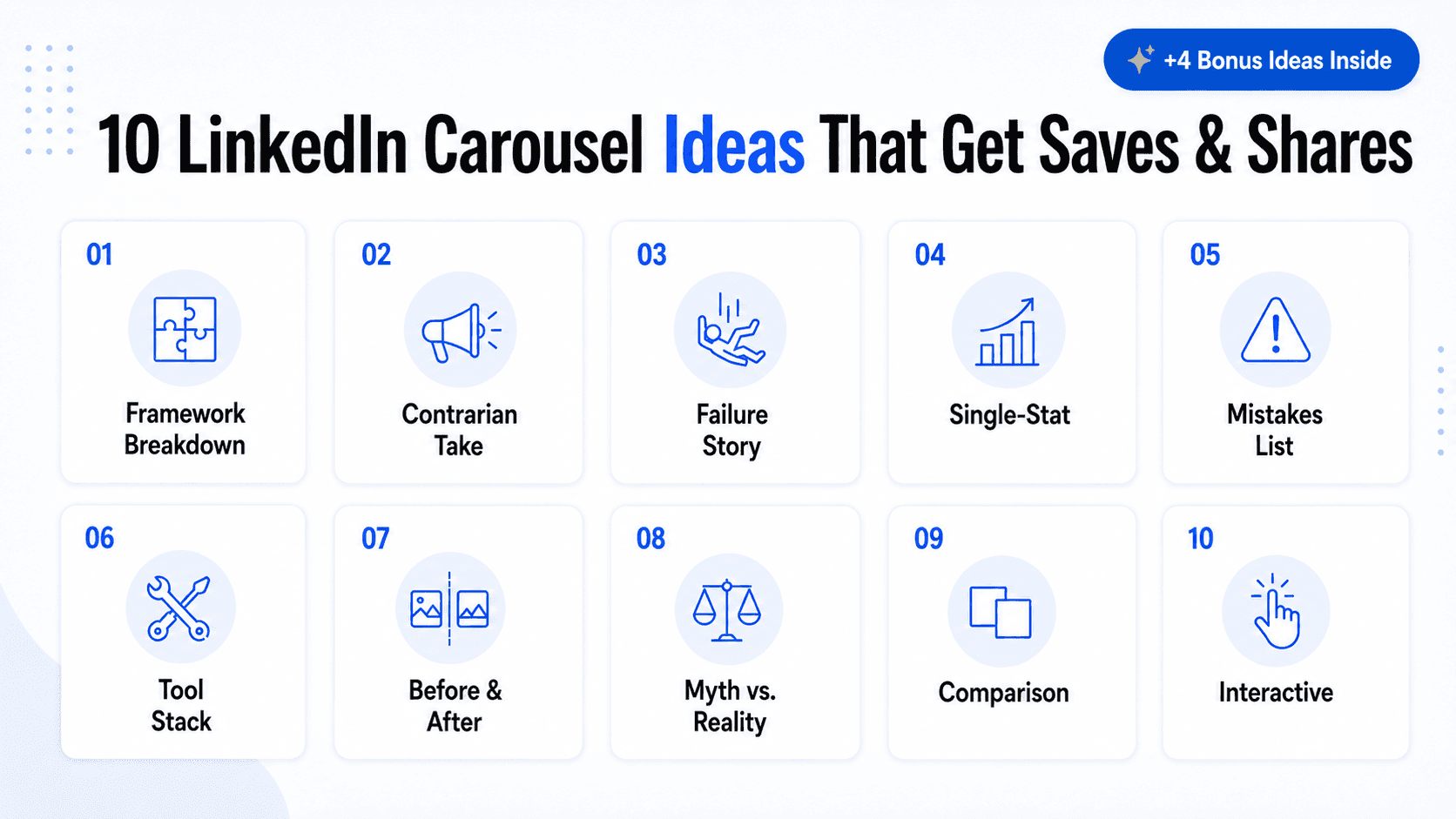
Below are 10 concrete LinkedIn carousel ideas, each with a sample hook and a slide-by-slide breakdown you can adapt to your own numbers and niche. These aren’t abstract categories, they’re specific enough to build from directly.
Once you’ve picked an idea, how to make a LinkedIn carousel covers the actual build and publishing steps, and LinkedIn Carousel Best Practices: 12 Rules for Engagement covers the formatting rules that apply no matter which idea you pick. If you already have a blog post you’d rather adapt than start from scratch, How to Turn a Blog Post Into a Social Media Carousel covers that workflow, and Best LinkedIn Carousel Generators 2026 compares the tools you’d use to actually build any of these.
What Is a LinkedIn Carousel? (Quick Refresher)
A LinkedIn carousel is a single post built from a multi-page document, most often a PDF, that renders as swipeable slides directly in the feed. Each idea below assumes you already know this much: what matters for this list is what to put on those slides, not how the format itself works. If you need the full explanation first, how to make a LinkedIn carousel covers it from the ground up, and LinkedIn’s help center has the platform’s own current documentation on document posts.
Quick Answer
The LinkedIn carousel ideas that consistently get saves and shares are the ones built around a specific hook rather than a generic topic: framework breakdowns, contrarian takes, failure stories, single-stat carousels, and mistake lists, among the 14 formats covered below, each with a sample hook and slide structure.
Why Specificity Beats Volume
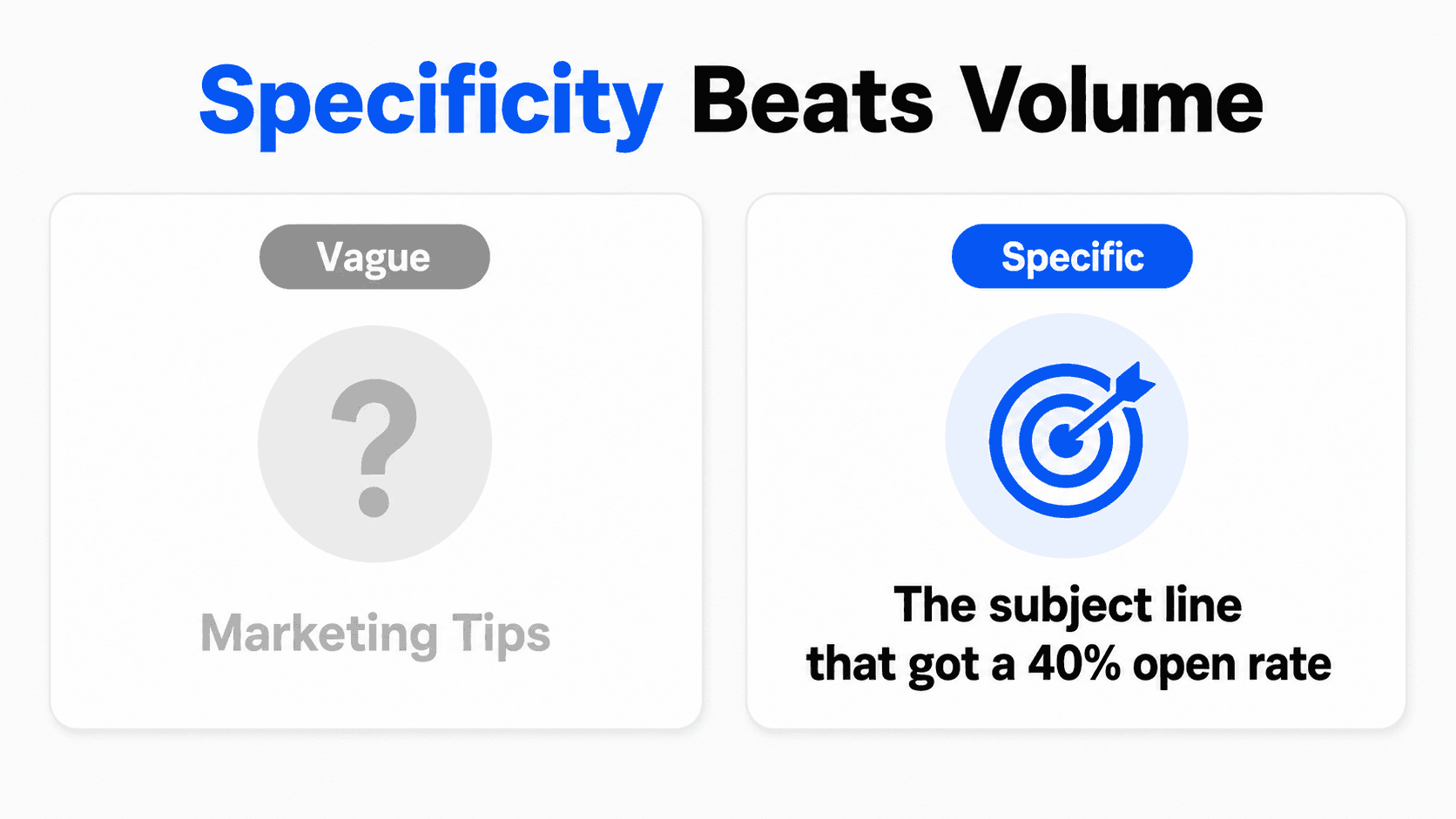
It’s tempting to treat this as a numbers problem: post more carousels, and eventually something lands. That’s backwards. A single specific carousel (“the exact subject line that got a 40% open rate on a cold email”) consistently outperforms five generic ones (“email marketing tips”) posted the same month, because specificity is what makes a scroll stop in the first place.
There’s a reason for this beyond taste. A generic hook asks the reader to do work, deciding whether “marketing tips” applies to them, before they’ve even seen the content. A specific hook does that work for them: it states exactly what’s inside and who it’s for, which means the only decision left is whether to swipe. Fewer decisions between the hook and the swipe means a higher swipe rate, which is the entire mechanism these 10 ideas are built around.
This also explains why borrowing someone else’s exact carousel rarely works as well as adapting the underlying shape. The specificity that made the original perform came from real numbers, a real failure, a real tool stack, details that don’t transfer. What transfers is the structure: the categories below are reusable, the content inside them has to be yours.
How to Use This List
Each idea below includes a sample hook (the text for slide one) and a suggested slide structure. Swap in your own numbers, industry, and experience, keep the shape, and the carousel writes itself faster than starting from a blank outline. If you’re mapping this into a broader plan rather than a one-off post, building a comprehensive content strategy covers how to structure that pipeline beyond just carousels.
10 LinkedIn Carousel Ideas
1. The framework breakdown
Take a process you run without thinking about it and split it into its component steps.
Sample hook: “The 4-step process I use to write a landing page headline in under 10 minutes.”
Slide structure: Slide 1 hook. Slides 2-5, one step each. Slide 6, a before/after example applying the framework. Slide 7, a closing prompt asking which step people struggle with most.
2. The contrarian take
Name a “best practice” in your field that you think is actually wrong, and back it up.
Sample hook: “Unpopular opinion: posting every single day is hurting most people’s LinkedIn reach.”
Slide structure: Slide 1 states the contrarian claim directly. Slides 2-4 explain the reasoning. Slide 5 offers what to do instead. Slide 6 invites disagreement in the comments.
3. The failure story
Share something that went wrong and what it taught you. Specificity is what makes this format work, not the size of the failure.
Sample hook: “I lost a client because of one line in a proposal. Here’s what happened.”
Slide structure: Slide 1 hook. Slide 2 sets the scene. Slides 3-4 walk through what went wrong. Slide 5 the lesson. Slide 6 how it changed your process going forward.
4. The single-stat carousel
Lead with one surprising number from your own data or a credible report, then unpack what it means.
Sample hook: “We tracked 90 days of carousel posts. One pattern showed up in every high performer.”
Slide structure: Slide 1 the stat or finding. Slides 2-4 the context and what caused it. Slide 5 the practical takeaway. Only use numbers you can actually stand behind; don’t borrow a stat from somewhere else without checking it first.
5. The mistakes-to-avoid list
A numbered list of specific mistakes in a niche you know well, each with the fix.
Sample hook: “5 things I stopped doing in client proposals that instantly improved my close rate.”
Slide structure: Slide 1 hook with the count. Slides 2-6, one mistake plus its fix per slide. Slide 7 a closing question or CTA.
6. The tool stack walkthrough
Show the specific tools you use for a workflow and what job each one does. This works because it’s concrete, not a generic “productivity tips” post.
Sample hook: “The 5 tools that run my entire content pipeline, and what each one replaced.”
Slide structure: Slide 1 hook. One slide per tool, naming it explicitly and what it replaced or solved. Final slide inviting people to share their own stack.
7. The before-and-after transformation
Walk through a real change, with specifics rather than vague improvement claims.
Sample hook: “This one paragraph rewrite tripled the reply rate on our outbound emails.”
Slide structure: Slide 1 hook. Slide 2 the “before” version. Slide 3 the “after” version. Slides 4-5 what specifically changed and why it worked. Slide 6 a prompt to try it themselves.
8. The myth vs. reality pairing
Name a misconception your audience holds, then pair it with the actual answer, one pair per slide.
Sample hook: “Myth: more followers means more revenue. Here’s what actually predicts it.”
Slide structure: Slide 1 names the myth. Slides 2-4, myth-reality pairs (one full pair per slide or spread across two). Final slide, the real lever to focus on instead.
9. The comparison carousel
Put two approaches, tools, or strategies side by side and make an honest case for one, without ignoring the other’s real strengths.
Sample hook: “Hiring a freelance designer vs. using an AI carousel generator: the actual tradeoffs.”
Slide structure: Slide 1 hook. Slide 2 sets up both options. Slides 3-5 compare on specific criteria (cost, speed, control). Slide 6 states which one you’d pick and why, without pretending the other has no upside.
10. The “swipe to find out” interactive carousel
Pose a specific question on slide one, then reveal the answer gradually across the following slides.
Sample hook: “Which of these 3 LinkedIn hooks do you think performed best? Swipe for the actual results.”
Slide structure: Slide 1 poses the question with the options visible. Slides 2-4 build tension or context. Final slide reveals the answer and explains why, inviting a comment on whether people guessed right.
Four More Ideas for Regular Posters
The 10 ideas above cover most situations, but if you’re posting carousels weekly, you’ll burn through them faster than you’d think. These four round out the list for people who need more rotation.
11. The reader-submitted question carousel
Take a question your audience actually asked, in a comment, a DM, a client call, and build the carousel around answering it in depth.
Sample hook: “Someone asked me why their proposals keep getting ghosted. Here’s the actual answer.”
Slide structure: Slide 1 states the question as it was actually asked. Slides 2-4 walk through the real answer. Slide 5 a specific action to take. Slide 6 invites more questions, which restocks your idea pipeline for next time.
Why it works: It proves you’re listening to your actual audience rather than posting generic content at them, and it solves the “what do I post next” problem by turning your inbox into a content source.
12. The prediction or trend call
State a specific, falsifiable prediction about where your industry is headed, with your reasoning.
Sample hook: “In 12 months, half the carousels on this platform will be AI-generated. Here’s why that’s not a bad thing.”
Slide structure: Slide 1 the prediction, stated plainly enough that people can agree or disagree with it. Slides 2-4 your reasoning. Slide 5 what it means for the reader specifically. Slide 6 a prompt asking whether people agree.
Why it works: A specific, falsifiable claim generates more comments than a vague trend observation, since people have something concrete to push back on or confirm. Vague futurism (“AI will change everything”) gets scrolled past; a specific claim gets argued with.
13. The FAQ carousel
Answer the questions your audience actually asks about your topic, all in one place, rather than waiting for one specific question to build a carousel around.
Sample hook: “The 6 questions I get asked most about pricing a freelance project. Here are the real answers.”
Slide structure: Slide 1 hook naming the theme and the number of questions. Slides 2-7, one question and its direct answer per slide. Final slide, a question you’re still working through yourself, inviting people to add their own in the comments.
Why it works: It’s different from the reader-submitted question idea above, that one goes deep on a single question; this one goes wide across a whole topic in one sitting. It positions you as a complete resource on the subject, and you don’t have to wait for someone to actually ask before you can post it, since you already know what your niche gets asked on repeat.
14. The collaborative carousel
Build the carousel with another person instead of alone, so it reaches an audience that’s never seen your content before.
Sample hook: “I sat down with [collaborator’s name] to talk about [topic]. Here’s what stood out.”
Slide structure: Slide 1 hook naming the collaborator and the topic. Slides 2-5 the actual insights, quotes, or a back-and-forth exchange between you two. Final slide, a handoff that tags the collaborator and points people to follow them as well.
Why it works: It’s the only idea on this list built around borrowing someone else’s audience instead of only working your own. The handoff slide is what makes that mechanic actually work, skip it and the post just reads as a guest appearance instead of a shared one.
How Often to Rotate Through These
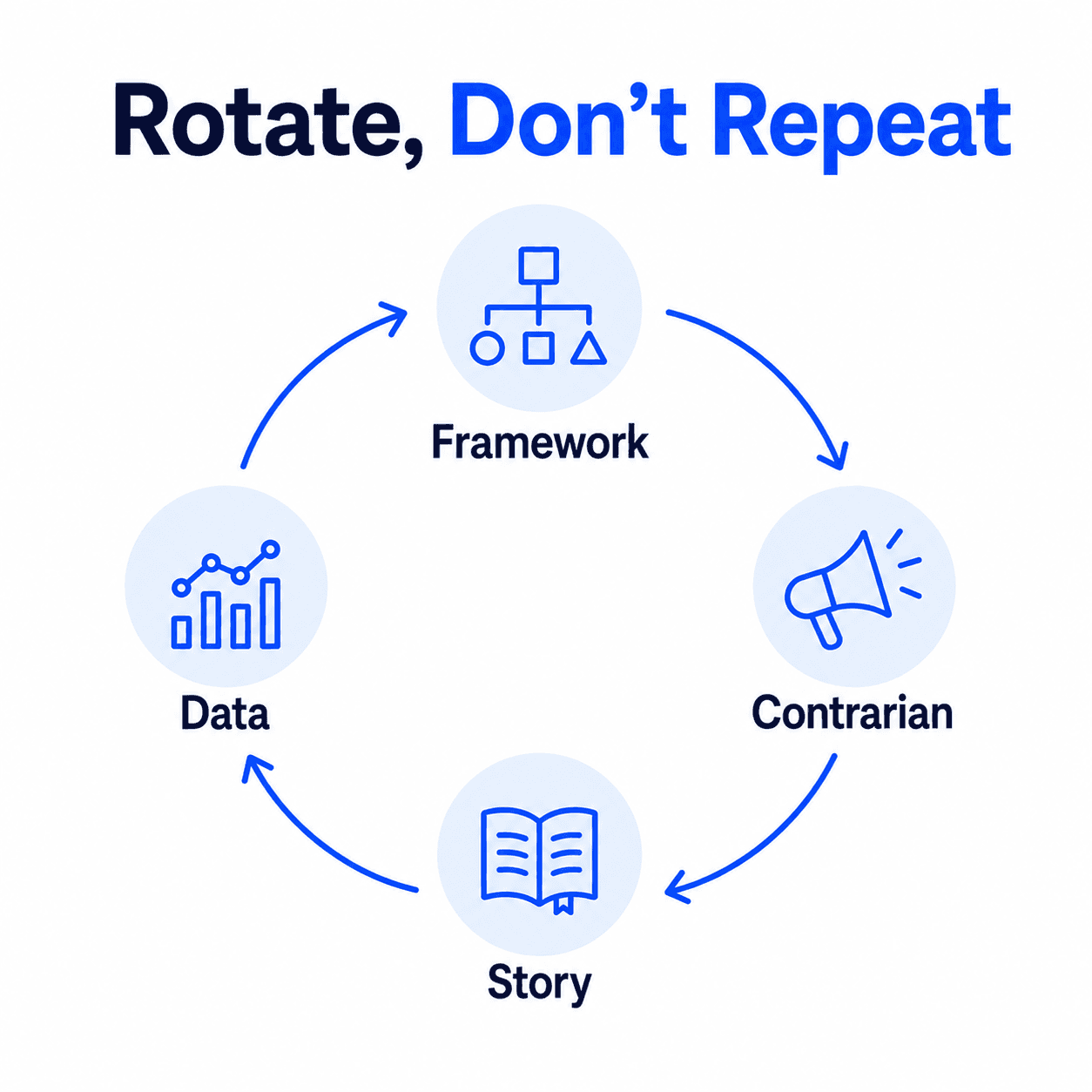
There’s no fixed formula, but a useful pattern is treating these 14 ideas as a rotation rather than a menu you pick from at random each week. Spread across a quarter, that might look like leading with a framework breakdown or mistakes list (both reliable, low-risk starting points), following with a contrarian take or myth-reality pairing every few weeks to generate discussion, saving the single-stat and before-and-after formats for moments when you actually have a real result worth sharing rather than forcing one on a week when you don’t, and slotting in a collaborative carousel every month or two when you can line one up with another creator.
The failure story and reader-submitted question ideas work best saved for when the material is genuinely there. Manufacturing a failure story that didn’t really happen, or answering a question nobody actually asked, tends to read as hollow, and audiences pick up on that faster than most people expect.
Idea-to-Goal Quick Reference
Idea | Best for | Suggested slide count |
|---|---|---|
Framework breakdown | Saves, authority | 6-8 |
Contrarian take | Comments, debate | 5-6 |
Failure story | Trust, shares | 5-6 |
Single-stat carousel | Saves, credibility | 5-6 |
Mistakes-to-avoid list | Reach, shares | 6-8 |
Tool stack walkthrough | Saves | 6-8 |
Before-and-after | Trust, shares | 5-6 |
Myth vs. reality | Comments, shares | 5-7 |
Comparison | Conversions | 5-6 |
Interactive | Engagement | 4-6 |
Reader-submitted question | Trust, comments | 5-6 |
Prediction or trend call | Comments, debate | 5-6 |
FAQ carousel | Authority, saves | 6-8 |
Collaborative carousel | Reach, new followers | 5-6 |
Adapting These Ideas to a “Boring” Industry
Every one of these ideas is built around a mechanic (a framework, a myth, a comparison), not a topic, which is exactly why they translate across industries that don’t feel naturally visual or exciting.
Take the mistakes-to-avoid list applied to a genuinely dry field, tax compliance. “5 things I stopped doing in client proposals” becomes “5 filing mistakes that trigger an audit,” same structure, same slide count, same closing prompt. The framework breakdown works the same way: “the 4-step process I use to write a landing page headline” becomes “the 4-step process I use to review a contract before signing,” regardless of how visually interesting the underlying subject is.
What changes industry to industry isn’t the mechanic, it’s the specificity of the content inside it. A “boring” industry with specific, concrete examples (real numbers, a real mistake, a real before-and-after) outperforms an exciting industry with vague content, because the mechanic is doing the engagement work, not the topic’s inherent visual appeal.
Turning Any Idea Here Into a Carousel in Decktopus AI
Here’s how one of these ideas, the framework breakdown, actually moves from a one-line concept to a finished carousel in Decktopus AI.
1. Enter the idea as a prompt. Type “the 4-step process I use to write a landing page headline in under 10 minutes” directly into Decktopus AI, or write out the full slide-by-slide outline first and paste it in as a short document.
2. Choose your visual direction. Pick a previously used style, a Brand Import from your website URL, or let the AI generate a look from scratch, no template library to search through.
3. Review the card-by-card outline. Decktopus shows the proposed slide breakdown before building the final design, so you can adjust the pacing (for example, splitting step 3 into two slides if it needs more room) before anything is finished.
4. Generate the full design. Decktopus builds the complete visual carousel, layout, color, typography, from scratch based on the approved outline.
5. Refine with Edit with AI or Edit Text. Adjust the hook’s wording or a slide’s color accent with a plain-language prompt and preview, or make direct text edits for small fixes.
6. Export as PDF. Standard or compressed quality, ready to upload to LinkedIn through “Add a document” in the post composer.
Start turning one of these ideas into a carousel on Decktopus AI and see a finished draft in minutes.
How to Tell Which Idea Actually Worked
Picking an idea from this list is the easy half. The other half is checking, after you post, whether that specific idea category actually earned its place in your rotation or just filled a week.
Match the metric to what the idea was built for. The reference table above already maps each idea to what it’s best for (saves, comments, reach), so check that specific metric first rather than treating every post the same way. A contrarian take that gets weak comments failed on its own terms even if impressions were fine; a framework breakdown that gets few saves didn’t deliver the reusable value it promised, regardless of how many people saw it.
Compare an idea category against your own past use of that same category, not against a different idea type or an external number. A framework breakdown should be judged against your other framework breakdowns, since comparing it to your best-performing failure story tells you which format you’re better at, not whether this specific post worked.
Low comments on formats built for debate (contrarian take, myth vs. reality, prediction) usually means the claim wasn’t specific enough. A vague contrarian statement gets scrolled past the same way a vague hook does. If this category consistently underperforms for you, revisit whether the claims were falsifiable and specific enough to actually argue with.
Low saves on formats built for reference (framework breakdown, tool stack, mistakes list) usually means the content wasn’t concrete enough to bookmark. People save things they intend to act on later. If the framework or steps were too abstract to actually apply, the save rate reflects that even if the writing read well.
Track this over your rotation, not post by post. A single underperforming carousel doesn’t mean an idea category is broken, since topic and timing both affect any one post. A pattern across three or four attempts at the same idea type, using LinkedIn’s native post analytics or your Creator/Company Page dashboard, is the more reliable signal for deciding whether to keep an idea in regular rotation or retire it.
FAQ
What makes a LinkedIn carousel idea good instead of generic?
Specificity. “Marketing tips” isn’t a usable idea; “the exact subject line that got a 40% open rate” is. A good carousel idea should be specific enough to fit as a clear title on slide one without needing more explanation.
How many slides should a carousel built from one of these ideas have?
It depends on the idea type. Contrarian takes and comparisons tend to work well shorter (5-6 slides); framework breakdowns and mistake lists often need 6-8 slides to do the topic justice. The reference table above maps each idea to a suggested range.
Do I need real data to use the single-stat carousel idea?
Yes, or at minimum a stat from a source you can stand behind. Don’t borrow an unverified number from another carousel just because it sounds compelling; if you can’t confirm where it came from, it’s not safe to repeat.
Can these ideas work for a first-time carousel poster?
Yes. The mistakes-to-avoid list and the framework breakdown are the most forgiving starting points, since both have a built-in structure (a number of items, or a number of steps) that maps directly onto slide count.
Should every carousel end with a call to action?
Not necessarily a hard sell, but every carousel should end with something specific: a question, a prompt to save the post, or an invitation to share an experience. A vague “follow for more” on the last slide wastes the strongest position in the carousel.
How do I keep coming up with new carousel ideas once I run out of this list?
Mine your own inbox and comment section. The reader-submitted question idea above exists specifically because it’s self-replenishing: every question someone asks you is a future carousel, and answering it publicly usually helps more people than just the one who asked.
Do these ideas work for a “boring” or technical industry?
Yes, since every idea here is a mechanic (a framework, a comparison, a myth-reality pairing), not a topic. A dry subject with specific, concrete details inside one of these structures usually outperforms an exciting subject with vague, generic content.
Should I use the same idea format repeatedly, or rotate through the list?
Rotate. Repeating the same format (say, only ever posting mistake lists) trains your audience to expect the same shape every time, which reduces the curiosity a fresh format creates. Cycling through 3-4 formats keeps a consistent posting rhythm without becoming predictable.
How do I know which carousel idea from this list actually worked?
Check the metric that idea was built for, saves for reference-style formats like frameworks and tool stacks, comments for debate-style formats like contrarian takes and myth-reality pairings, against your own past use of that same idea category. A single post underperforming doesn’t retire an idea; a pattern across three or four attempts does.
Need a layout to execute one of these ideas quickly? Free LinkedIn Carousel Templates for 2026 covers where to find one. Some of these ideas travel well to TikTok too: the TikTok Carousel Guide covers that platform’s specifics.
Conclusion
The 10 ideas above aren’t a formula to follow rigidly, they’re starting shapes. Swap in your own numbers, your own failure, your own tool stack, and the specificity does the work that a generic topic never will. Pick one, write the outline one slide at a time, and build it before the idea goes stale.
Ready to turn one of these into a finished carousel? Start a carousel on Decktopus AI, or see the full feature set on the carousel maker landing page.
Related posts

How AI Voice Agents Help Sales Teams Prepare and Deliver Better Presentations
Learn how AI voice agents help sales teams turn call insights into focused slides, stronger delivery, and more confident customer presentations at every stage.
Marketing

Instagram Carousel Size & Dimensions Guide (2026)
Instagram carousel size in 2026: exact dimensions for square, portrait, and landscape, plus file limits and safe zones, verified across sources.
Marketing

LinkedIn Carousel Size, Dimensions & Format Guide 2026
LinkedIn carousel size in 2026: exact dimensions, file limits, aspect ratios, and formatting rules so your slides never get cropped.
Marketing