Sales & Proposals
Which Presentation Software Is Best for Sales Decks With Branding?
Not all presentation software handles branding the same way. Here's how the main options compare for sales teams that need decks that are fast to build, easy to customize, and always on-brand.


Decktopus Content Team
Sales decks have two jobs that are usually in tension with each other. They need to be customized enough to feel relevant to the specific prospect. And they need to be consistent enough to represent the brand accurately every time.
Most presentation software is built for one or the other. Tools built for speed let reps move fast but leave brand rules open to interpretation. Tools built for design control lock things down but slow reps to a crawl when they need to personalize quickly.
The best presentation software for branded sales decks solves both. This article breaks down what that actually requires, how the main tools compare, and what to look for before committing to one.
For a full look at what brand-consistent AI generation requires, see can AI generate presentations using your company logo, colors, and tone.
What Sales Decks Actually Need From Presentation Software
A sales deck is not a one-size-fits-all document. It gets customized for different industries, company sizes, personas, and deal stages. Reps add slides, remove slides, swap case studies, and adjust messaging depending on who they are talking to.
That customization is necessary. But it is also where brand consistency breaks down. Every edit a rep makes is an opportunity to introduce something off-brand, intentionally or not.
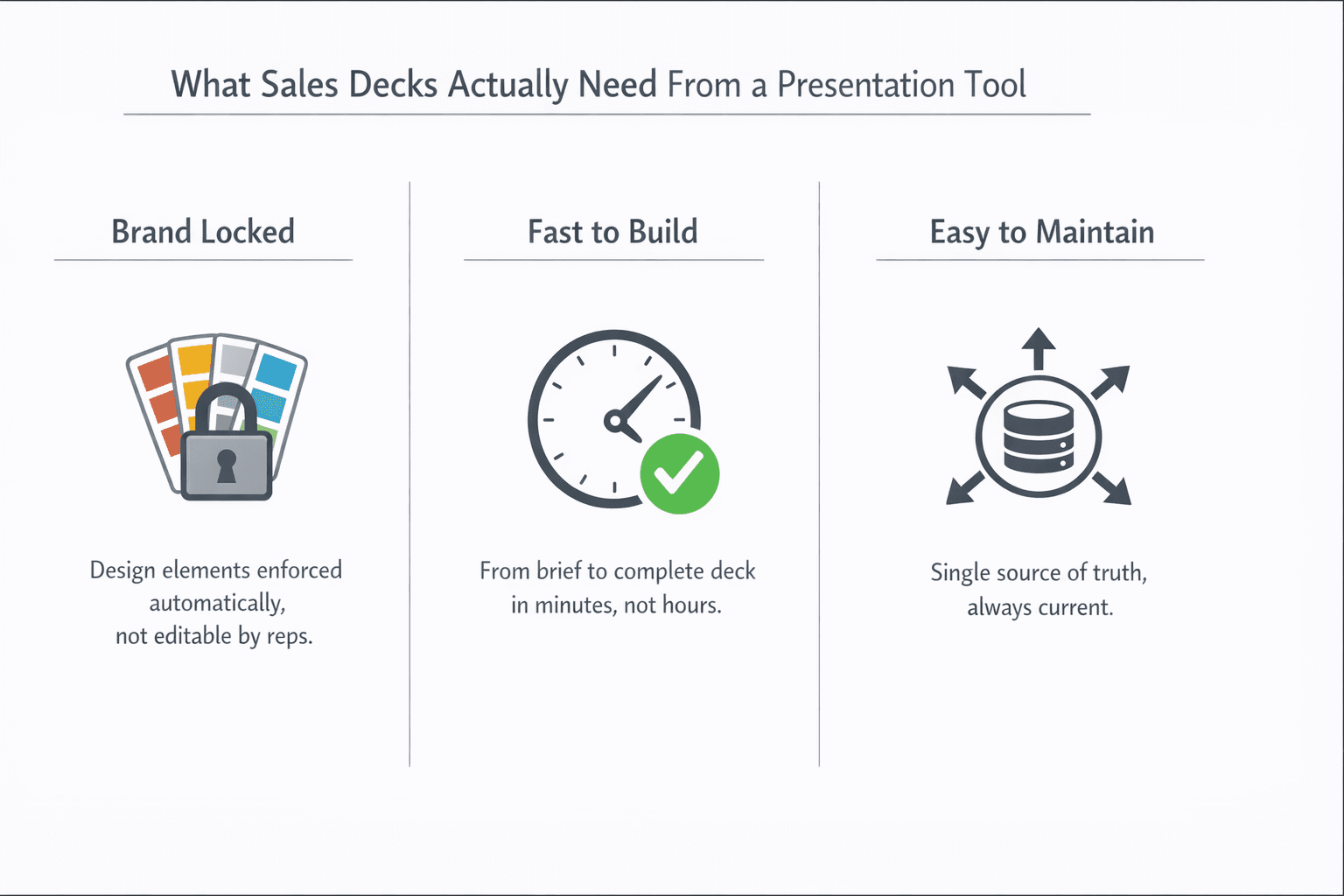
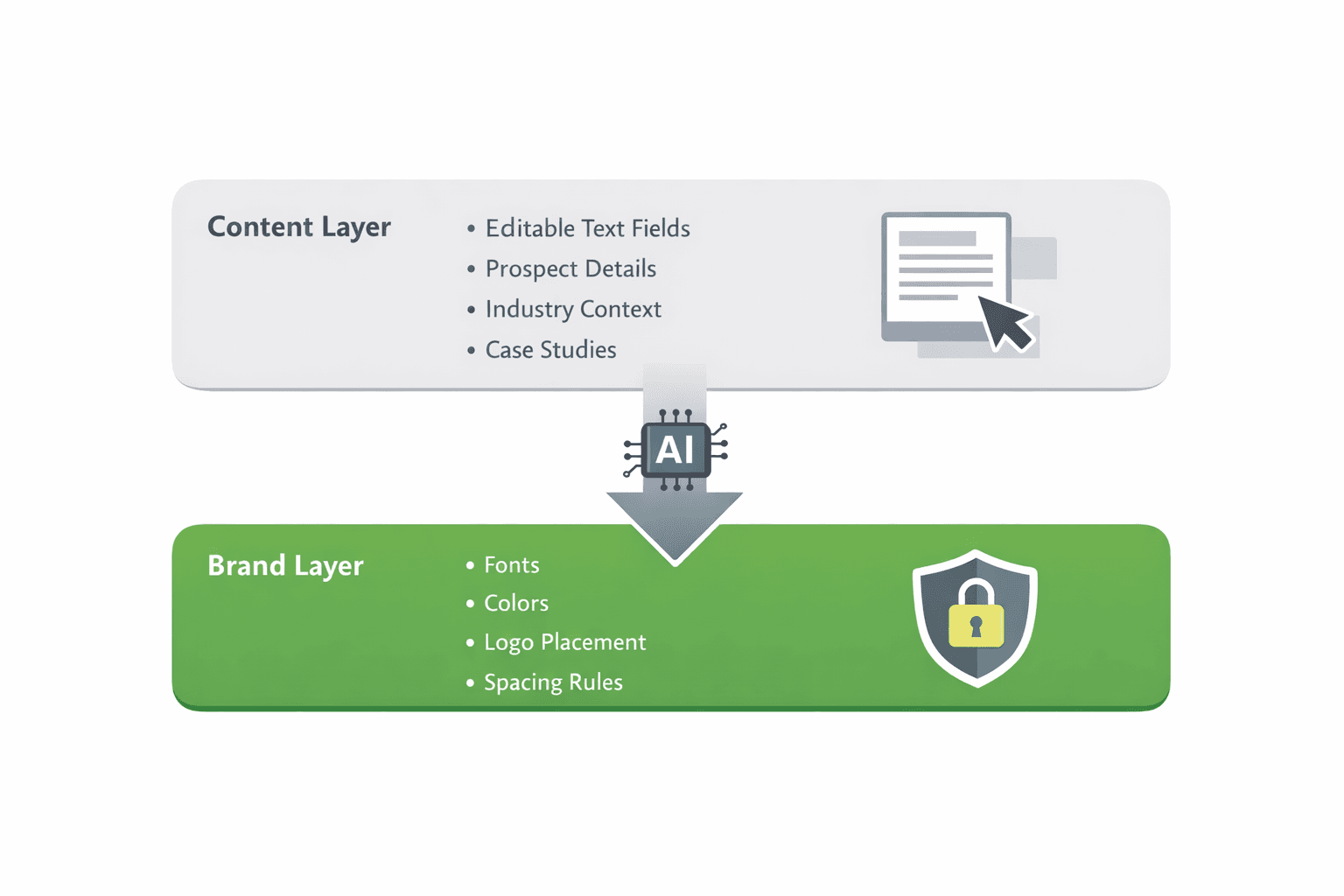
Good sales presentation software branding handles this by separating what is customizable from what is not. Content fields like prospect name, company context, and specific pain points should be editable by anyone. Design elements like fonts, colors, logo placement, and slide margins should be locked at the brand level and not touchable by individual reps.
Beyond that, sales decks need to be fast to produce. A rep preparing for a call in two hours cannot spend that time wrestling with layout software. The tool needs to get from prompt or brief to complete the deck quickly, with brand rules already applied, so the rep can focus on the content rather than the design.
And they need to stay current. A deck built six months ago may have outdated case studies, old pricing, or a logo that has since been updated. The tool needs to make it easy to maintain a single source of truth that everyone pulls from rather than a scattered set of old files each rep has saved locally.
The Brand vs. Speed Problem
The reason most tools fail sales teams on branding is that they treat speed and brand control as a tradeoff rather than a combination.
Tools optimized for speed give reps maximum flexibility. They can drag and drop elements, change colors, swap fonts, and build whatever they need quickly. The problem is that flexibility is the enemy of brand consistency. Every option the tool leaves open is an option for a rep to get wrong.
Tools optimized for brand control lock down design so tightly that customization becomes painful. Reps have to request changes through marketing, wait for approvals, and work around restrictions that make the tool feel more like a compliance exercise than a productivity one. Under deadline pressure, reps route around these tools entirely.
The right answer is not a point on the tradeoff spectrum. It is a different architecture. Brand rules live at the system level and apply automatically. Content is fully editable. Design is not. The rep gets speed on the parts they are responsible for and brand accuracy on the parts they should not be touching.
This is what makes AI-powered presentation tools with brand kit systems different from traditional software. The AI generates within brand constraints. The rep edits content within a locked design. Speed and brand control are not in tension because they are operating on different layers of the same deck.
For a broader look at how the best tools for brand-consistent slides are evaluated, what are the best presentation tools for brand-consistent slides compares them across the criteria that matter most.
How the Main Tools Compare
Here is an honest comparison of the main options sales teams use for branded decks, across the criteria that matter: brand enforcement, speed, customization flexibility, and AI capability.
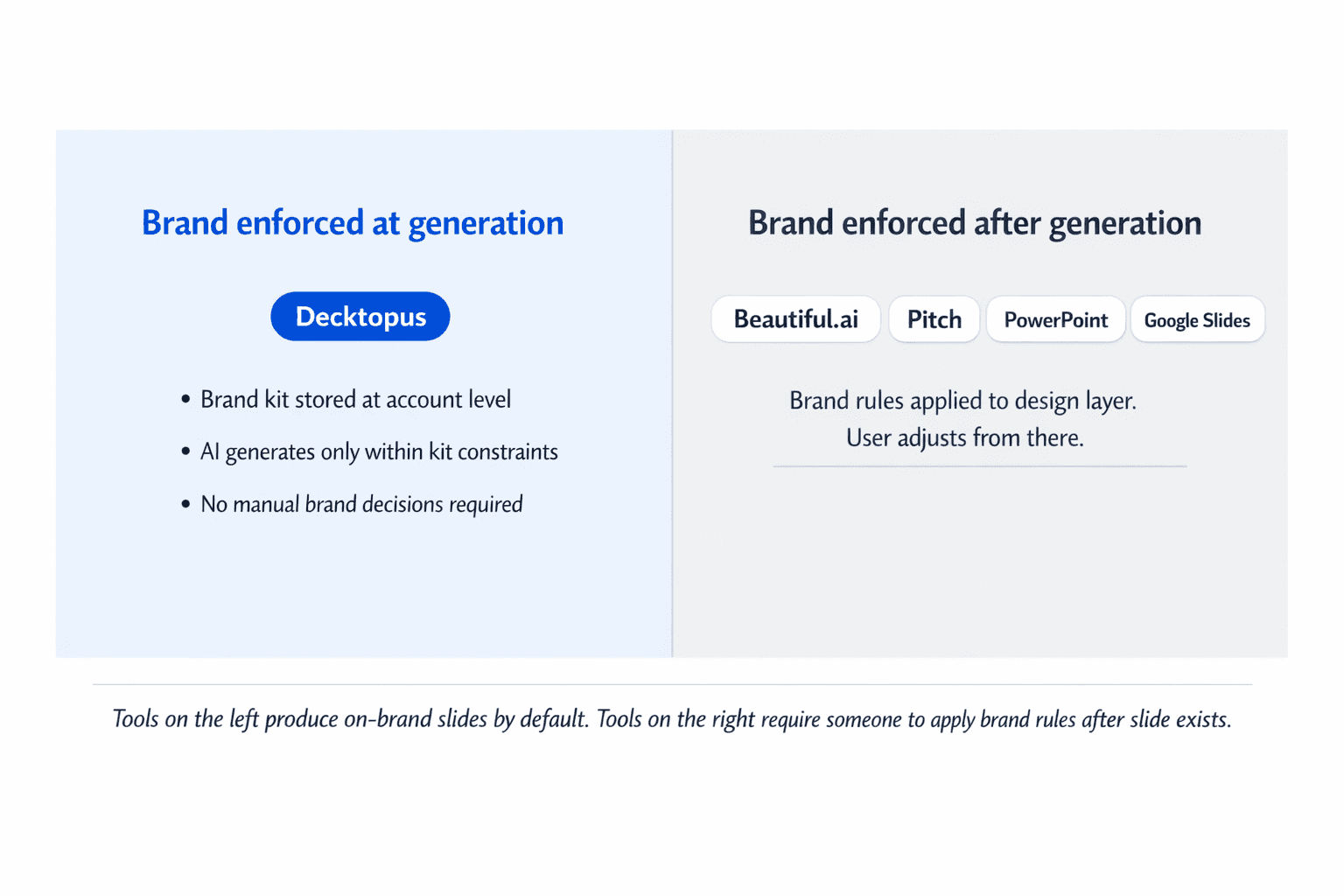
Decktopus is built around a Brand Kit system where fonts, exact hex color values, logos, and reference slides are stored at the account level. When a rep generates a deck, they select the brand style and the AI generates every slide within those constraints. Brand rules apply at generation, not after. Reps can edit content fields without touching design. The slide library lets teams build a curated set of approved slides that reps can pull from and assemble quickly. Multi-brand support means agencies or companies with sub-brands can maintain completely separate kits. Best for teams where brand accuracy is a hard requirement and multiple people are generating decks.
Beautiful.ai uses smart layout technology that adjusts slide structure as content is added. Brand Kit features are available on Team and Enterprise plans covering fonts, colors, logos, and default layouts, with automatic propagation when the kit is updated. Multiple brand kits are supported. The brand enforcement works at the design layer rather than at generation, so outputs are visually consistent but require more manual oversight for content brand compliance. Good for teams that prioritize visual polish and have designer involvement.
Pitch has strong collaboration features with shared slide libraries and team templates. Font and color support is included. Roles and permissions allow some control over who can edit what. AI features are still developing. Good for teams with designer involvement and a content library they want to maintain collaboratively.
PowerPoint with a brand template is the most widely used option and the one with the least built-in brand enforcement. Templates can be designed with locked elements but those locks are easy to override. Brand consistency depends almost entirely on individual discipline. Works for teams with strong design oversight and low generation volume. Breaks down at scale.
Google Slides shares most of the same characteristics as PowerPoint for brand enforcement purposes. Easy to share and collaborate on, difficult to enforce brand rules systematically. Better for internal documents than client-facing sales decks where brand accuracy matters.
What to Look for in a Tool for Branded Sales Decks
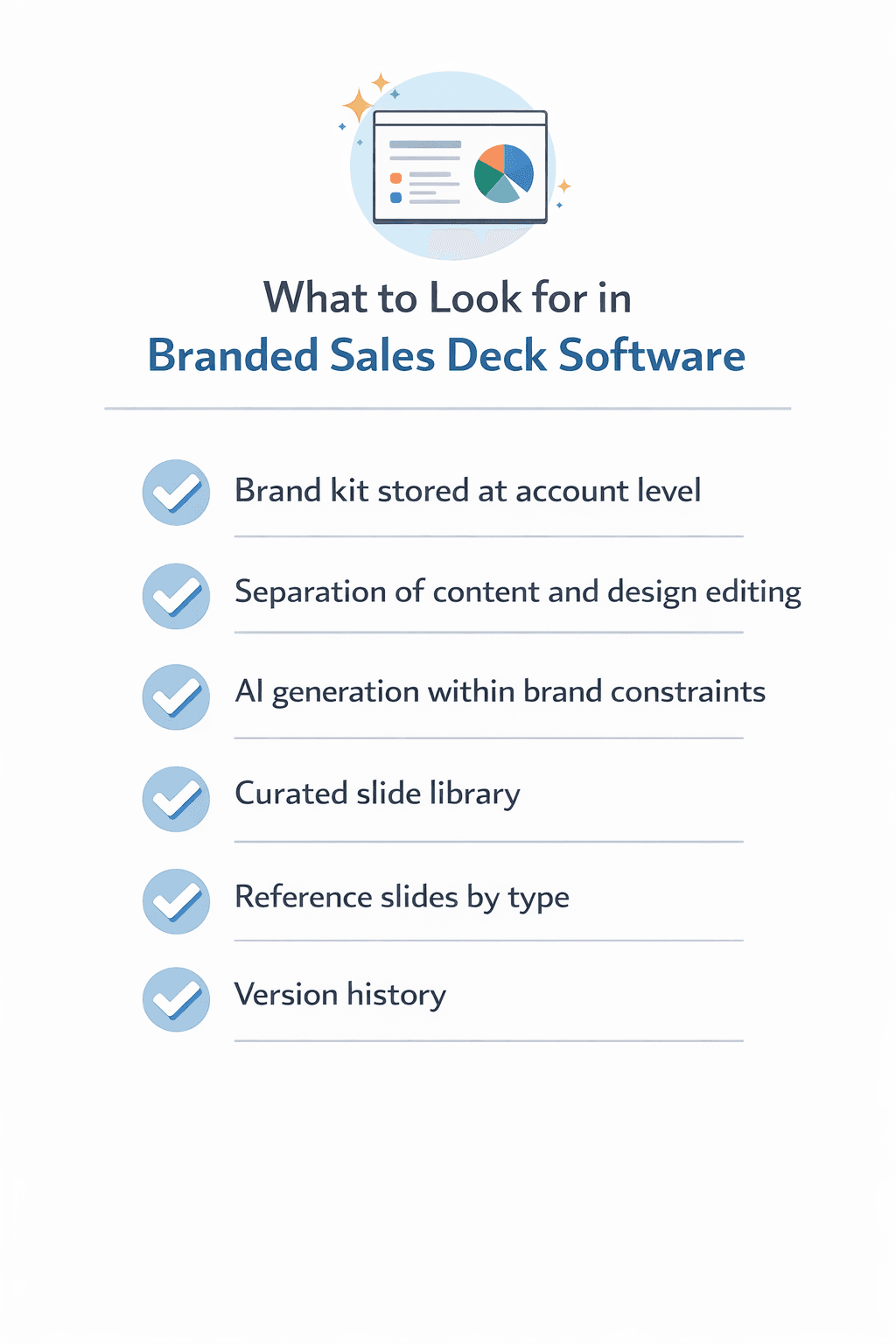
Use this checklist when evaluating any presentation software for a sales team with brand requirements.
Brand kit stored at the account level. Fonts, exact hex color values, logos, and reference slides should be configured once and applied automatically to every new deck. If brand settings are per-deck, brand consistency depends on individual memory every time a rep starts a new presentation.
Separation of content and design editing. Reps should be able to edit prospect name, company context, specific pain points, and case study selection without being able to change fonts, colors, logo placement, or slide margins. If the same permissions that allow content editing also allow design editing, brand drift is inevitable.
AI generation within brand constraints. If the tool uses AI, the AI should generate slides using your brand assets, not generic defaults. This means the brand kit needs to inform the generation, not just be available as a post-generation option.
A curated slide library. A library of approved, on-brand slide modules that reps can pull from and assemble is safer than a folder of old decks. The library should be easy to update centrally so that when messaging or visuals change, the update happens in one place and every new deck reflects it.
Reference slides by slide type. Beyond raw brand assets, the tool should support approved slide examples by type covering the slide formats the sales team uses most: intro slides, problem slides, solution slides, case study slides, pricing slides, closing slides. These guide AI generation and ensure outputs match the company’s actual visual standard, not just its raw color and font values.
Version history. Sales decks get edited multiple times before they go out. A tool that keeps version history lets reps recover a previous version if an edit goes wrong, without losing the whole deck or needing to start over.
Want to see how this works in practice? Try Decktopus AI and build your first branded sales deck without touching a single design setting manually.
How Decktopus Handles Sales Deck Branding
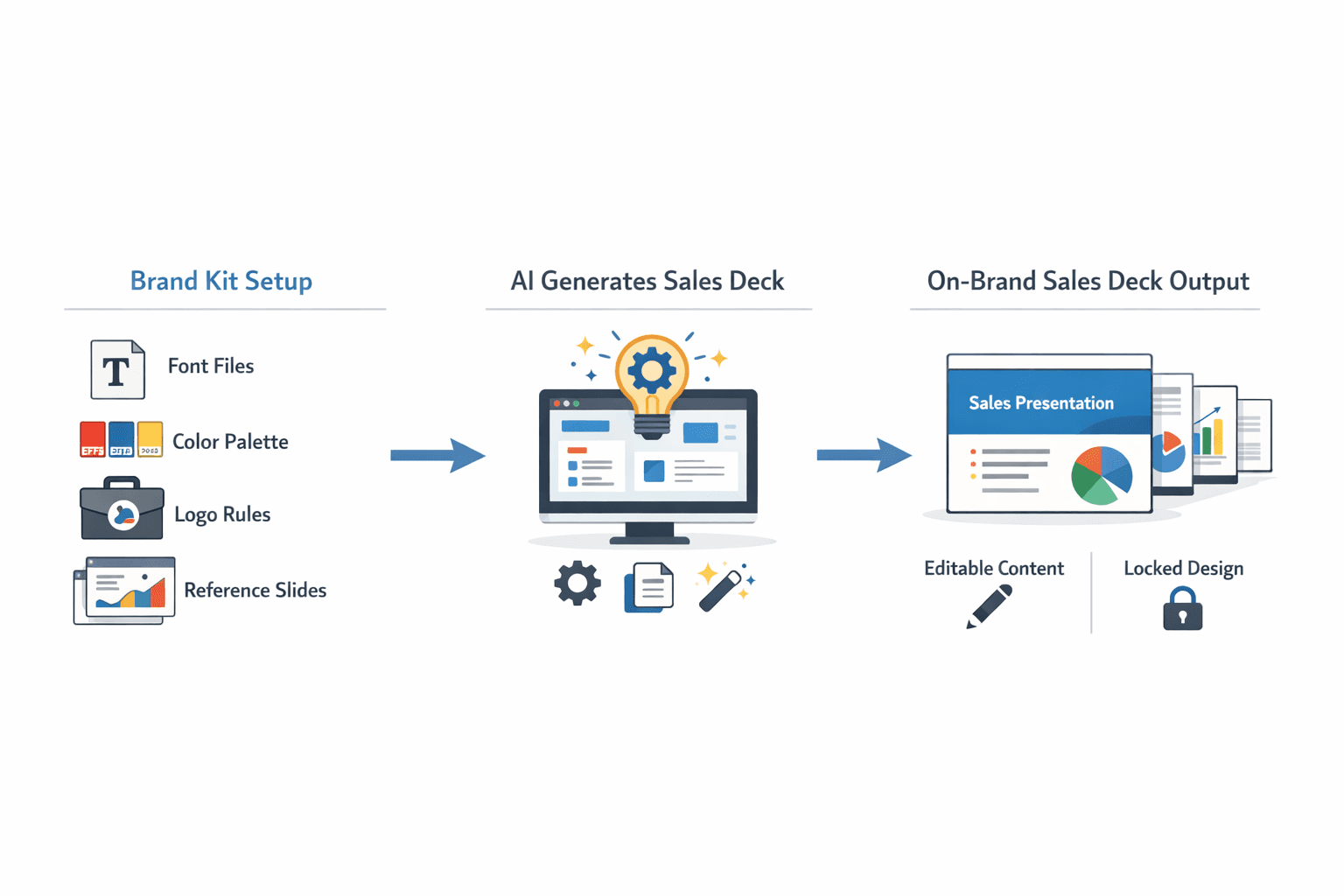
Decktopus is designed around the specific tension sales teams face: brand accuracy at the speed reps actually need.
The Brand Kit system stores logos, exact hex color values, uploaded font files, and reference slides at the account level. When a rep starts a new deck, they select their brand style and the AI generates every slide within those constraints automatically. No font decisions. No color choices. No logo placement to remember. The output is on-brand from slide one because the generation was limited to on-brand options.
Reference slides in the kit cover the slide types sales teams use most and are admin-managed, meaning only brand leads or marketing can update them. This ensures the AI always generates against approved visual standards, not whatever the last person to edit a reference slide decided looked good.
The slide library gives reps a curated set of proven slides to pull from. Slides can be starred from past presentations, saved from regenerations, or added by admins from the organization library. Reps assemble decks from approved components rather than building from scratch or reusing old files. The result is faster deck creation and less brand drift.
Version history is built in at the slide level. Every regeneration creates a new version. Reps can restore any previous version for free without regeneration cost, so editing is low-risk. If a content change breaks the layout or something looks off, going back is a single action.
For teams managing multiple brands or product lines, separate brand kits are fully isolated. Switching between brands means selecting a different kit, and assets from one kit are not accessible when working in another. This matters for companies with sub-brands as much as it does for agencies.
For a detailed look at how the full system works across a team, how to build a team presentation system with AI covers roles, approval workflows, and how to structure generation at scale.
The best presentation software for branded sales decks is not the one with the most templates or the most design options. It is the one that applies brand rules automatically so reps never have to make a brand decision, while still letting them move fast enough to prep a customized deck before a call.
That requires brand kit storage at the account level, separation between content and design editing, AI generation within brand constraints, and a curated slide library that stays current. Most traditional tools handle some of these. Tools built specifically for brand-aware AI generation handle all of them.
Quick checklist when evaluating software for branded sales decks:
Brand kit stored at account level, not configured per deck
Content editing and design editing are separate permissions
AI generates within brand constraints, not around them
Approved slide library reps can assemble from
Reference slides by type to guide AI generation
Version history so editing is reversible
FAQ
What makes a presentation tool good for branded sales decks specifically?
The combination of brand enforcement and speed. The tool needs to apply your brand rules automatically so reps do not have to, while still being fast enough that a rep can build a customized deck in minutes. Tools that sacrifice speed for control slow reps down. Tools that sacrifice control for speed let brands drift in. The best options handle both through account-level brand kit storage and AI generation within those constraints.
Can AI presentation tools generate sales decks that are actually on-brand?
Yes, if the tool has a proper brand kit configured. That means uploaded font files (not selected from a preset list), exact hex color values, logos with placement rules, and reference slides by slide type. When those are in place, the AI generates within those constraints and the output is on-brand by default. Without a configured brand kit, the AI uses generic defaults.
How do you let sales reps customize decks without breaking the brand?
By separating what is editable from what is not. Content fields like prospect name, industry context, and case study selection should be fully editable. Design elements like fonts, colors, logo placement, and slide margins should be locked at the brand level. Reps customize what they are responsible for. The system protects everything else.
Is PowerPoint still a good option for branded sales decks?
For teams with low generation volume, strong design oversight, and a dedicated person to build and maintain templates, yes. For teams where multiple reps are generating and customizing decks at volume, it is not. PowerPoint templates can be designed with locked elements but those locks are easy to override, and brand consistency ends up depending on individual discipline rather than system enforcement.
What is the difference between a slide library and a folder of old decks?
A slide library is a curated, approved set of on-brand slides organized by type and maintained centrally. When something changes, the update happens in the library and every new deck built from it reflects the change. A folder of old decks is a collection of everything anyone ever made. Reps pull from it based on what looks right to them, which is how off-brand slides get reused and spread. The library is a source of truth. The folder is a liability.
Related posts

Struggling to Find New Clients? 5 Proven Tips to Turn Prospecting Into Growth
Struggling to find new clients? Discover 5 proven tips, from proposals to paid ads, to build a steady pipeline of new business.
Sales & Proposals

Cracking the Code: Mastering B2B Sales Strategies & Techniques
Discover the essential guide to mastering B2B sales strategies and techniques, uncovering the secrets behind successful business-to-business selling. Explore the B2B sales process, optimize your team's performance, and elevate your approach to selling products for businesses.
Sales & Proposals
Mastering Proposals: Exploring the Best Business Proposal Tools and Software Solutions
Discover the best business proposal tools, including PandaDoc and Proposable, to streamline your proposal process and win more clients.
Sales & Proposals