Presentations
Decktopus: Is It Your Next Online Presentation Maker?
A full review of Decktopus AI as an online presentation maker: features, pros and cons, and how it compares to traditional tools.


Decktopus Content Team
Choosing an online presentation maker feels harder than it should. Every tool promises to save you time, and most of them ask you to learn a new interface before you get anything done.
This guide reviews Decktopus AI as an online presentation maker, so you can decide if it fits how you actually work. Teams that use AI-assisted design tools report cutting document production time by more than half, according to McKinsey research on generative AI productivity gains.
That is the gap Decktopus AI is built to close for presentations specifically.
Table of Contents
What Is Decktopus AI?
How Decktopus AI Works
Core Features of Decktopus AI
Pros and Cons of Decktopus AI
Decktopus AI vs. Other Presentation Makers
The 5-Factor Presentation Tool Evaluation Framework
Who Decktopus AI Is Built For
Why Simplicity Beats Complexity in Presentations
Common Mistakes to Avoid When Choosing a Presentation Tool
How to Build Your Presentation with Decktopus AI
Conclusion
Stay Connected

What Is Decktopus AI?
Decktopus AI is an AI-powered presentation platform that generates a complete, ready-to-present deck from a short text prompt. Watch What is Decktopus for a quick overview, or keep reading below. It handles structure, written content, and visual design in one pass, so you start from a finished draft instead of a blank slide.
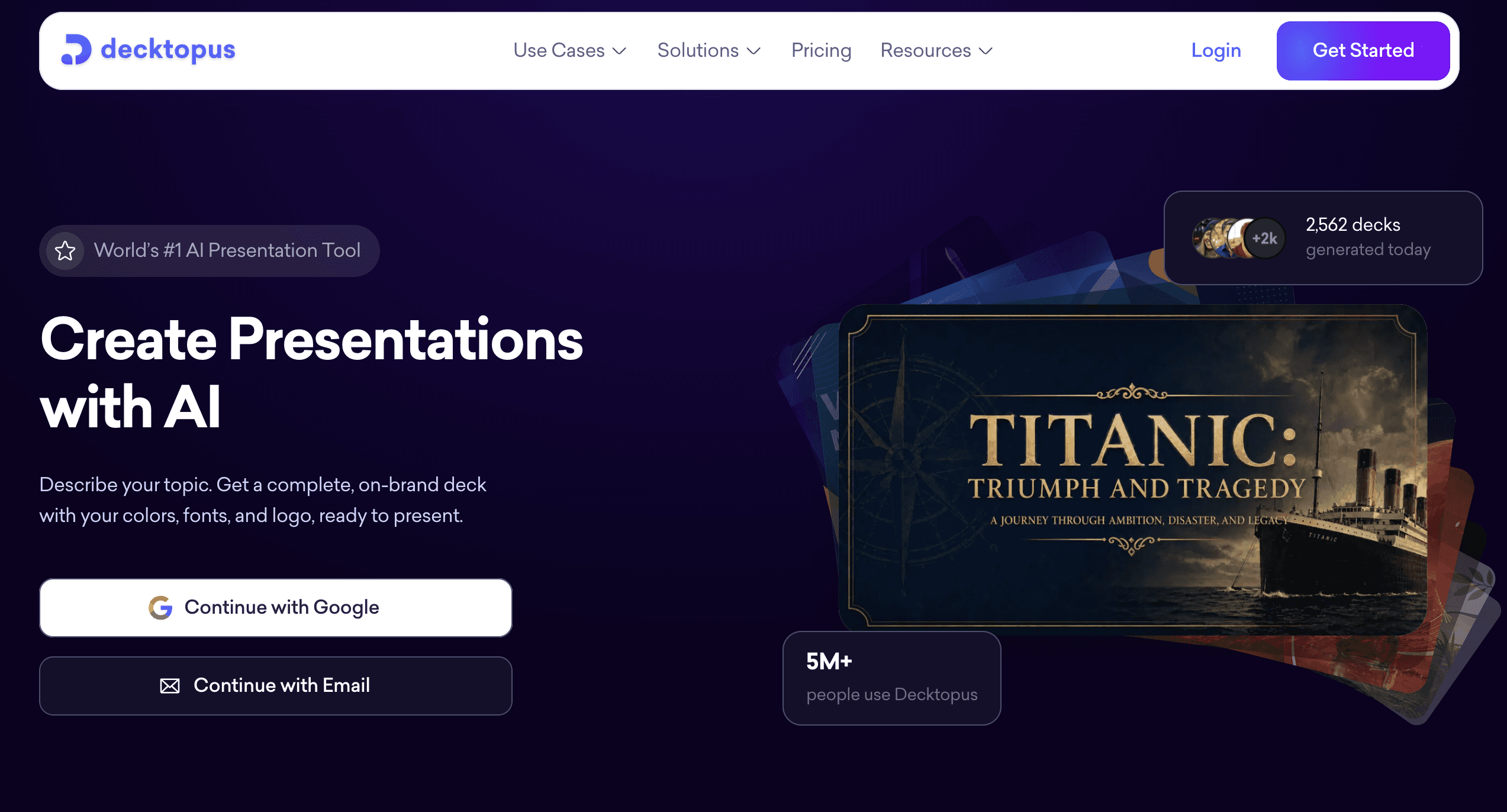
Decktopus AI now serves more than 4 million users worldwide, a scale that reflects steady demand for faster, AI-first presentation tools since the company was founded in Palo Alto in 2019.
The core idea is simple. You describe your topic, review an outline, and let the AI build the deck around it.
From there, you refine with plain-language edit prompts instead of manually repositioning text boxes and shapes.
How Decktopus AI Works
Every Decktopus AI deck follows the same basic path. You type a topic description, or upload a source file like a PDF, PPT, or a set of notes.
The AI generates an outline first. You can edit section titles, reorder points, or add and remove sections before anything gets built.
Once you approve the outline, Decktopus AI generates the full deck, including layout, copy, and visual design pulled from your chosen style.
From there, you are in edit mode, where you can adjust anything with natural language or by hand.
Core Features of Decktopus AI
Here is what actually ships inside the product today, grouped by what each feature does for your workflow.
AI Presentation Generation
Type a short topic description and Decktopus AI builds a full deck around it. The process is two steps: an editable outline first, then the complete presentation.
AI Image Generation and Stock Libraries
Generate custom images for any slide by describing what you want in plain language. You also get in-app access to Unsplash and Freepik if you prefer stock photography.
Edit with AI and Edit Text
Edit with AI lets you type instructions like "make the tone more formal" or "shorten this slide," with a preview before anything is applied and undo always available. Edit Text gives you a direct, manual editing panel for when you just want to type over existing copy.
Brand Import
Paste your company website URL and Decktopus AI pulls your colors, typography, and logo automatically. You can also reuse a saved brand style or let the AI generate a fresh look from scratch.
Beautify
Beautify takes an existing file and does one of two things. Use as a Resource extracts key points from your upload to build a brand-new deck, which needs a prompt. Redesign keeps your existing text and structure and just applies new visual design, and a prompt is optional here.
Loop AI Delivery Coach
Loop gives you real-time feedback while you rehearse your delivery. It also preps you for Q&A by generating likely audience questions and giving feedback on how you answer them.
Deck Analytics and Email Gate
Once you share a deck, Deck Analytics shows who viewed it, how long they stayed, and which slides held their attention. The Email Gate sits on the share link itself and collects a viewer's email before they can open the deck, turning any shared presentation into a lead generation tool.
Sharing, Embedding, and Export
Share a live link with a public or private toggle, and any edits you make later update automatically at that same URL. Embed a deck as an iframe on your own website, present full-screen directly from Decktopus AI, or export to PDF, PPT, or PNG in Standard or Compressed quality (Pro and Business plans).
ChatGPT Integration and MCP Server
Decktopus AI has an official ChatGPT integration, so you can generate decks without leaving a ChatGPT conversation. There is also an MCP Server that connects Decktopus AI to coding tools like Claude Code and Cursor, letting developers create and manage decks programmatically.
Pros and Cons of Decktopus AI
No tool is the right fit for every use case. Here is a balanced read on where Decktopus AI is strong and where it has real limits.
Pros
Full decks generated from a short prompt, with an editable outline step before final generation
Brand import pulls your colors, fonts, and logo directly from your website
Built-in rehearsal coaching through Loop, something most general design tools skip entirely
Deck Analytics and the Email Gate turn shared decks into a measurable, lead-generating channel
Cons
Credit-based system (5 credits per slide, 5 credits per carousel card, 5 credits per Edit Text change) means heavy editing sessions consume credits faster than occasional use
Team Collaboration and Custom Domain are limited to the Business plan
Deep, pixel-level manual design control is more limited than a dedicated graphic design tool
Export quality options (Standard or Compressed) are only available on Pro and Business plans
Decktopus AI vs. Other Presentation Makers
Here is how Decktopus AI stacks up against the traditional presentation software category, based on the workflow each one is built around.
Factor | Decktopus AI | Traditional Presentation Software |
|---|---|---|
Starting point | Full deck generated from a topic prompt | Blank canvas or manual template selection |
Editing method | Natural language prompts plus manual text editing | Manual drag-and-drop only |
Brand setup | Automatic import from your website URL | Manual color and font selection |
Delivery practice | Built-in Loop AI Delivery Coach with Q&A prep | Not typically included |
Viewer insight | Deck Analytics with slide-by-slide tracking | Usually none, or a separate paid add-on |
Decktopus AI vs. Traditional Tools for Speed
Task | With Decktopus AI | Manual Approach |
|---|---|---|
First draft of a 10-slide deck | Minutes, from one prompt and an outline review | Often an hour or more from scratch |
Applying brand colors and fonts | Automatic, from a website URL | Manual selection slide by slide |
Rehearsing delivery | Built-in Loop coaching with feedback | Separate rehearsal, no structured feedback |
The 5-Factor Presentation Tool Evaluation Framework
Use these five factors to judge any presentation maker, Decktopus AI included, against your actual needs.
Speed to first draft. How fast can you go from a blank state to something presentable?
Brand consistency. Does the tool make it easy to apply your colors, fonts, and logo everywhere?
Editing flexibility. Can you refine quickly, whether that means AI prompts or manual control?
Delivery support. Does the tool help you rehearse and present, not just design?
Post-share visibility. Once you send the deck out, can you see who engaged with it and how?
Decktopus AI is built around all five of these, which is a large part of why it reviews well against traditional design-first tools.
Who Decktopus AI Is Built For
Decktopus AI fits a wide range of roles that need to turn ideas into a finished deck quickly.
Sales teams building proposal and pitch decks under time pressure
Founders preparing investor and pitch decks
Marketers putting together campaign recaps and strategy decks
Agencies producing client-facing presentations at scale
Webinar hosts who need a polished deck fast, before a live session
Why Simplicity Beats Complexity in Presentations
It is tempting to cram every data point into your slides when the underlying idea feels important. Almost anyone who has built a presentation has felt that pull at least once.
The problem is that complexity usually works against you. Overcrowded slides make your audience work harder to find the point you are actually trying to make.
A few practical fixes help here. Stick to one idea per slide, and move supporting detail into speaker notes or a follow-up document.
Use visuals to replace dense text wherever you can. A clear chart usually communicates faster than a paragraph of bullet points.
Cut anything that does not serve the core message, even if it took real effort to build. Your audience's attention is the actual scarce resource, not your content.
Common Mistakes to Avoid When Choosing a Presentation Tool
Picking a tool based on templates alone. A large template library does not guarantee a fast or well-structured first draft.
Ignoring brand consistency. Manually recreating brand colors and fonts on every deck wastes time that automatic brand import can save.
Skipping rehearsal. A well-designed deck still fails if delivery is not practiced beforehand.
Overloading slides with detail. More information on a slide rarely means more clarity for the audience. Watch this breakdown of a simple but powerful presentation for what the alternative looks like.
Not tracking what happens after you share. Sending a deck without any visibility into who opened it wastes a real feedback opportunity.
How to Build Your Presentation with Decktopus AI
If you want a presentation maker that gets you from idea to finished deck without the manual setup work, this is where Decktopus AI earns its place.
Why Decktopus AI Is Built for This
Brand Import means your first draft already looks like your company, not a generic template. AI Presentation Generation means you are editing a real starting point within minutes, not staring at a blank canvas.
Loop AI Delivery Coach means the tool helps you past the design stage and into actual delivery practice. Deck Analytics and the Email Gate mean every deck you share can also become a source of engaged leads.
Who This Section Is For
Sales reps building proposals on a deadline
Founders prepping for investor meetings
Account executives customizing decks per client
Customer success teams presenting quarterly business reviews
Step-by-Step Workflow
Describe your topic. Type something like "quarterly sales performance recap for our leadership team," or upload a source file (PDF, PPT, or notes) using the paperclip icon. If you already have an older deck, Beautify can either use it as a resource to build something new, or redesign it while keeping your existing text and structure.
Choose your style. Import your brand from your company website URL, apply a previously saved style, or let AI generate a new look from scratch.
Review the AI-generated outline. Edit section titles, reorder points, or adjust the section count before you commit to full generation.
Generate the full presentation. Once you approve the outline, Decktopus AI builds the complete deck with content, layout, and design.
Refine with Edit with AI or Edit Text. Try prompts like "tighten this slide's copy," "make the tone more confident," or "swap this image for something more minimal." Preview every change before applying, and undo is always available. Every change is tracked in unlimited version history, so you can restore any past version.
Add images. Generate custom AI images from a description, upload your own photos, or pull from Unsplash and Freepik.
Rehearse with Loop AI Delivery Coach. Practice your delivery and get real-time feedback, plus likely audience questions to prepare for.
Export or share. Export to PDF, PPT, or PNG, share a live link that updates automatically with future edits, embed the deck on your website, or present directly in full-screen Presentation Mode. Enable the email gate to collect viewer emails, and track engagement with Deck Analytics. Business plan users can also connect a Custom Domain for a branded share link.
Get started with Decktopus AI and turn your next presentation prompt into a finished deck.
Whether you are building a pitch, a sales proposal, or a quarterly recap, get started with Decktopus AI and see the outline step in action.
Frequently Asked Questions
Is Decktopus AI a good online presentation maker?
Yes. It generates a full deck from a prompt, applies your brand automatically, and includes rehearsal and analytics tools most presentation makers do not offer.
Does Decktopus AI require downloading software?
No. Decktopus AI runs entirely online, and it also works fully on mobile devices for creating, editing, and presenting.
How does Decktopus AI generate a presentation?
You describe your topic or upload a source file, review an editable AI-generated outline, and then Decktopus AI produces the full deck with content, layout, and design.
Can Decktopus AI match my company's branding?
Yes. Brand Import extracts your colors, typography, and logo directly from your company website URL.
What is Beautify in Decktopus AI?
Beautify takes an existing file and either uses it as a resource to build a new deck, or redesigns it while keeping your original text and structure.
Does Decktopus AI help with rehearsing my presentation?
Yes, through Loop AI Delivery Coach, which gives real-time feedback during rehearsal and preps you for Q&A with likely audience questions.
Can I track who views my shared deck?
Yes. Deck Analytics shows who viewed your deck, how long they spent, and which slides they focused on.
Can I collect leads from a shared presentation?
Yes. The Email Gate sits on your share link and collects viewer emails before they can access the deck.
What export formats does Decktopus AI support?
PDF, PPT, and PNG, with Standard and Compressed quality options available on Pro and Business plans.
Can I use Decktopus AI from ChatGPT?
Yes. Decktopus AI has an official ChatGPT integration for generating decks without leaving that conversation.
Does Decktopus AI connect to developer tools?
Yes. The Decktopus AI MCP Server connects to AI coding tools like Claude Code and Cursor, so developers can create and manage decks programmatically.
Is Decktopus AI free to use?
Decktopus AI offers Free, Pro, and Business plans, with a credit-based system for generation and edits, so you can start on the plan that fits your usage.
Does Decktopus AI support team collaboration?
Team Collaboration is available on the Business plan, letting an org owner give team members access to decks. It is access-based rather than real-time simultaneous editing.
Can I embed a Decktopus AI presentation on my website?
Yes. The Embed feature generates iframe code you can place directly on an external website.
How is Decktopus AI different from traditional presentation software?
Traditional tools start you on a blank canvas or a static template. Decktopus AI starts you with a full, brand-matched draft generated from a prompt, plus built-in rehearsal coaching and post-share analytics.
Conclusion
The presentation maker market is not short on options, and most of them can technically get a deck done. The real question is how much manual work sits between you and a finished, on-brand presentation.
Decktopus AI closes that gap by generating a full deck from a prompt, applying your brand automatically, and giving you tools for rehearsal and post-share tracking that most competitors skip.
If speed, brand consistency, and delivery support matter more to you than pixel-level manual design control, Decktopus AI is worth building your next presentation in.
Get started with Decktopus AI and see how far one prompt can take your next deck.
Stay Connected
Follow Decktopus AI for product updates, presentation tips, and new feature announcements.
Related posts

Webinar Follow-Up Emails: The Sequence That Runs After the Deck Ends
Learn how to build a webinar follow-up email sequence with behavioral segmentation, timely emails, better deliverability, and personalized outreach.
Presentations

Best TED Talks to Improve Your Presentation Skills
Watch ten of the best TED talks for presentation skills and use a practical exercise from each to improve structure, voice, visuals, and confidence.
Presentations

Decktopus AI Best Practices: The Complete Guide, Tips and Tricks (2026)
A complete guide to using Decktopus AI effectively, from writing better prompts and reviewing outlines to rehearsing with Loop and building carousels.
Presentations